PDF Signature Creator — Create and Download Online

Unlock the potential of your documents using our Personal signature Generator for PDF, ensuring precision and professional quality every time.

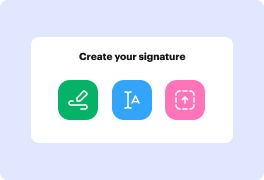
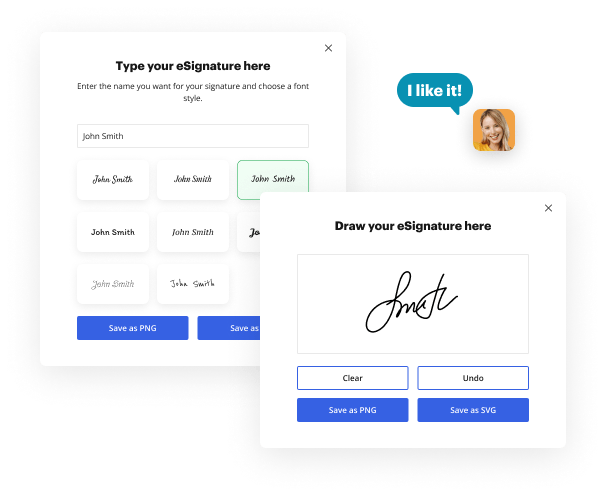
Draw signature
Draw your signature on the spot using your mouse, trackpad, or the screen of your tablet.
Draw signature
Type signature
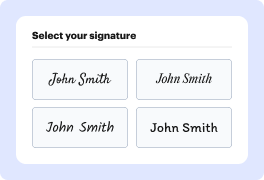
Type your name or initials into the signature generator, and personalize its appearance to match your preferred style.
Type signature
Aug 6th, 2022
forms filled out
0
forms filled out
forms signed
0
forms signed
forms sent
0
forms sent
Service screenshot
01. Pick a method to create your signature: Draw, Type, or Upload a file.
Service screenshot
02. Customize your signature style.
Service screenshot
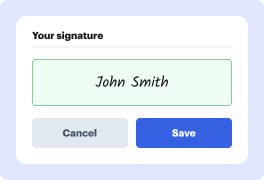
03. Save your eSignature.
Service screenshot
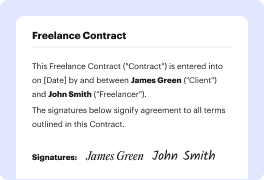
04. eSign your document in one click.

Need a document signed?

Drag and drop document here to upload or

Upload documents of up to 31 MB in PDF, DOC, DOCX, RTF, PPT, PPTX, JPEG, PNG, or TXT

video background

What does your signature say about you?

Every signature tells a story. The lines, the composition, and the strokes present your personality every time you leave your autograph on paper. This story is always unique, and it is yours to write. Use our electronic signature generator to tell your story.

Signature example

Large letters:

Extroverted and confident

Signature example

No underlined letters:

Proactive and result-oriented

Signature example

Lucid and clear:

Intelligence and wit

Signature example

Bold and strong lines:

Strong sense of individuality

Signature example

Sharp-lined:

Impatient and assertive

Signature example

Slanted writing:

Friendly and outgoing

Signature example

Scribbled:

Sharp intelligence and busy lifestyle

Signature example

Illegible letters:

Impressionable and creative

Signature example

Underlined signature:

Proud and vain character

The signatures behind big success

photo

Elon Musk

Tesla, SpaceX

Bold and futuristic, with a sharp slant to the right. Innovative and forward-thinking, always pushing boundaries and challenging the status quo.

Signature example
Photo

Beyoncé

Singer, Entrepreneur

Elegant and cursive, with a dramatic flair. Confident and charismatic, with a strong sense of self-expression and creativity.

Signature example
photo

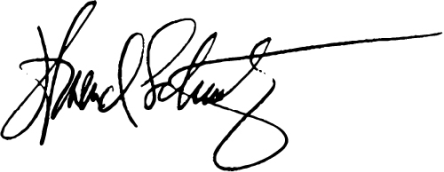
Howard Schultz

Starbucks

Strong and angular, with a distinctive "H" initial. Decisive and action-oriented, with a passion for building and leading successful teams.
Signature example
photo

Serena Williams

Tennis Superstar

Bold and dynamic, with a strong slant to the right. Confident and determined, with a fierce competitive spirit and a commitment to excellence.

Signature example
photo

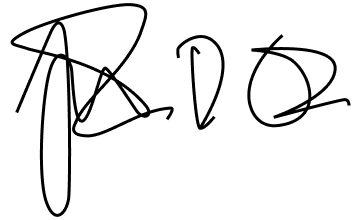
Tim Cook

Apple

Simple and understated, with a focus on clarity. Humble and down-to-earth, with a strong sense of integrity and a commitment to values-driven leadership.
Signature example
photo

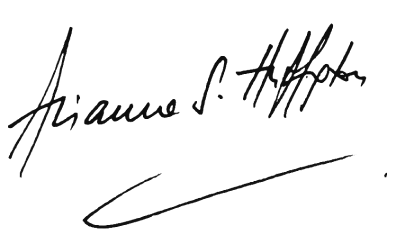
Arianna Huffington

HuffPost, Thrive Global

Elegant and cursive, with a flowing style. Sophisticated and empathetic, with a strong sense of purpose and a commitment to well-being.
Signature example
photo

Michael Jordan

NBA Legend, Entrepreneur

Strong and bold, with a distinctive "MJ" initial. Inspired, competitive, and confident, which shows in broadness of the lines in both initial letters.

Signature example
photo

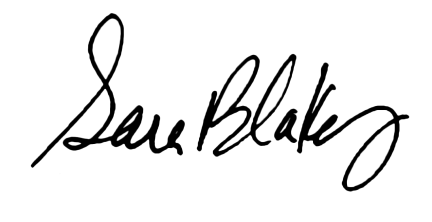
Sara Blakely

Spanx

Playful and creative, with a colorful flair. Innovative and entrepreneurial, with a strong sense of self-expression and a commitment to empowering others.
Signature example
photo

Lin-Manuel Miranda

Creator, Hamilton

Artistic and expressive, with a mix of print and cursive. Creative and imaginative, with a strong sense of storytelling and a commitment to using art to inspire and uplift.

Signature example

How to swiftly use Personal Signature Generator for PDF

section decoration

Dealing with your records online is no longer a daunting task. With all accessible instruments and platforms, you can improve your document workflows and boost their quality and accuracy. Try out our signature initials generator and create professionally-looking signatures to manage your most typical documents: from law forms and cover letters to NDAs. Whether you are a freelancer, a member of a bigger team, or want to sign your documents individually, you can benefit from its simple but productive functionality. Organize any document format and type in a few easy clicks.

Craft and use signatures with Personal Signature Generator for PDF

  1. Go to our signature generator page.
  2. Select how you want to draw your signature with our generator.
  3. Start typing your name or initials and modify the design.
  4. Alternatively, draw your signature.
  5. Download your signature and start using it on your documents.

You can produce three online signatures for free with Personal Signature Generator for PDF. If you want to get access to a complete document managing capabilities and edit your documents, sign up for a free DocHub account. It takes seconds to start creating your documents, modify them, and distribute them to other contributors.

Online signature generator benefits

icon
Simplicity
Regardless of the method you choose, generating your signature online only takes a minute. Scribble it on your device, upload a picture of your handwritten signature, or type your name in, and it will be generated in that instant.
icon
Personalization options
Whether it is a signature PNG, a generated image, or an autograph you draw yourself, you have options to customize it to perfection for every document you sign in the future. Easily adjust its color and style in the signature configurations.
icon
Access from any device
Once you've created your signature, you can use it on any device. Just log in to your account and open the document you wish to sign. Stay on track with your paperwork, even on the go.
icon
Signature in one click
When you set up and customize your signature, you can place it in a single click next time you need to sign a document. Modify or change your default signature at any time or add a new one just as easily.
icon
Document editing features
Enjoy the electronic signature as a part of your well-rounded document management toolkit by DocHub. Create, edit, fill out, sign, and collaborate on your Word files and PDFs online wherever you are.
icon
Accessibility & collaboration
Work on your documents with your teammates and exchange live signatures easily with the set of tools by DocHub. Stay in the loop of changes and handle digital group projects easily with our collaboration capabilities.

Frequently Asked Questions about Personal Signature Generator for PDF

Have questions about creating an electronic signature? Here are some common queries and our expert answers to help make your signature creation process as smooth as possible.
Contact us
Open the canvas and sign the way you would on paper, or type your name and browse the font options. When a version feels like yours, download it as a transparent PNG or a scalable SVG.
Download the transparent PNG and insert it as an image. Word and Google Docs place it over the signature line, and Gmail accepts it in the signature settings. For PDFs, open the file in DocHub, click Sign, and apply your saved signature in one click.
Eight handwriting fonts cover the range from clean cursive to a scrawled autograph. Your name renders in each one as you type, and you pick the version that reads like your hand.
Yes. The ESIGN Act and UETA in the U.S., and eIDAS in the EU, recognize electronic signatures as valid when they show your intent to sign. A signature you draw or type qualifies. Sign through DocHub and you also get an audit trail attached to the document.
Anywhere your toolchain expects PDF files. Generate once and download the formats you need: PDF for the specific workflow, PNG with transparency for documents, SVG when the size has to scale.
You get the PNG or SVG on your device the moment you save it. Save it to a DocHub account and DocHub stores it encrypted on AWS, ready for one-click signing. You control the stored copy and can remove it at any point. SOC 2 Type II certification and GDPR compliance cover the whole platform.
Transparency is built into the PNG export. Place the file over text or a colored layout and you see the signature, nothing else. For logos, banners, or print, download the SVG and scale it without quality loss.

What other users say about DocHub's eSignature

Great solution for PDF docs with very little pre-knowledge required.
"Simplicity, familiarity with the menu and user-friendly. It's easy to navigate, make changes and edit whatever you may need. Because it's used alongside Google, the document is always saved, so you don't have to worry about it."
Pam Driscoll F
Teacher
A Valuable Document Signer for Small Businesses.
"I love that DocHub is incredibly affordable and customizable. It truly does everything I need it to do, without a large price tag like some of its more well known competitors. I am able to send secure documents directly to me clients emails and via in real time when they are viewing and making alterations to a document."
Jiovany A
Small-Business
I can create refillable copies for the templates that I select and then I can publish those.
"I like to work and organize my work in the appropriate way to meet and even exceed the demands that are made daily in the office, so I enjoy working with PDF files, I think they are more professional and versatile, they allow..."
Victoria G
Small-Business
be ready to get more

eSign documents in a blink

Get started now!