




Here's how it works



How to use or fill out Application for employment - Horseshoe Bay Resort with our platform

- Click ‘Get Form’ to open the Application for employment - Horseshoe Bay Resort in the editor.
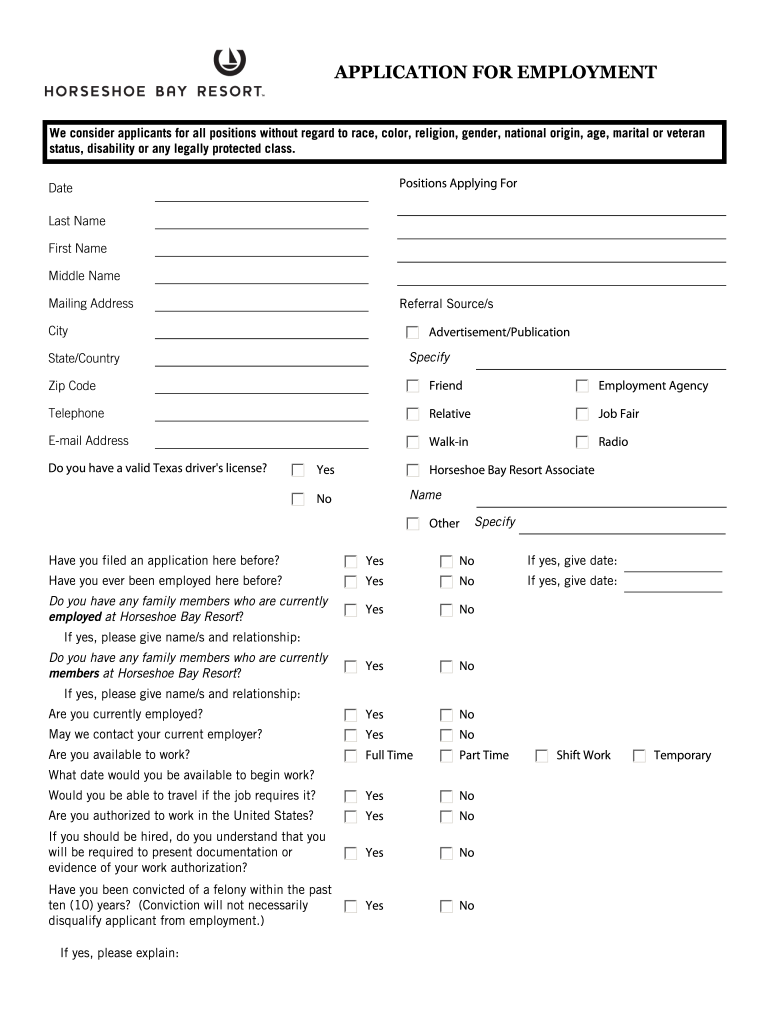
- Begin by filling in your personal information, including your last name, first name, middle name, and mailing address. Ensure accuracy as this information is crucial for communication.
- Indicate the positions you are applying for and provide details about your referral source. This helps the employer understand how you found out about the job.
- Answer questions regarding your eligibility to work in the U.S., current employment status, and any previous applications or employment at Horseshoe Bay Resort. Be honest as this will not necessarily disqualify you.
- In the Employment Experience section, list your past jobs starting with the most recent. Include details such as employer name, job title, dates worked, and reasons for leaving.
- Complete the Education section by indicating years completed and any degrees earned. Highlight any specialized training or skills that may be relevant to the position.
- Provide references who can vouch for your qualifications. Ensure they are not related to you or previous employers.
- Finally, read through the certification statement carefully before signing and dating your application to confirm all information is accurate.
Start using our platform today to easily complete your application for Horseshoe Bay Resort!
It's free
See more Application for employment - Horseshoe Bay Resort versions
| Versions | Form popularity | Fillable & printable |
|---|---|---|
| 2009 | 4.5 Satisfied (53 Votes) |
Got questions?
How do I sign my Application for employment - Horseshoe Bay Resort without printing?
eSignatures are an excellent replacement for traditional signing, as they save time, effort, and costs people spend on printing, scanning, and paper delivery. You can eSign your Application for employment - Horseshoe Bay Resort using a reliable and robust online document management services like DocHub. It complies with primary eSignature regulations (ESIGN and UETA), so all documents approved there are legally binding and have the same validity as physically signed ones.
How do you edit Application for employment - Horseshoe Bay Resort on Android?
Document editing with DocHub is equally convenient on desktop and mobile devices. You just need an internet browser to modify your Application for employment - Horseshoe Bay Resort on Android. Open our website and sign in to access the instruments you need. Add your file and introduce your intended changes. After that, you can keep your form in your file storage or send it out instantly.
What are the benefits of working at Horseshoe Bay Resort?
Security and compliance
At DocHub, your data security is our priority. We follow HIPAA, SOC2, GDPR, and other standards, so you can work on your documents with confidence.
Learn more




