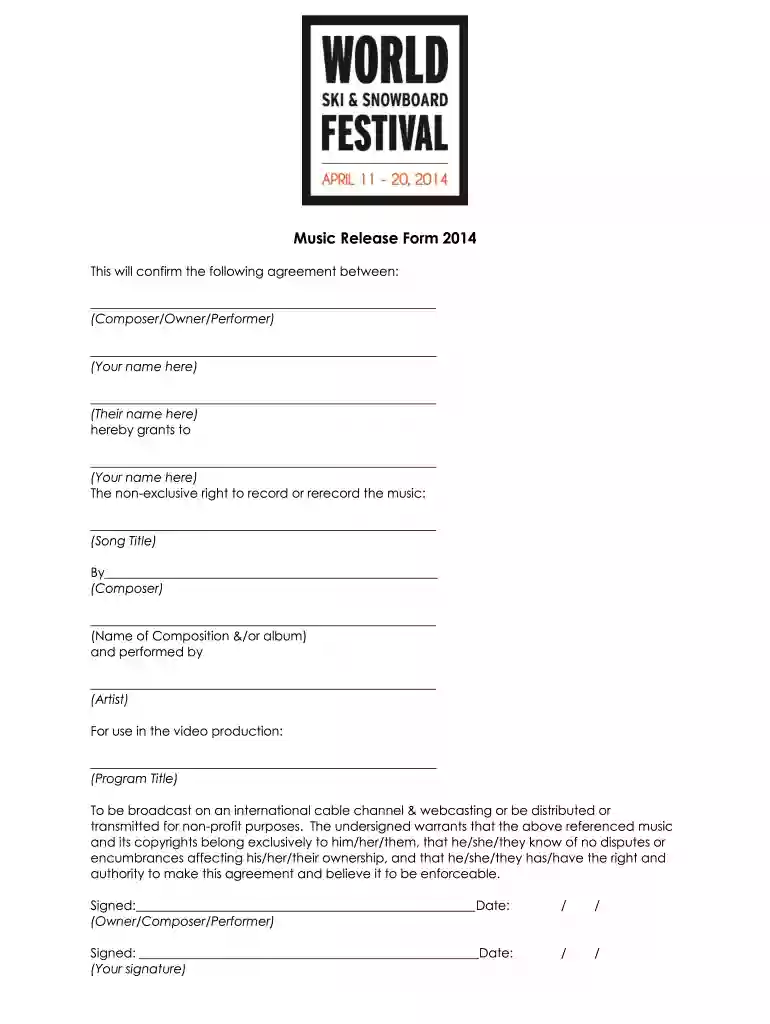
Music Release Form 2014-2026

Get Form
music release form template Preview on Page 1

Here's how it works

01. Edit your music release form template online
Type text, add images, blackout confidential details, add comments, highlights and more.

02. Sign it in a few clicks
Draw your signature, type it, upload its image, or use your mobile device as a signature pad.

03. Share your form with others
Send music release form via email, link, or fax. You can also download it, export it or print it out.

How to use or fill out Music Release Form 2014 with our platform

Form edit decoration
9.5
Ease of Setup
DocHub User Ratings on G2
9.0
Ease of Use
DocHub User Ratings on G2
  1. Click ‘Get Form’ to open the Music Release Form 2014 in the editor.
  2. Begin by filling in your name as the Composer/Owner/Performer in the designated field. This identifies you as the party granting rights.
  3. Next, enter the name of the individual or entity receiving the rights in the appropriate section. This is crucial for establishing who will have permission to use your music.
  4. In the 'Song Title' field, specify the title of the music piece being released. Ensure accuracy to avoid any potential disputes.
  5. Fill in the name of the composer and any relevant album information to provide context for your work.
  6. Indicate who performed the music by entering their name in the designated area, ensuring proper credit is given.
  7. Complete details about where and how your music will be used, including program title and distribution methods.
  8. Finally, sign and date both signature fields to validate your agreement. Make sure all parties involved have signed before finalizing.

Start using our platform today for free to streamline your document editing and signing process!

See more Music Release Form 2014 versions

We've got more versions of the Music Release Form 2014 form. Select the right Music Release Form 2014 version from the list and start editing it straight away!
Versions Form popularity Fillable & printable
2014 4 Satisfied (52 Votes)
be ready to get more

Complete this form in 5 minutes or less

Get form

Got questions?

We have answers to the most popular questions from our customers. If you can't find an answer to your question, please contact us.
Contact us
Easily create, share, and sign digital waivers and release forms, directly from your mobile device or computer. Accelerate the completion of digital waivers and release forms with form sharing and electronic signature capture.
Now Thats What I Call Music!
49, released on February 4, 2014, is the 49th edition of the Now! series in the United States. The album features three Billboard Hot 100 number-one hits: Timber, Royals, and Wrecking Ball.
While creating your own release forms is possible, its important to consider a few things before you decide to do so. Consent forms involve intricate legal considerations that have to be specifically tailored to the situation at hand and adhere to certain laws and regulations.
A music release form is a document that allows composers or artists to grant permission for the use of their music in another media, such as films, commercials, or online videos. It outlines the terms and conditions of the permission granted and ensures that the proper rights are obtained.

Security and compliance

At DocHub, your data security is our priority. We follow HIPAA, SOC2, GDPR, and other standards, so you can work on your documents with confidence.

Learn more
ccpa2
pci-dss
gdpr-compliance
hipaa
soc-compliance
be ready to get more

Complete this form in 5 minutes or less

Get form