




Here's how it works



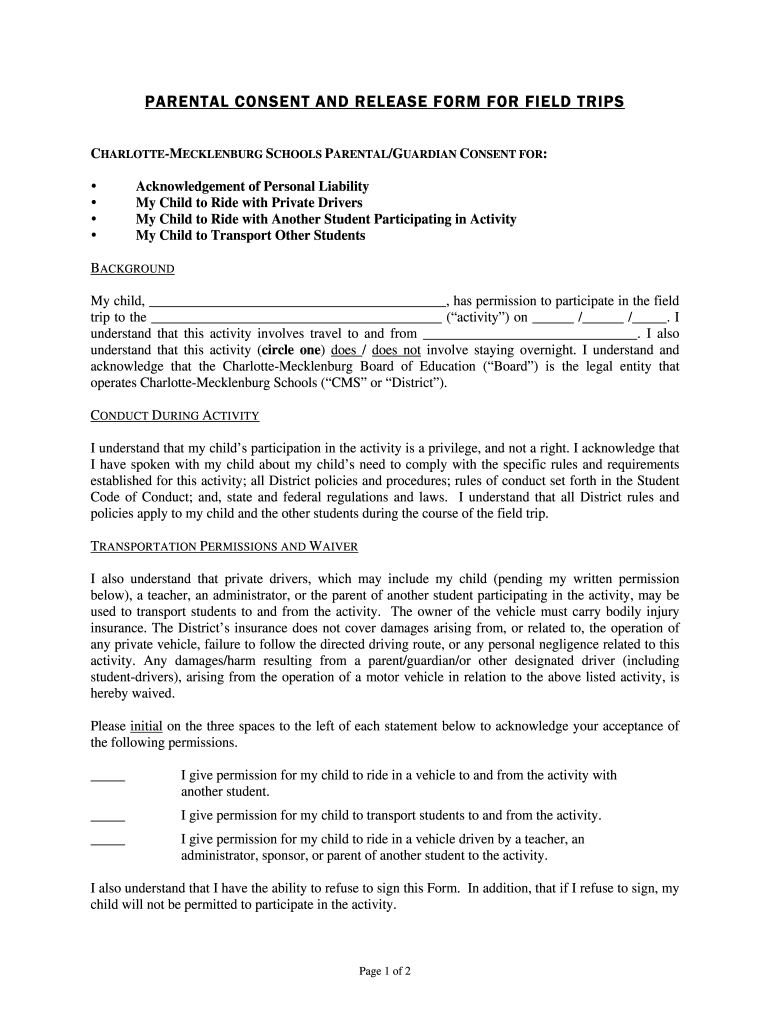
How to use or fill out Parental Consent and Release Form for Field Trips - Charlotte ... - schools cms k12 nc with our platform

- Click ‘Get Form’ to open it in the editor.
- Begin by entering your child's name in the designated field at the top of the form.
- Fill in the details of the field trip, including the destination and date of the activity.
- Review and circle whether the trip involves an overnight stay.
- Initial next to each transportation permission statement to acknowledge your acceptance.
- Read through the Acknowledgement of Personal Liability and Waiver section carefully.
- Sign and date the form at the bottom, ensuring you include both parent/guardian and student signatures if applicable.
Start using our platform today to easily complete your Parental Consent and Release Form for free!
It's free
See more Parental Consent and Release Form for Field Trips - Charlotte ... - schools cms k12 nc versions
Got questions?
How do I sign my cms field trips on iOS?
With DocHub, you can easily approve your cms field trips or any other paperwork on iOS, even without installing extra applications. You can access your DocHub account from any web-connected browser and complete and sign your form in any way you like with just a few clicks.
How do you get school field trip waiver form?
You can find the latest and most relevant version of the school field trip waiver form in our DocHub forms collection. Browse it by categories or utilize the search field to get the exact template that fits your situation. You may open this form for editing once you find it.
Security and compliance
At DocHub, your data security is our priority. We follow HIPAA, SOC2, GDPR, and other standards, so you can work on your documents with confidence.
Learn more




