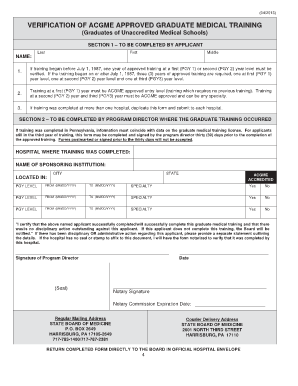
Wb 1 fillable form 2008-2026

Get Form
Wb 1 fillable form 2008 Preview on Page 1

Here's how it works

01. Edit your form online
Type text, add images, blackout confidential details, add comments, highlights and more.
02. Sign it in a few clicks
Draw your signature, type it, upload its image, or use your mobile device as a signature pad.
03. Share your form with others
Send it via email, link, or fax. You can also download it, export it or print it out.

How to use or fill out Wb 1 fillable form 2008 with our platform

Form edit decoration
9.5
Ease of Setup
DocHub User Ratings on G2
9.0
Ease of Use
DocHub User Ratings on G2
  1. Click ‘Get Form’ to open the Wb 1 fillable form in the editor.
  2. Begin by filling in the 'Property Description' section. Enter the street address, city, and county of the property as required.
  3. Next, specify the 'List Price' for the property. Ensure you enter both the numerical value and its written form.
  4. In the 'Included in List Price' section, list all items that are part of the sale, ensuring clarity on what is included.
  5. Identify any items 'Not Included in List Price' by detailing fixtures that will remain with you or are rented.
  6. Complete sections regarding 'Marketing', 'Occupancy', and 'Cooperation'. Provide necessary details about your marketing preferences and occupancy terms.
  7. Review all entries for accuracy before saving or submitting your completed form. Utilize our platform's features to ensure everything is correct.

Start using our platform today to easily fill out your Wb 1 form for free!

See more Wb 1 fillable form 2008 versions

We've got more versions of the Wb 1 fillable form 2008 form. Select the right Wb 1 fillable form 2008 version from the list and start editing it straight away!
Versions Form popularity Fillable & printable
2016 4.8 Satisfied (122 Votes)
2008 4.4 Satisfied (64 Votes)
be ready to get more

Complete this form in 5 minutes or less

Get form

Got questions?

We have answers to the most popular questions from our customers. If you can't find an answer to your question, please contact us.
Contact us

With DocHub, you can quickly approve your Wb 1 fillable form 2008 or any other paperwork on iOS, even without setting up extra programs. You can access your DocHub account from any web-connected browser and fill out and sign your document in any preferred method with just a few clicks.

If you edit your Wb 1 fillable form 2008 with DocHub, you will not need to look for other applications or services to eSign it. An electronic signature is a component of DocHub’s extensive editing toolset, which enables you to apply changes in your form without switching between websites. Simply complete your form, double-check the correctness of the data and place your electronic signature at the end to make it submission-ready within minutes.

There are four main types: open listings, exclusive right-to-sell, exclusive agency, and net listings. Understanding these agreements ensures smooth transactions by clarifying expectations, responsibilities, and commission terms between brokers and clients.
Benefits of an exclusive right to sell Agents are more motivated to invest in high-quality marketing since theyre guaranteed a commission if the property sells. Your agent handles all negotiations and paperwork, ensuring a smoother transaction. Being listed on the MLS docHubly increases buyer exposure.
The Exclusive Right to Sell listing is the form of listing where the seller provides exclusive authorization to the listing broker to cooperate with other brokers in the sale of their property. By default, all WB listing contracts are Exclusive Right to Sell.

Security and compliance

At DocHub, your data security is our priority. We follow HIPAA, SOC2, GDPR, and other standards, so you can work on your documents with confidence.

Learn more
ccpa2
pci-dss
gdpr-compliance
hipaa
soc-compliance

People also ask

Explanation: The WB-1 Residential Listing Contract states on lines 264-266 that listing licensees do not have the authority to terminate the listing, amend the commission, or shorten the term of the listing because the listing contract is between the firm and the seller.
The term protected buyer is a defined term in the Wisconsin state-approved WB forms. A buyer becomes a protected buyer in one of three ways, when he or she: Delivers a written offer to purchase. Negotiates directly with the seller.
(3) Exclusive right to sell listing means a written listing contract making a firm the exclusive agent for the sale of property for a specific period of time, and which entitles the listing firm to a commission if the property is sold by the owner, by the firm, or by anyone else.
In an exclusive right-to-sell agreement, the seller will be responsible for paying the realtor fees even if they find the buyer completely on their own. With an exclusive agency listing, the seller will only pay fees in the event the realtor finds the final buyer.
The Exclusive Right to Sell is the most commonly used listing agreement in California real estate transactions. When a homeowner signs this agreement, they grant the listing agentand their brokeragethe exclusive right to market and sell the property within a specified timeframe.

Related links