




Here's how it works



How to use or fill out ftb 4803 2012 form with our platform

- Click ‘Get Form’ to open the ftb 4803 2012 form in the editor.
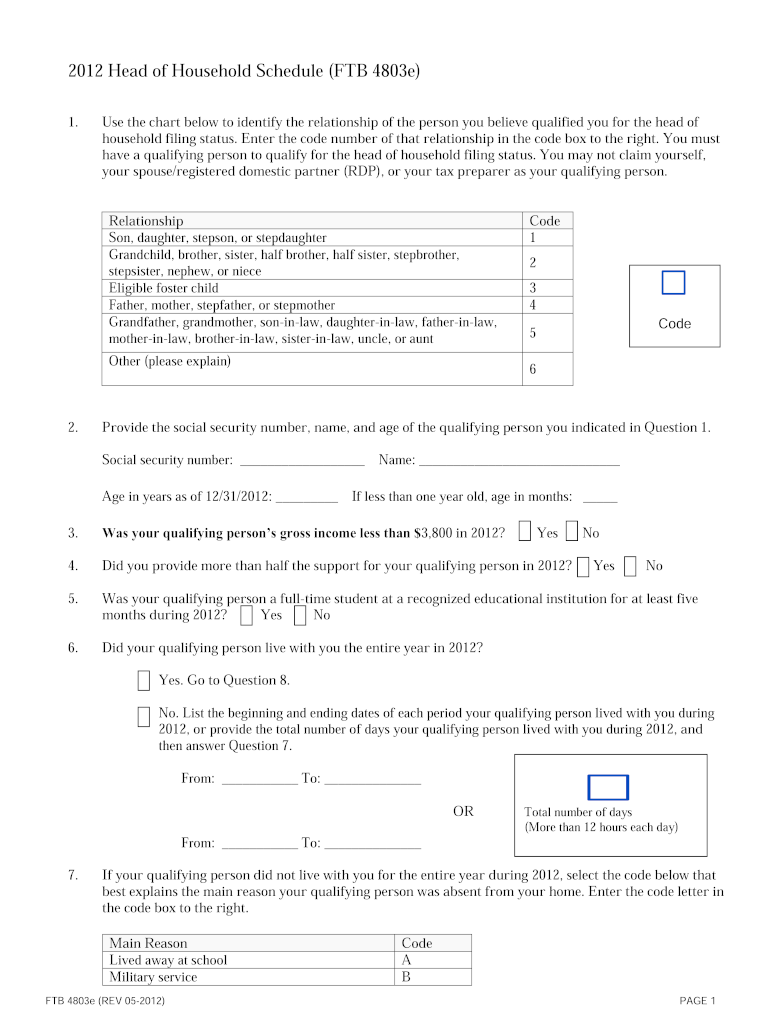
- Begin by identifying the relationship of your qualifying person for head of household status. Use the provided chart and enter the corresponding code in the designated box.
- Fill in the social security number, name, and age of your qualifying person as indicated in Question 2.
- Answer Questions 3 through 10 regarding support, living arrangements, and marital status. Ensure you select 'Yes' or 'No' accurately based on your situation.
- If applicable, provide details about any periods your qualifying person lived with you during the year in Question 6. Enter dates or total days as required.
- Complete any additional questions related to foster children or citizenship status as prompted throughout the form.
- Finally, review all entries for accuracy before saving or exporting your completed form directly from our platform.
Start using our platform today to fill out your ftb 4803 2012 form easily and for free!
It's free
See more ftb 4803 2012 form versions
Got questions?
Can I use DocHub to generate legal eSignatures on my ftb 4803 2012 form?
Yes, you can use DocHub for signing any business and private paperwork, including your ftb 4803 2012 form. All electronic signatures you generate with our service are legally binding and court-admissible, as DocHub complies with criteria required by ESIGN and UETA. Save your accomplished form with a detailed Audit Trail if needed.
Do I need to install software to modify my ftb 4803 2012 form?
If you edit your ftb 4803 2012 form with DocHub, you only require a steady web connection and virtually any browser installed on your device. No need to install any third-party software or research guides. Simply open a tab with DocHub, drag and drop your file, and edit it immediately.
Security and compliance
At DocHub, your data security is our priority. We follow HIPAA, SOC2, GDPR, and other standards, so you can work on your documents with confidence.
Learn more




