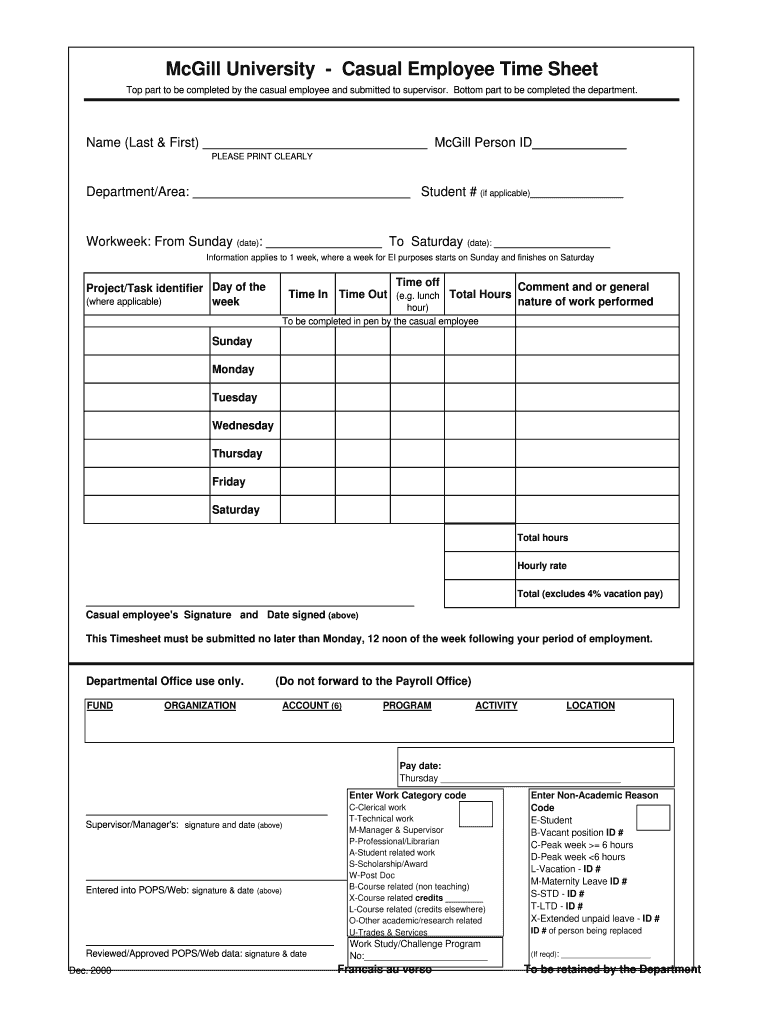
Timesheet mcgill casual form 2026

Get Form
mcgill one drive Preview on Page 1

Here's how it works

01. Edit your mcgill one drive online
Type text, add images, blackout confidential details, add comments, highlights and more.
02. Sign it in a few clicks
Draw your signature, type it, upload its image, or use your mobile device as a signature pad.
03. Share your form with others
Send it via email, link, or fax. You can also download it, export it or print it out.

How to use or fill out timesheet mcgill casual form with our platform

Form edit decoration
9.5
Ease of Setup
DocHub User Ratings on G2
9.0
Ease of Use
DocHub User Ratings on G2
  1. Click ‘Get Form’ to open the timesheet mcgill casual form in the editor.
  2. Begin by filling in your name (Last & First) and McGill Person ID at the top of the form. Ensure you print clearly for legibility.
  3. Next, specify your department/area and student number if applicable. This information helps identify your work context.
  4. Indicate the workweek by entering the start date (Sunday) and end date (Saturday). Remember, this applies to one week for EI purposes.
  5. In the project/task identifier section, list any relevant identifiers along with daily time entries. Fill in 'Time In' and 'Time Out' for each day worked, including total hours worked.
  6. At the bottom, calculate your total hours and hourly rate. Sign and date the form before submission.

Start using our platform today to easily complete your timesheet mcgill casual form online for free!

See more timesheet mcgill casual form versions

We've got more versions of the timesheet mcgill casual form form. Select the right timesheet mcgill casual form version from the list and start editing it straight away!
Versions Form popularity Fillable & printable
2000 4.8 Satisfied (244 Votes)
be ready to get more

Complete this form in 5 minutes or less

Get form

Got questions?

We have answers to the most popular questions from our customers. If you can't find an answer to your question, please contact us.
Contact us
It usually involves paper sheets, printed forms, or Excel spreadsheets where employees write down their clock-in and clock-out times, breaks, and total hours worked. Pros of Manual Employee Timesheets: Simple to Use: No need for software or internet.
To begin with, managers can fill in the basic details and share the timesheets with their employees to key in their work hours. Step 1: Enter the Employees Name. Step 2: Add a Date Range. Step 3: Add Project Details. Step 4: Add Work Hours for Each Workday. Step 5: Determine Total Work Hours. Step 6: Add Notes, if Required.
Time Card Conversion Examples Lets say another employee worked 7 hours and 45 minutes. To convert this to decimal form, you would divide the minutes worked by 60, which gives you 0.75. Then, you would add that decimal to the total number of hours worked, which gives you 7.75 hours.

Security and compliance

At DocHub, your data security is our priority. We follow HIPAA, SOC2, GDPR, and other standards, so you can work on your documents with confidence.

Learn more
ccpa2
pci-dss
gdpr-compliance
hipaa
soc-compliance
be ready to get more

Complete this form in 5 minutes or less

Get form