




01. Edit your inside city limits birth certificate online
Type text, add images, blackout confidential details, add comments, highlights and more.

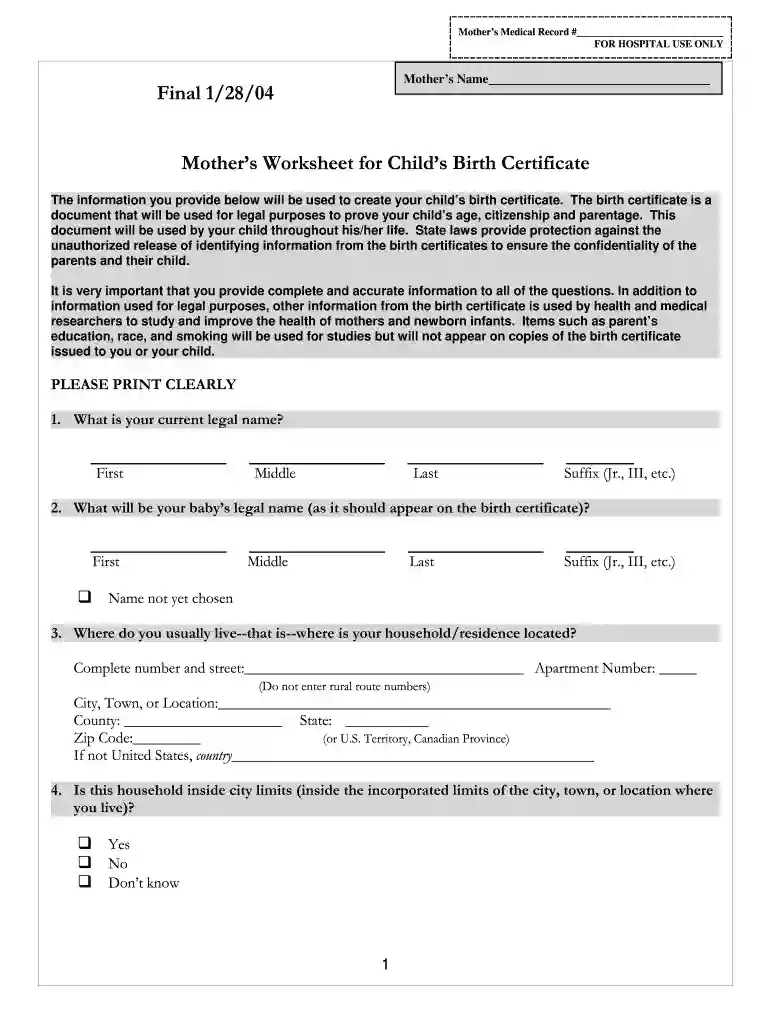
Type text, add images, blackout confidential details, add comments, highlights and more.

Draw your signature, type it, upload its image, or use your mobile device as a signature pad.

Send inside city limits birth certificate meaning via email, link, or fax. You can also download it, export it or print it out.

Start filling out your mother's worksheet for child's birth certificate today for free on our platform!
We've got more versions of the inside city limits birth certificate form. Select the right inside city limits birth certificate version from the list and start editing it straight away!
Sure, and it’s really easy! DocHub is an online PDF editor with advanced document processing capabilities that allow you promptly edit your documents, fill out blank fields and add new ones for others to fill out, and create eSignatures in several ways. Import your what does inside city limits mean on birth certificate, give information as requested, and select how you want to eSign your document - by typing your name, drawing your signature, uploading its image, or utilizing a QR code.
With a swift editing platform like DocHub, you do not require anything but a browser and connection to the internet to edit your birth certificate worksheet online quickly. Add your document or find the relevant form in DocHub’s catalog, open our editor with one click, and finish it electronically. To edit your forms at any time, register a free account with DocHub.
At DocHub, your data security is our priority. We follow HIPAA, SOC2, GDPR, and other standards, so you can work on your documents with confidence.
Due to the length of the TCE toxicological review, it is recommended that. Chapters 1 and 6 be read prior to Chapters 25.Read more
The information you provide below will be used to create your childs birth certificate. The birth certificate is a document that will be used for legalRead more
Use the codes on this Worksheet to report the appropriate entry in items numbered 25D and 28A through 31 on the Certificate of Live Birth and for items 29DRead more


