Type text, add images, blackout confidential details, add comments, highlights and more.
02. Sign it in a few clicks
Draw your signature, type it, upload its image, or use your mobile device as a signature pad.
03. Share your form with others
Send ptcfor requirements via email, link, or fax. You can also download it, export it or print it out.
How to use or fill out ptc online application 2021 with DocHub
Ease of Setup
DocHub User Ratings on G2
Ease of Use
DocHub User Ratings on G2
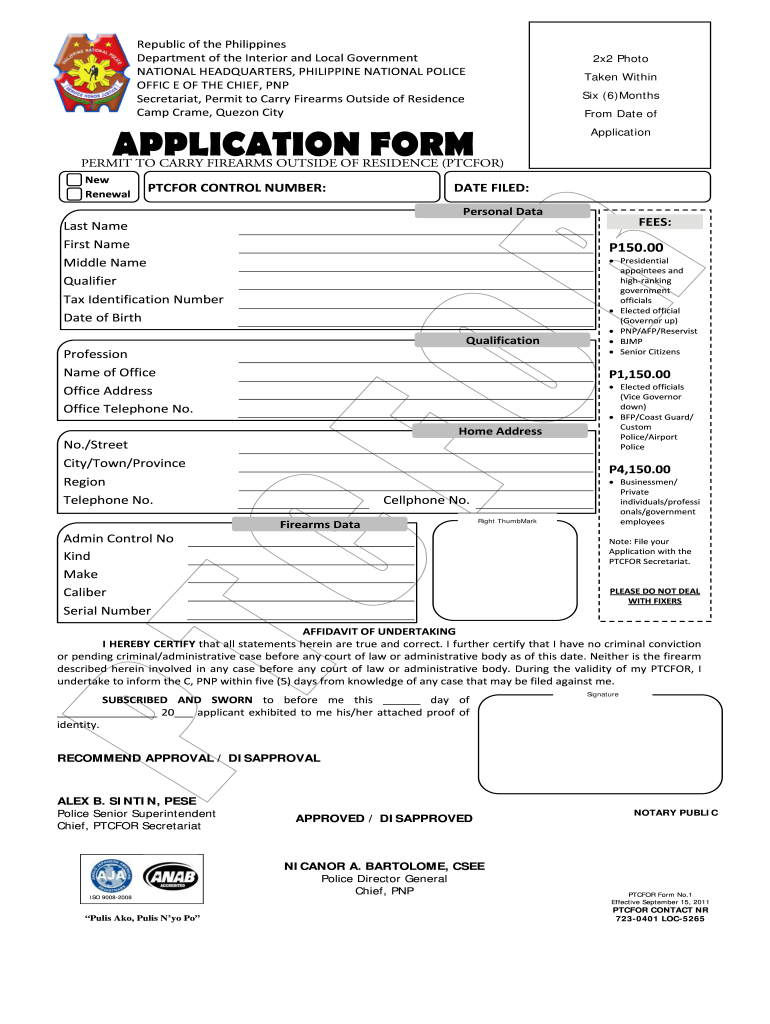
Click ‘Get Form’ to open the ptc online application 2021 in our editor.
Begin by filling out your personal data. Enter your last name, first name, middle name, and qualifier in the designated fields.
Provide your Tax Identification Number and date of birth. Ensure all information is accurate to avoid processing delays.
In the firearms data section, specify the kind, make, caliber, and serial number of your firearm. This information is crucial for your application.
Complete the affidavit section by certifying that all statements are true. Sign where indicated and ensure you have a notary public witness your signature.
Review all entries for accuracy before submitting. Use our platform's tools to edit any mistakes easily.
Start filling out your ptc online application 2021 today for free using our platform!
Fill out ptc online application 2021 online It's free
Applicants with no prior coursework in reading, writing, or math may be required to submit scores for admission to UA-PTC. Students can either request ACT, SAT,Read more
May 10, 2016 changes in estimated lease payments, PTC and income tax impacts. including application of non-torque loading to simulate the fullRead more
The Premium Tax Credit (PTC) is a refundable tax credit that helps lower the amount eligible individuals and families pay each month for coverage underRead more
Cookie consent notice
This site uses cookies to enhance site navigation and personalize your experience.
By using this site you agree to our use of cookies as described in our Privacy Notice.
You can modify your selections by visiting our Cookie and Advertising Notice.