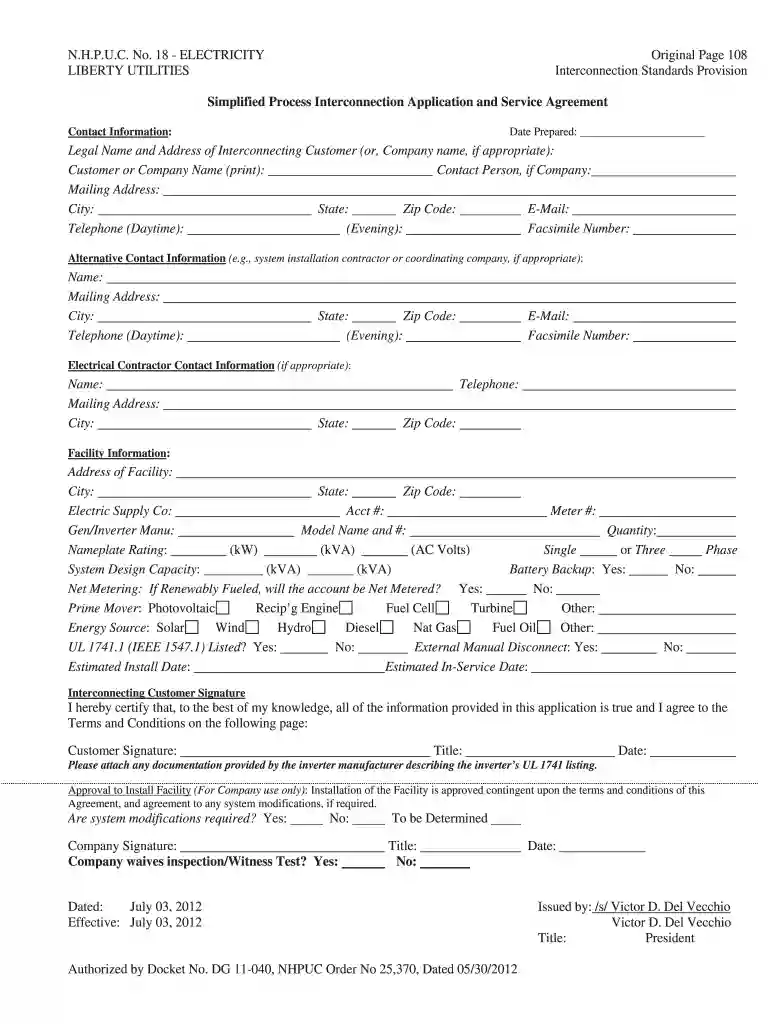
liberty utilities login Preview on Page 1

N.H.P.U.C. No. 18 - ELECTRICITY LIBERTY UTILITIES Original ... 2026

Here's how it works

  • 01. Edit your liberty utilities login online

    Type text, add images, blackout confidential details, add comments, highlights and more.

  • 02. Sign it in a few clicks

    Draw your signature, type it, upload its image, or use your mobile device as a signature pad.

  • 03. Share your form with others

    Send nhpuc via email, link, or fax. You can also download it, export it or print it out.

How to use or fill out N.H.P.U.C. No. 18 - ELECTRICITY LIBERTY UTILITIES Original with our platform

Form edit decoration
9.5
Ease of Setup
DocHub User Ratings on G2
9.0
Ease of Use
DocHub User Ratings on G2
  1. Click ‘Get Form’ to open it in the editor.
  2. Begin by entering the date prepared at the top of the form. This helps track when the application was completed.
  3. Fill in the legal name and address of the interconnecting customer or company. Ensure all details are accurate for proper identification.
  4. Provide contact information, including email and telephone numbers for both daytime and evening availability.
  5. Complete the facility information section, detailing the address, electric supply company, account number, meter number, and system specifications such as model name and quantity.
  6. Indicate whether battery backup is present and if net metering applies to your renewable energy source.
  7. Sign and date the application at the bottom to certify that all provided information is true.

Start using our platform today to streamline your document editing and form completion process for free!

See more liberty utilities login versions

We've got more versions of the liberty utilities login form. Select the right liberty utilities login version from the list and start editing it straight away!

VersionsForm popularityFillable & printable
20174.4 Satisfied (60 Votes)
20124 Satisfied (35 Votes)

be ready to get more

Complete this form in 5 minutes or less

Got questions?

We have answers to the most popular questions from our customers. If you can't find an answer to your question, please contact us.

Electronic document approval demands a software solution that complies with data security and eSignature regulations. DocHub is an excellent tool for that, because it meets all the above mentioned requirements. Whatever method you like to sign your N.H.P.U.C. No. 18 - ELECTRICITY LIBERTY UTILITIES Original ... in DocHub, your electronic signature will be legally binding and court-admissible.

You may find and modify your N.H.P.U.C. No. 18 - ELECTRICITY LIBERTY UTILITIES Original ... online by using DocHub. Its straightforward but feature-rich design enables you to start productive work right after you sign up your account. Create your profile and add your file, and then our user interface will guide you through our stress-free form completion experience.

Security and compliance

At DocHub, your data security is our priority. We follow HIPAA, SOC2, GDPR, and other standards, so you can work on your documents with confidence.

Related links

IMPROVING THE CYBERSECURITY OF THE ELECTRIC

For example, in a recent Liberty Utilities 209 Massachusetts Department of Public Utilities, D.P.U. 18-150, Petition of Massachusetts Electric Company andRead more

Learn more
If you believe that this page should be taken down, please follow our DMCA take down process here