




Here's how it works

01. Edit your he issued eo no 335 to replace the national land settlement administration with land settlement development corporation online
Type text, add images, blackout confidential details, add comments, highlights and more.

02. Sign it in a few clicks
Draw your signature, type it, upload its image, or use your mobile device as a signature pad.

03. Share your form with others
Send eo form document via email, link, or fax. You can also download it, export it or print it out.
How to use or fill out eo 365 with DocHub

- Click ‘Get Form’ to open the EO-365 in our editor.
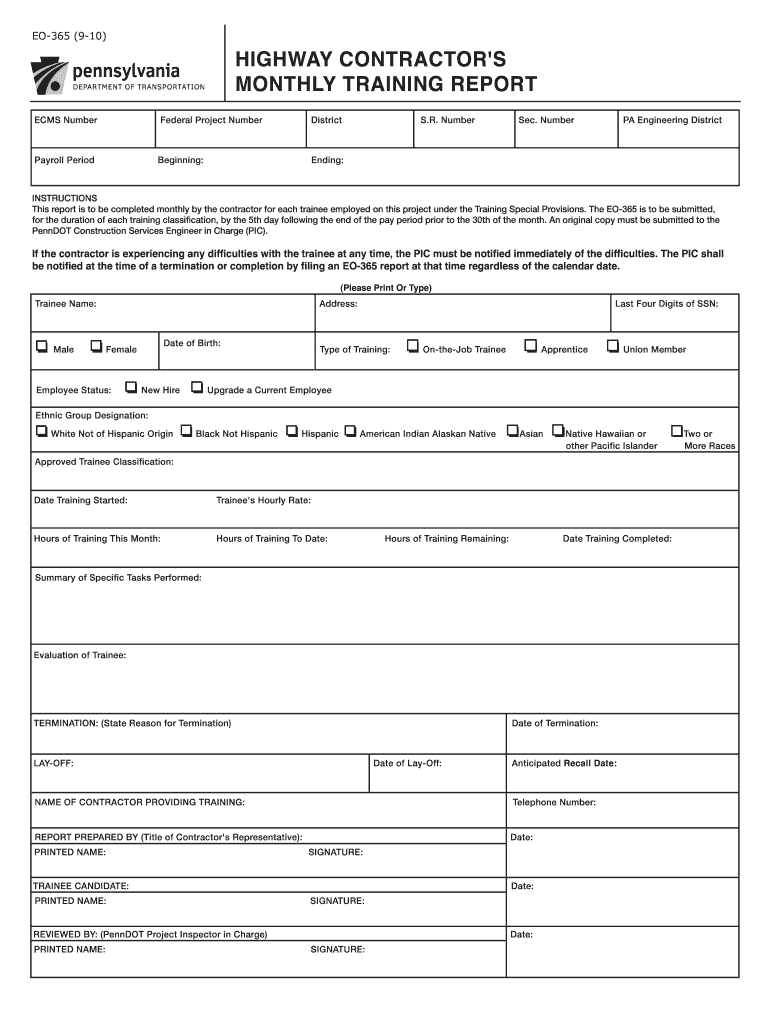
- Begin by entering the ECMS Number and Federal Project Number at the top of the form. This information is crucial for tracking your report.
- Fill in the District and Payroll Period details, including the beginning and ending dates. Ensure accuracy as this affects reporting timelines.
- In the Trainee section, provide the trainee's name, gender, address, date of birth, and employee status. Select from options like On-the-Job Trainee or Apprentice.
- Complete the Ethnic Group Designation and Approved Trainee Classification fields. This data is important for compliance with training provisions.
- Document training specifics such as hourly rate, hours of training this month, and total hours to date. Include a summary of tasks performed and evaluation of trainee performance.
- If applicable, note any termination or lay-off details along with anticipated recall dates. Finally, ensure all signatures are collected before submission.
Start using our platform today to streamline your EO-365 completion process for free!
Fill out eo 365 online
It's free
It's free
See more eo 365 versions
We've got more versions of the eo 365 form. Select the right eo 365 version from the list and start editing it straight away!
| Versions | Form popularity | Fillable & printable |
|---|---|---|
| 2010 | 4.9 Satisfied (373 Votes) |
Security and compliance
At DocHub, your data security is our priority. We follow HIPAA, SOC2, GDPR, and other standards, so you can work on your documents with confidence.
Learn more




