




01. Edit your form online
Type text, add images, blackout confidential details, add comments, highlights and more.

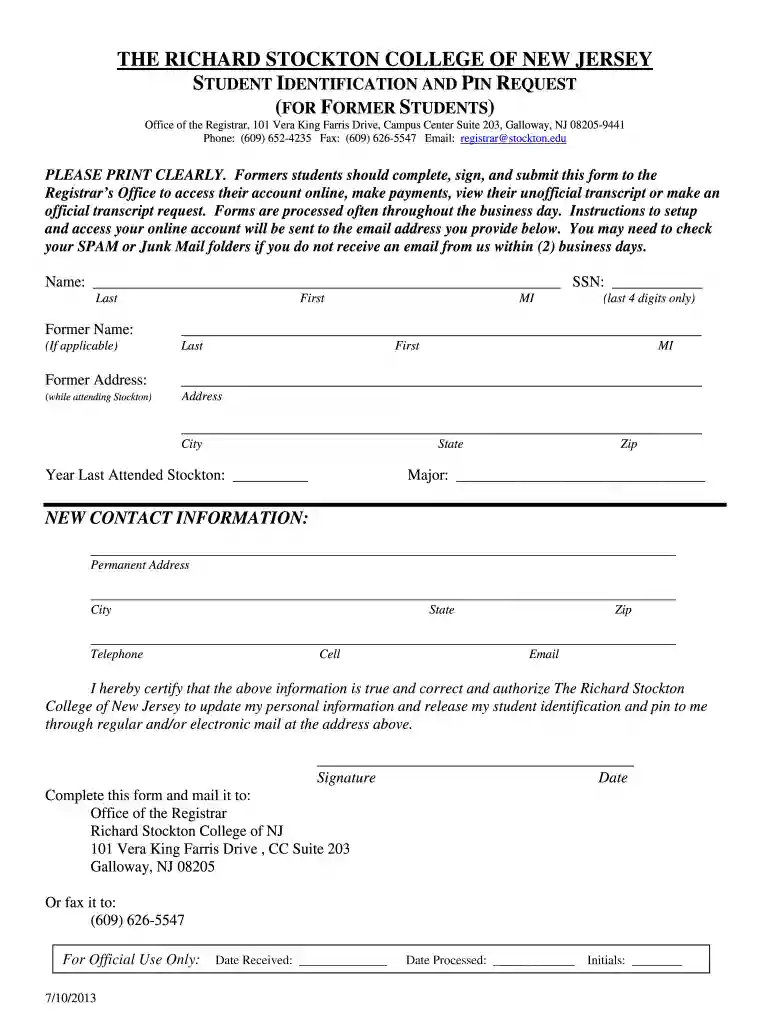
Type text, add images, blackout confidential details, add comments, highlights and more.

Draw your signature, type it, upload its image, or use your mobile device as a signature pad.

Send it via email, link, or fax. You can also download it, export it or print it out.

Start using our platform today to complete your Student ID & PIN Request form quickly and for free!
We've got more versions of the Student ID & PIN Request - Richard Stockton College of New Jersey - intraweb stockton form. Select the right Student ID & PIN Request - Richard Stockton College of New Jersey - intraweb stockton version from the list and start editing it straight away!
Managing your documents with DocHub this way is extremely easy after you have downloaded its extension for Google Chrome. Go to the Chrome Web Store and install DocHub - Sign PDF from Gmail to obtain it. Give our tool access to your Google account, and then open an email with the Student ID & PIN Request - Richard Stockton College of New Jersey - intraweb stockton attached and point to the file with your cursor - the DocHub extension key will automatically appear there. Click on it to open your form in our editor. Make any required edits, fill out the blanks, and click Sign to create your legally-binding eSignature.
When you edit your Student ID & PIN Request - Richard Stockton College of New Jersey - intraweb stockton with DocHub, you will not need to look for other applications or solutions to sign it. An electronic signature is part of DocHub’s extensive editing toolset, which enables you to implement changes in your form without jumping between websites. Simply complete your form, double-check the correctness of your data and put your electronic signature at the end to make it submission-ready within minutes.
At DocHub, your data security is our priority. We follow HIPAA, SOC2, GDPR, and other standards, so you can work on your documents with confidence.
Students must report lost/stolen ID cards through GetFood and then go to Student Records (CC-203) for a new ID. There is a $25.00 fee for replacement IDs.Read more
Jul 21, 2005 These cards do not require a personal identification number (PIN) and have no line of credit. OIT Office of Information Technology. TheRead more


