




Here's how it works

01. Edit your axa equitable beneficiary change form online
Type text, add images, blackout confidential details, add comments, highlights and more.

02. Sign it in a few clicks
Draw your signature, type it, upload its image, or use your mobile device as a signature pad.

03. Share your form with others
Send equi vest via email, link, or fax. You can also download it, export it or print it out.
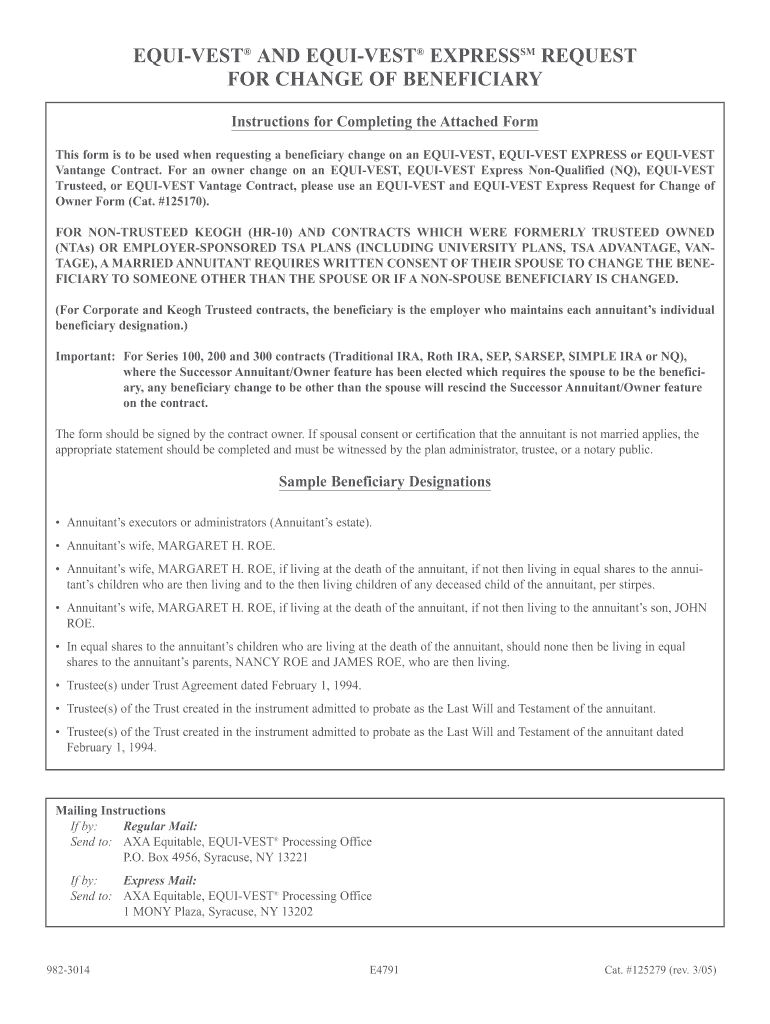
How to use or fill out axacomequivestforms beneficiary change

- Click ‘Get Form’ to open it in the editor.
- Begin by entering the Owner’s Name and, if applicable, the Joint Owner’s Name. Ensure that all names are spelled correctly to avoid any issues.
- Input the Contract Number accurately. This is crucial for identifying your specific contract.
- In the Beneficiary Designation section, provide the full name of the new beneficiary along with their relationship to you. If there are multiple beneficiaries, list them in order and include their addresses and Social Security numbers.
- If a Trust is designated as a beneficiary, include either the date of the Trust Agreement or its number.
- Sign and date the form at the bottom. If there is a Joint Owner, they must also sign.
- If required, complete and witness the spousal consent section if changing beneficiaries involves someone other than your spouse.
Start using our platform today to easily manage your beneficiary changes for free!
Fill out axacomequivestforms beneficiary change online
It's free
It's free
See more axacomequivestforms beneficiary change versions
We've got more versions of the axacomequivestforms beneficiary change form. Select the right axacomequivestforms beneficiary change version from the list and start editing it straight away!
Got questions?
We have answers to the most popular questions from our customers. If you can't find an answer to your question, please contact us.
Contact us
Is it possible to change beneficiary?
Since the process is quite complex, you should hire an experienced attorney to help you out. If you have a valid case and strong legal support, you may be able to prove that the beneficiary listed on the policy doesnt accurately reflect the policyholders wishes when they passed away.
How do I change my beneficiary on Trustage?
Log in to your personal account, select the My account menu at the top of our website. Select Manage my account. While viewing your current beneficiaries, select the button to view your update options. Select Update Beneficiaries Online.
How to change insurance beneficiary?
Its simple to change a beneficiary, you just send the new persons details to your insurer. Its a good idea to have a few backups in mind at all times, as you never know when you might need to make a change.
How to change beneficiary in AXA?
The beneficiary change must be made in writing signed or logged in through the customer portal using the contact form. If you wish to appoint a specific person as a beneficiary, you must provide their name and personal identity code.
How do I change my beneficiary on my Equitable account?
You may name anyone or any entity as your beneficiary and you may change your beneficiary at any time by completing a new Group Insurance Beneficiary Designation/Change form. Common designations include individuals, estates, corporation/organizations and trusts. Payment will be made to the named beneficiary.
Security and compliance
At DocHub, your data security is our priority. We follow HIPAA, SOC2, GDPR, and other standards, so you can work on your documents with confidence.
Learn more


People also ask
Can you change beneficiary online?
Yes, as the policy holder you can add or remove beneficiaries whenever you want to. We suggest you review your list of beneficiaries annually to keep it up to date. Can I nominate a minor as a beneficiary? Yes, you can nominate a minor as your beneficiary.