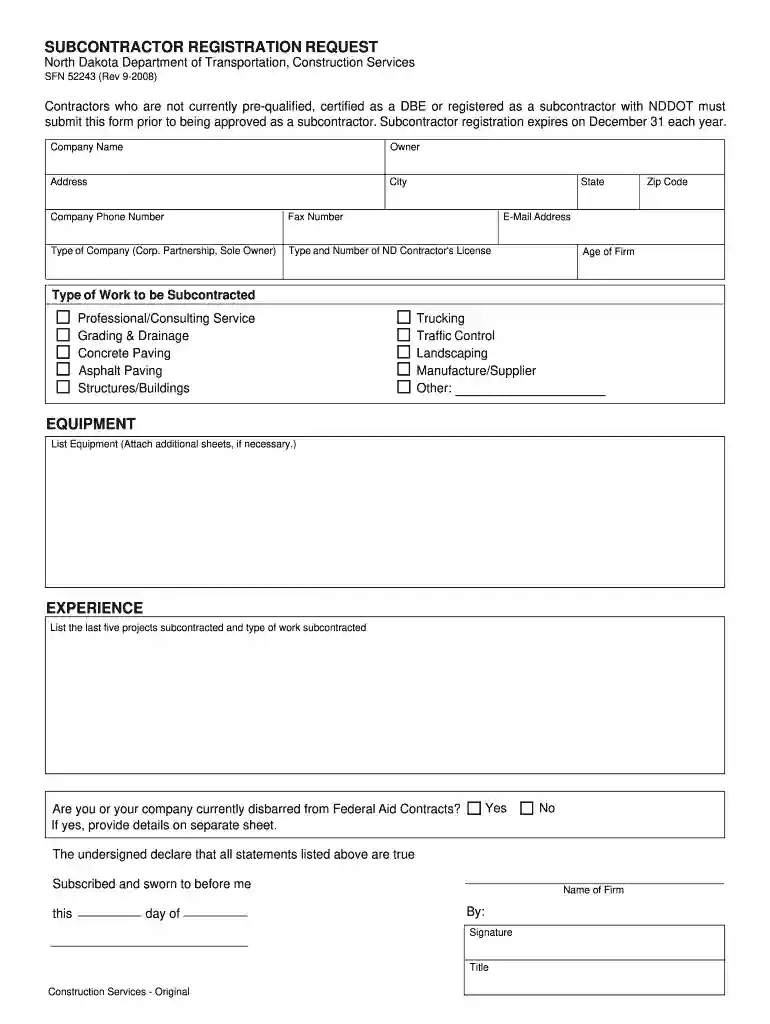
dotnd Preview on Page 1

SFN52243 - North Dakota Department of Transportation - dot nd 2026

Here's how it works

  • 01. Edit your dotnd online

    Type text, add images, blackout confidential details, add comments, highlights and more.

  • 02. Sign it in a few clicks

    Draw your signature, type it, upload its image, or use your mobile device as a signature pad.

  • 03. Share your form with others

    Send dot nd via email, link, or fax. You can also download it, export it or print it out.

How to use or fill out SFN52243 - North Dakota Department of Transportation - dot nd with our platform

Form edit decoration
9.5
Ease of Setup
DocHub User Ratings on G2
9.0
Ease of Use
DocHub User Ratings on G2
  1. Click ‘Get Form’ to open it in the editor.
  2. Begin by entering your Company Name, Owner's name, and Address details. Ensure accuracy as this information is crucial for identification.
  3. Fill in the City, State, Zip Code, and Company Phone Number. Providing a valid email address is also essential for communication purposes.
  4. Select the Type of Company from the options provided (e.g., Corporation, Partnership).
  5. Input your ND Contractor's License Type and Number along with the Age of your Firm.
  6. Indicate the Type of Work to be Subcontracted by checking relevant boxes such as Grading & Drainage or Asphalt Paving.
  7. List any Equipment you will be using. If necessary, attach additional sheets for more details.
  8. Provide information on your Experience by listing the last five projects subcontracted and their respective types of work.
  9. Answer whether you or your company are currently disbarred from Federal Aid Contracts. If yes, provide details on a separate sheet.
  10. Finally, ensure that all statements are true before signing and dating the form at the bottom.

Start filling out your SFN52243 form online for free today!

See more dotnd versions

We've got more versions of the dotnd form. Select the right dotnd version from the list and start editing it straight away!

VersionsForm popularityFillable & printable
20144.9 Satisfied (347 Votes)
20084.4 Satisfied (51 Votes)

be ready to get more

Complete this form in 5 minutes or less

Security and compliance

At DocHub, your data security is our priority. We follow HIPAA, SOC2, GDPR, and other standards, so you can work on your documents with confidence.

nd department of transportation

SUBCONTRACTOR REGISTRATION REQUEST

Contractors who are not currently pre-qualified, certified as a DBE or registered as a subcontractor with NDDOT must submit this form prior to beingRead more

Learn more
If you believe that this page should be taken down, please follow our DMCA take down process here