Form gws 31 4 2012-2026

Get Form
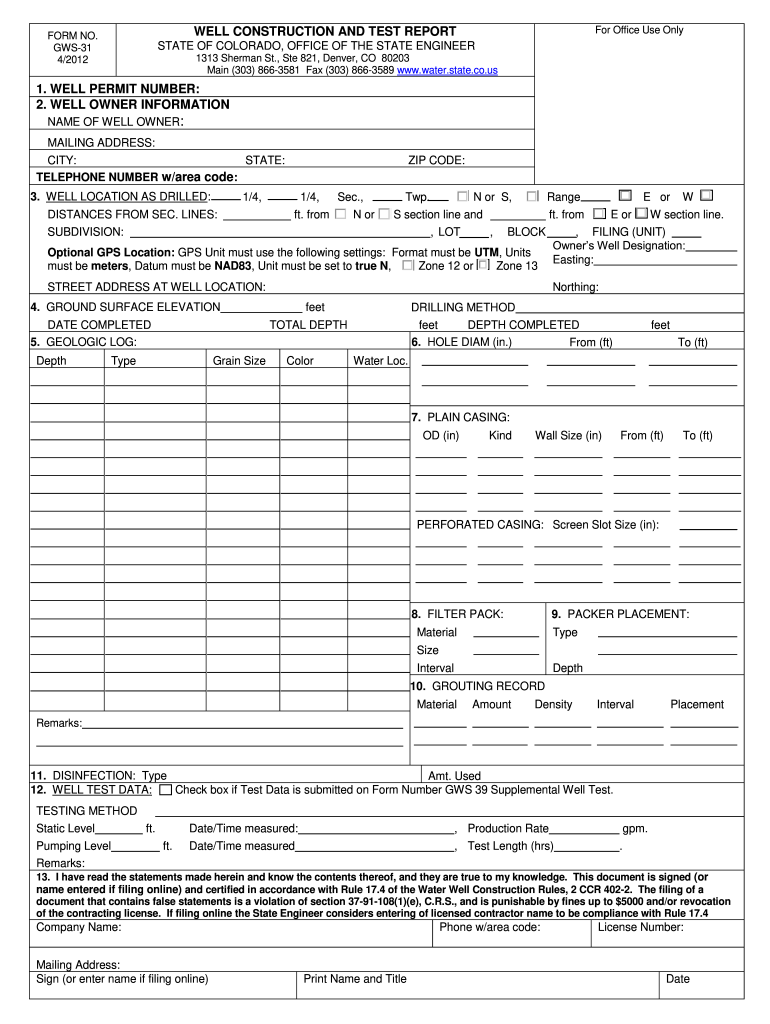
form gws 31 4 2012 Preview on Page 1

Here's how it works

01. Edit your form online
Type text, add images, blackout confidential details, add comments, highlights and more.
02. Sign it in a few clicks
Draw your signature, type it, upload its image, or use your mobile device as a signature pad.
03. Share your form with others
Send it via email, link, or fax. You can also download it, export it or print it out.

How to use or fill out form gws 31 4 2012 with our platform

Form edit decoration
9.5
Ease of Setup
DocHub User Ratings on G2
9.0
Ease of Use
DocHub User Ratings on G2
  1. Click ‘Get Form’ to open it in the editor.
  2. Begin by entering the Well Permit Number in the designated field. Ensure this is accurate as it is crucial for identification.
  3. Fill in the Well Owner Information, including the name, mailing address, city, state, and telephone number with area code.
  4. Complete the Well Location section by providing details such as distances from section lines and subdivision information. If applicable, include GPS coordinates using the specified settings.
  5. Report on drilling specifics including ground surface elevation, drilling method, total depth, and materials encountered during drilling.
  6. Indicate casing details including outside diameter and wall thickness for both plain and perforated casings.
  7. Document grouting records and disinfection methods used during well construction.
  8. Finally, ensure that all required signatures are included before submitting your completed form to the State Engineer’s Office.

Start filling out your form gws 31 4 2012 online for free today!

See more form gws 31 4 2012 versions

We've got more versions of the form gws 31 4 2012 form. Select the right form gws 31 4 2012 version from the list and start editing it straight away!
Versions Form popularity Fillable & printable
2012 4.8 Satisfied (207 Votes)
be ready to get more

Complete this form in 5 minutes or less

Get form

Got questions?

We have answers to the most popular questions from our customers. If you can't find an answer to your question, please contact us.
Contact us

Sure, a typed name is recognized as a valid electronic signature when you add it to your document utilizing a compliant solution like DocHub. Simply add your form gws 31 4 2012 to our editor, click Sign in the top tool pane → Create your signature → Type your name in the appropriate tab, and decide how it will appear on your document.

If you are searching for a state-specific form gws 31 4 2012 sample, you will find it in our DocHub Forms & Templates catalog. Use the search field, key in your form’s name, and search through the results for your state. You can also filter out irrelevant results while searching our catalog by groups.

Security and compliance

At DocHub, your data security is our priority. We follow HIPAA, SOC2, GDPR, and other standards, so you can work on your documents with confidence.

Learn more
ccpa2
pci-dss
gdpr-compliance
hipaa
soc-compliance
be ready to get more

Complete this form in 5 minutes or less

Get form