




Here's how it works



How to use or fill out RW1124.PDF. Information Report - princegeorgescountymd with our platform

- Click ‘Get Form’ to open it in the editor.
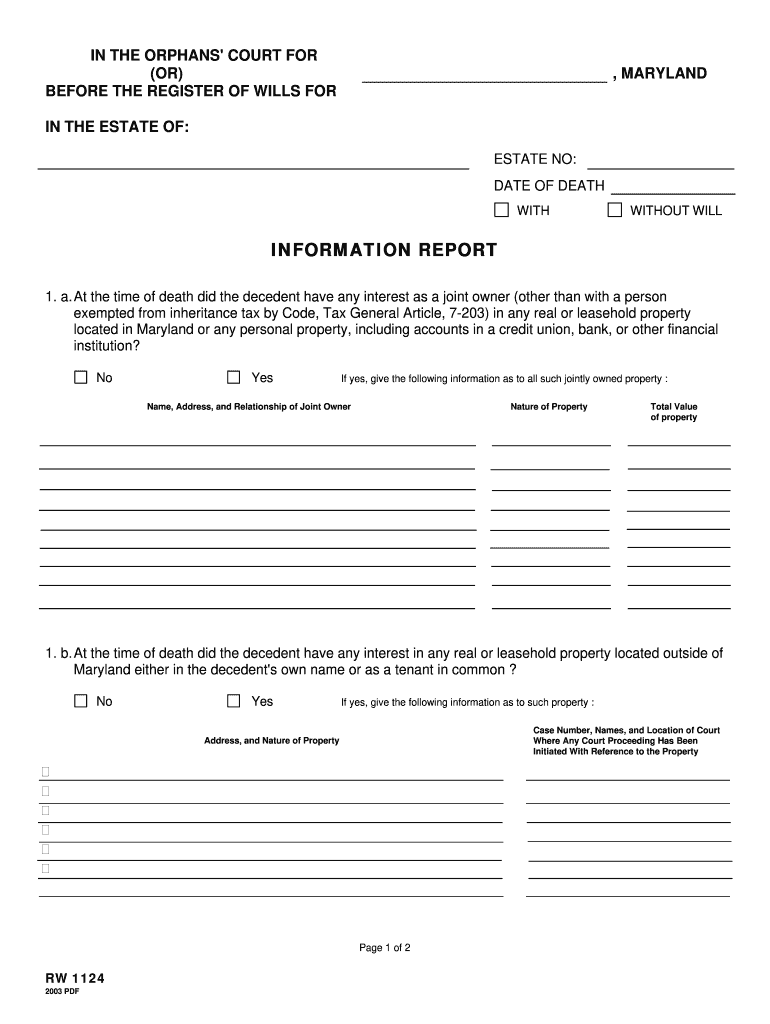
- Begin by filling out the estate information at the top, including the name of the decedent, estate number, and date of death.
- In Section 1a, indicate whether the decedent had any joint ownership in property located in Maryland. If 'Yes', provide details about the joint owner and property value.
- Proceed to Section 1b to disclose any real or leasehold property outside Maryland. Again, if 'Yes', include case numbers and property details.
- In Section 2, answer whether any transfers were made within two years before death. If applicable, list each transfer's details including names and values.
- Complete Section 3 by indicating any interests less than absolute in real or personal property. Provide descriptions and values for each interest if applicable.
- Finally, ensure all required signatures are completed at the bottom of the form along with contact information.
Start using our platform today to fill out your RW1124.PDF form online for free!
It's free
See more RW1124.PDF. Information Report - princegeorgescountymd versions
Got questions?
What do I need to sign my RW1124.PDF. Information Report - princegeorgescountymd electronically?
Electronic document approval demands a software solution that works in compliance with data protection and eSignature laws. DocHub is a perfect tool for that, since it meets all the aforementioned requirements. Whatever method you like to sign your RW1124.PDF. Information Report - princegeorgescountymd in DocHub, your electronic signature will be legally binding and court-admissible.
How do you edit RW1124.PDF. Information Report - princegeorgescountymd on iOS?
You can easily edit fill out your RW1124.PDF. Information Report - princegeorgescountymd on any iOS gadget. Open an internet browser of your liking, go to the DocHub website, authorize or create a new account, add your file for editing, and make your required alterations. Our service is mobile-friendly, so using its functions on your phone will be a no-brainer, even on the first try.
Security and compliance
At DocHub, your data security is our priority. We follow HIPAA, SOC2, GDPR, and other standards, so you can work on your documents with confidence.
Learn more




