




01. Edit your form online
Type text, add images, blackout confidential details, add comments, highlights and more.

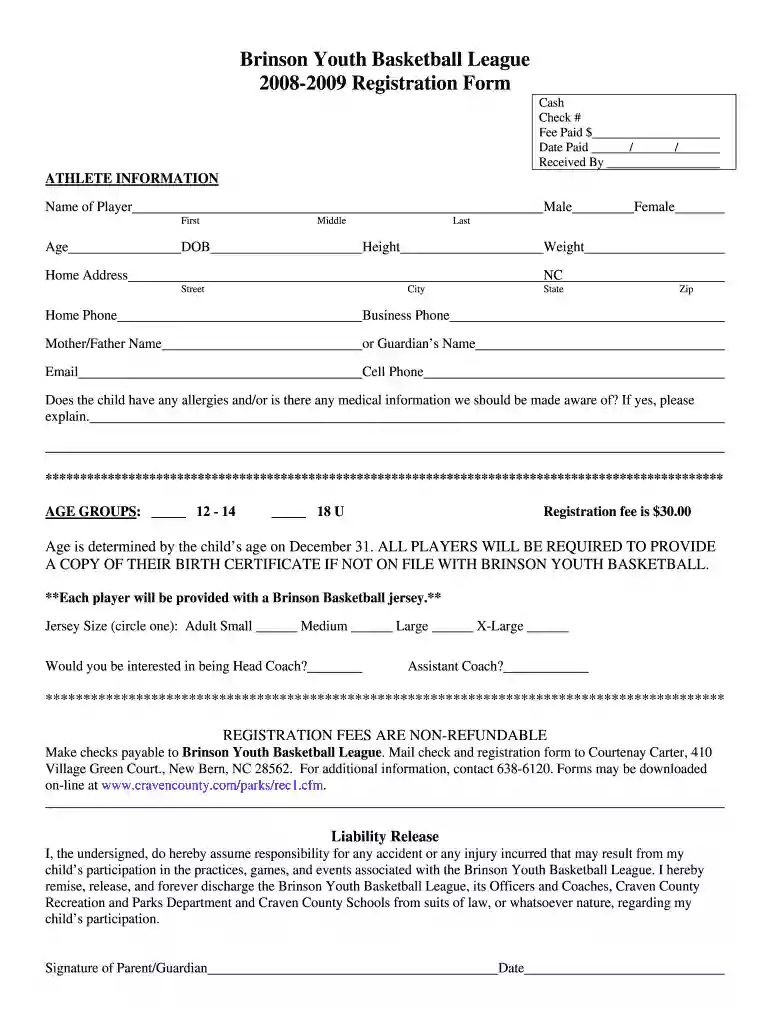
Type text, add images, blackout confidential details, add comments, highlights and more.

Draw your signature, type it, upload its image, or use your mobile device as a signature pad.

Send it via email, link, or fax. You can also download it, export it or print it out.

Start filling out your registration form today using our platform for a seamless experience!
We've got more versions of the Brinson Youth Basketball League 2008-2009 Registration Form form. Select the right Brinson Youth Basketball League 2008-2009 Registration Form version from the list and start editing it straight away!
| Versions | Form popularity | Fillable & printable |
|---|---|---|
| 2008 | 4.8 Satisfied (204 Votes) |
Yes, a typed name is accepted as a valid electronic signature when you create it on your paperwork using a compliant solution like DocHub. Simply add your Brinson Youth Basketball League 2008-2009 Registration Form to our editor, click Sign in the top tool pane → Create your signature → Type your name in the appropriate tab, and decide how it will appear on your document.
If you go for analog methods of completing your Brinson Youth Basketball League 2008-2009 Registration Form, you can easily download your file for printing. Search DocHub’s Forms & Templates catalog to locate the exact file template you need and open it for editing or download it on your device in the format of your choice. It is easy to complete your form electronically and place your handwritten signature on it after printing or eSign your file with DocHub.
At DocHub, your data security is our priority. We follow HIPAA, SOC2, GDPR, and other standards, so you can work on your documents with confidence.
Registration. Each student is expected to complete the registration process on the designated registration day at the beginning of each semester or summerRead more
Apr 11, 2018 Registration forms are available in the lobby and at the desk of Youth Flag Football, Adult and Youth Volleyball, and Youth Basketball.Read more


