Hearing aid purchase agreement 2026

Get Form
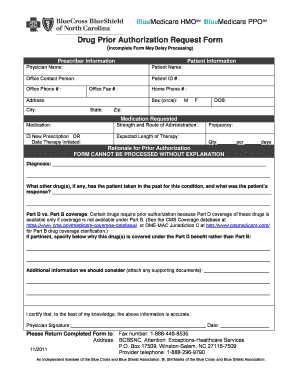
hearing aid purchase agreement Preview on Page 1

Here's how it works

01. Edit your hearing aid purchase agreement online
Type text, add images, blackout confidential details, add comments, highlights and more.
02. Sign it in a few clicks
Draw your signature, type it, upload its image, or use your mobile device as a signature pad.
03. Share your form with others
Send it via email, link, or fax. You can also download it, export it or print it out.

How to use or fill out hearing aid purchase agreement with our platform

Form edit decoration
9.5
Ease of Setup
DocHub User Ratings on G2
9.0
Ease of Use
DocHub User Ratings on G2
  1. Click ‘Get Form’ to open the hearing aid purchase agreement in the editor.
  2. Begin by filling in your personal information in the 'Purchaser' section, including your name, address, and phone number.
  3. Next, enter details about the hearing aid: specify the manufacturer, model number, and serial numbers for both right and left devices.
  4. Indicate the condition of the hearing aid by selecting either 'New', 'Used', or 'Reconditioned'.
  5. Fill in the selling price clearly, noting any discounts or deposits that apply.
  6. Review the terms regarding the 30-day trial period and 60-day medical return period. Ensure you understand your rights for refunds during these periods.
  7. Complete sections on warranty and terms of service by inserting relevant details as required.
  8. Finally, sign and date the document to confirm your agreement. Ensure all fields are completed before saving or sharing.

Start using our platform today to easily fill out your hearing aid purchase agreement online for free!

See more hearing aid purchase agreement versions

We've got more versions of the hearing aid purchase agreement form. Select the right hearing aid purchase agreement version from the list and start editing it straight away!
Versions Form popularity Fillable & printable
2011 4.8 Satisfied (252 Votes)
be ready to get more

Complete this form in 5 minutes or less

Get form

Got questions?

We have answers to the most popular questions from our customers. If you can't find an answer to your question, please contact us.
Contact us

Managing your paperwork with DocHub this way is extremely simple after you have downloaded its extension for Google Chrome. Navigate to the Chrome Web Store and install DocHub - Sign PDF from Gmail to get it. Give our tool access to your Google account, and then open an email containing hearing aid purchase agreement as an attachment and point to the file with your cursor - the DocHub extension button will automatically appear there. Click on it to open your file in our editor. Make any necessary edits, complete the blanks, and click Sign to create your legally-binding electronic signature.

In addition to a comprehensive toolset for editing PDFs on mobile phones, DocHub allows you to sign your hearing aid purchase agreement along the way. Open our editor in your browser, make changes using DocHub’s toolset, and complete your editing by eSigning the finished form.

Yes. According to the IRS, hearing aids are considered a deductible medical expense, provided you were not compensated by insurance to pay for them. This is good news considering hearing aids can cost up to $6,000 and are not often covered by insurance.
The FDA approved the sale of OTC hearing aids for people with perceived mild to moderate hearing loss. Although the FDA does not require the service of an audiologist for older adults to access these hearing aids, there are many benefits to making an audiology visit the first stop before buying OTC hearing aids.
The average cost for a pair of hearing aids is usually between $2,500$3,000 per pair, said Caroline Dadowski, AuD, a doctor of audiology and assistant professor of audiology at Nova Southeastern University in Fort Lauderdale-Davie, Florida. But Dadowski noted that spending $8,000 or more is not uncommon.

Security and compliance

At DocHub, your data security is our priority. We follow HIPAA, SOC2, GDPR, and other standards, so you can work on your documents with confidence.

Learn more
ccpa2
pci-dss
gdpr-compliance
hipaa
soc-compliance