
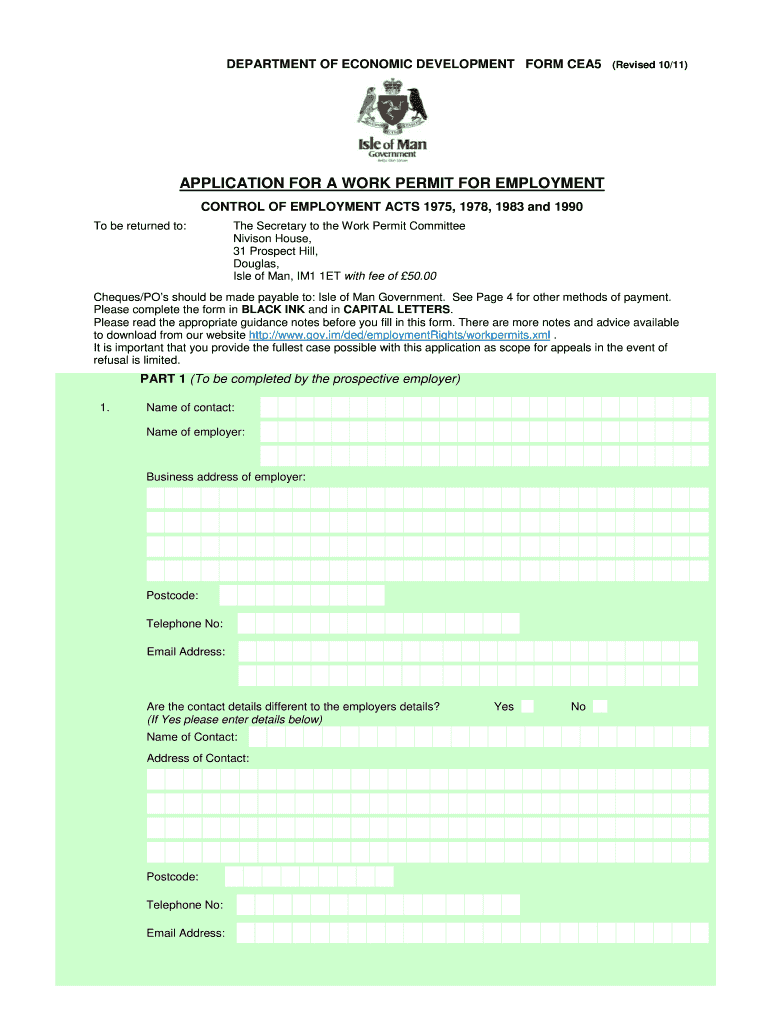



Iom permit form 2026

Get Form
iom application form Preview on Page 1

Here's how it works

01. Edit your iom application form online
Type text, add images, blackout confidential details, add comments, highlights and more.

02. Sign it in a few clicks
Draw your signature, type it, upload its image, or use your mobile device as a signature pad.

03. Share your form with others
Send iom registration form via email, link, or fax. You can also download it, export it or print it out.

How to use or fill out iom permit form with our platform

Form edit decoration
9.5
Ease of Setup
DocHub User Ratings on G2
9.0
Ease of Use
DocHub User Ratings on G2
  1. Click ‘Get Form’ to open the iom permit form in the editor.
  2. Begin with Part 1, where the prospective employer must fill in their contact details, including name, business address, and email. Ensure all information is accurate and complete.
  3. Provide detailed information about the employment offered, including job nature, salary, working hours, and whether accommodation is provided. Be specific to avoid delays.
  4. In Part 2, the prospective employee should enter their personal details such as name, date of birth, nationality, and previous addresses. Make sure to include any relevant documentation if required.
  5. Complete the declaration section at the end of both parts to confirm that all information provided is true. This step is crucial for processing your application smoothly.

Start filling out your iom permit form online for free today!

See more iom permit form versions

We've got more versions of the iom permit form form. Select the right iom permit form version from the list and start editing it straight away!
Versions Form popularity Fillable & printable
2018 4.8 Satisfied (114 Votes)
2016 4.2 Satisfied (72 Votes)
2011 4.3 Satisfied (115 Votes)
2010 4 Satisfied (58 Votes)
be ready to get more

Complete this form in 5 minutes or less

Get form

Got questions?

We have answers to the most popular questions from our customers. If you can't find an answer to your question, please contact us.
Contact us
Processing times vary, but restoration can take several months. In rare circumstances and for citizens of certain countries, leaving Canada and re-applying for a new permit might be a quicker option than applying for restoration of status. Consult with an International Student Advisor before taking such a step.
Application to Change Conditions, Extend my Stay or Remain in Canada as a Worker [IMM 5710] (PDF, 0.6 MB) Last updated: September 2023.
3. Work Permit Fee Summary (2025) ScenarioFiling TypeTotal Cost Standalone (Online) Form I-765 $470$555 Standalone (Paper) Form I-765 $520$605 Filed With I-485 Form I-765 + I-485 $260 Jun 17, 2025
To successfully apply for a work permit, it is essential to understand the documents required to support your application: Valid Passport: Job Offer Letter: Labor Market Impact Assessment (LMIA): Completed Application Form: Proof of Education: Proof of Work Experience: Language Proficiency Test Results:
Application for Temporary Resident Visa (IMM 5257) This form must be completed by each person applying for a Temporary Resident Visa to visit Canada.

Security and compliance

At DocHub, your data security is our priority. We follow HIPAA, SOC2, GDPR, and other standards, so you can work on your documents with confidence.

Learn more
ccpa2
pci-dss
gdpr-compliance
hipaa
soc-compliance
be ready to get more

Complete this form in 5 minutes or less

Get form

People also ask

To apply for your work permit (EAD), file an Application for Employment Authorization (Form I-765), review the instructions, and pay the filing fee. Depending on your immigration category, your EAD work permit will be good for 1 or 2 years.
Application to Change Conditions, Extend my Stay or Remain in Canada as a Worker (IMM 5710)
c) Have you previously applied to enter or remain in Canada? a) If you have studied or worked without a valid study or work permit, you will need to provide details and an explanation in section (d). any other country, you will need to briefly explain the circumstances in section (d).

iom application portal

