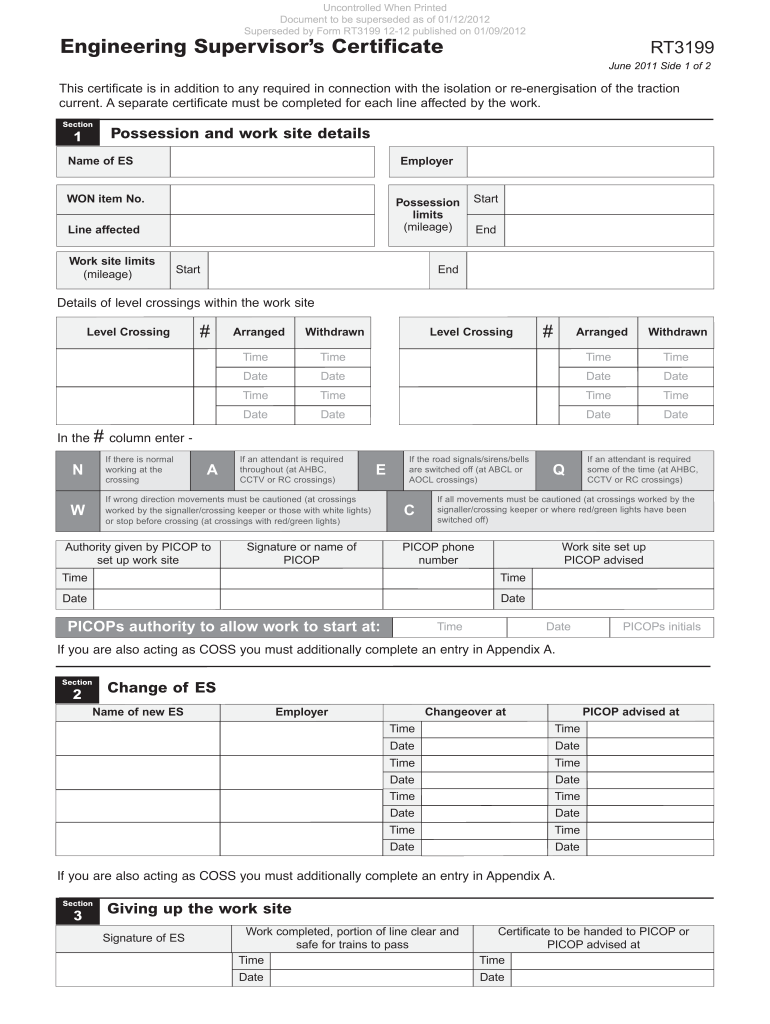
Rt3199 form 2026

Get Form
rt3199 form Preview on Page 1

Here's how it works

01. Edit your rt3199 form online
Type text, add images, blackout confidential details, add comments, highlights and more.
02. Sign it in a few clicks
Draw your signature, type it, upload its image, or use your mobile device as a signature pad.
03. Share your form with others
Send rt3199 via email, link, or fax. You can also download it, export it or print it out.

How to use or fill out rt3199 form with our platform

Form edit decoration
9.5
Ease of Setup
DocHub User Ratings on G2
9.0
Ease of Use
DocHub User Ratings on G2
  1. Click ‘Get Form’ to open the rt3199 form in the editor.
  2. Begin by filling out the 'Possession and work site details' section. Enter your name as the Engineering Supervisor (ES), your employer, and the WON item number. Specify possession limits by indicating mileage for both start and end points.
  3. Detail any level crossings within the work site. For each crossing, indicate whether it has been arranged or withdrawn, along with relevant times and dates.
  4. In the column provided, mark if an attendant is required throughout or if normal working is occurring at the crossing. Use appropriate codes such as N, W, A, E, C, or Q as specified.
  5. Complete the 'Change of ES' section if applicable. Provide details of the new ES and ensure all times and dates are accurately recorded.
  6. Finally, sign off on the 'Giving up the work site' section once work is completed. Ensure that you hand over the certificate to PICOP or advise them accordingly.

Start using our platform today to fill out your rt3199 form easily and for free!

See more rt3199 form versions

We've got more versions of the rt3199 form form. Select the right rt3199 form version from the list and start editing it straight away!
Versions Form popularity Fillable & printable
2011 4.8 Satisfied (67 Votes)
be ready to get more

Complete this form in 5 minutes or less

Get form

Got questions?

We have answers to the most popular questions from our customers. If you can't find an answer to your question, please contact us.
Contact us

eSignatures are a perfect replacement for traditional signing, as they save time, effort, and costs people spend on printing, scanning, and paper delivery. You can electronically sign your rt3199 form utilizing a reliable and powerful online document management services like DocHub. It complies with major eSignature policies (ESIGN and UETA), so all forms approved there are legally binding and have the same validity as physically signed ones.

It is a no-brainer on a computer or via a mobile phone to fill out a rt3199 form with DocHub. All you need to do is open any installed web browser on your smartphone and proceed to the DocHub website. Once authenticated, add your document and open it in editing mode. Use our toolbar to make your edits and save modifications. Optionally, keep your document in your files or send it to a recipient on the spot.

Security and compliance

At DocHub, your data security is our priority. We follow HIPAA, SOC2, GDPR, and other standards, so you can work on your documents with confidence.

Learn more
ccpa2
pci-dss
gdpr-compliance
hipaa
soc-compliance