




01. Edit your disability certificate from doctor online
Type text, add images, blackout confidential details, add comments, highlights and more.

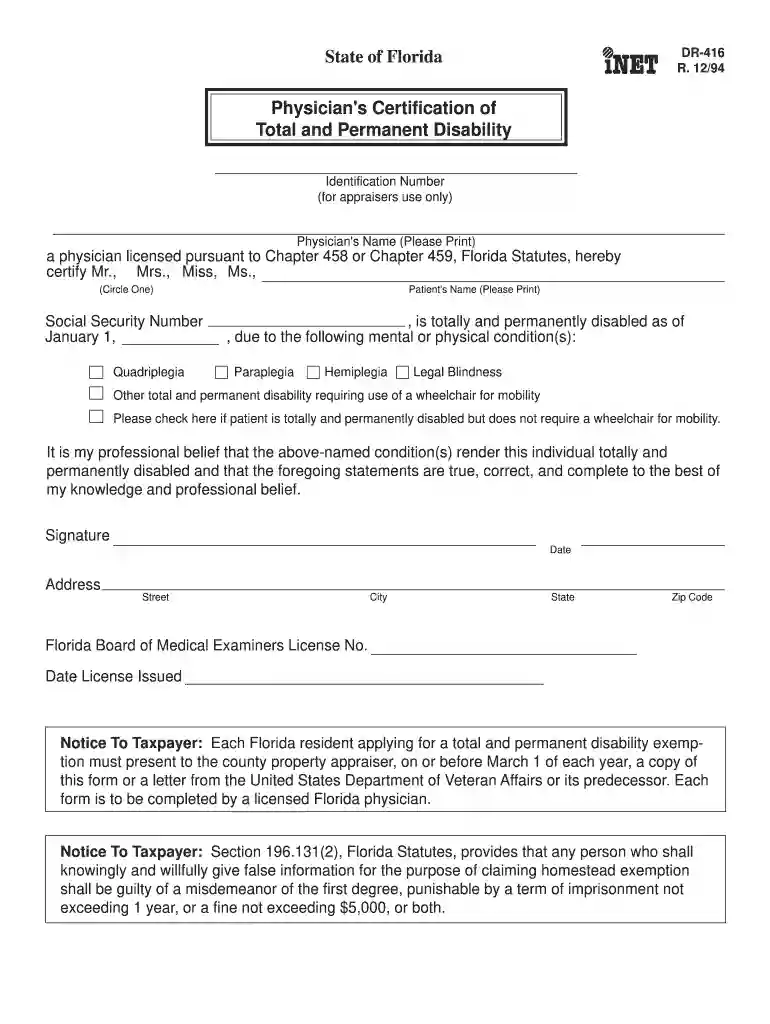
Type text, add images, blackout confidential details, add comments, highlights and more.

Draw your signature, type it, upload its image, or use your mobile device as a signature pad.

Send physician's certification of disability form via email, link, or fax. You can also download it, export it or print it out.

Start using our platform today to easily complete your forms online for free!
We've got more versions of the disability certificate from doctor form. Select the right disability certificate from doctor version from the list and start editing it straight away!
eSignatures are a perfect alternative to traditional signing, as they save time, effort, and costs people spend on printing, scanning, and paper delivery. You can electronically sign your disability form for doctor utilizing a trustworthy and powerful online document management services like DocHub. It complies with main eSignature policies (ESIGN and UETA), so all documents approved there are legally binding and have the same validity as physically signed ones.
With a swift editing platform like DocHub, you do not require anything but a web browser and connection to the internet to edit your certification of disability on the internet quickly. Add your file or get the relevant form in DocHub’s catalog, open our editor with one click, and complete it digitally. To revise your forms anytime, register a free profile with DocHub.
At DocHub, your data security is our priority. We follow HIPAA, SOC2, GDPR, and other standards, so you can work on your documents with confidence.
This form serves to reestablish your eligibility for Federal Student Loan or TEACH Grant. Programs when prior loans or a TEACH Grant service obligation haveRead more
Apr 26, 2026 The certificate records the type and percentage of disability and is issued in Form V, VI or VII depending on the disability category. LinkedRead more
Section C is to be completed by the Student or Family Member who is totally and permanently disabled. . Section D is to be completed by the Physician havingRead more


