




Here's how it works



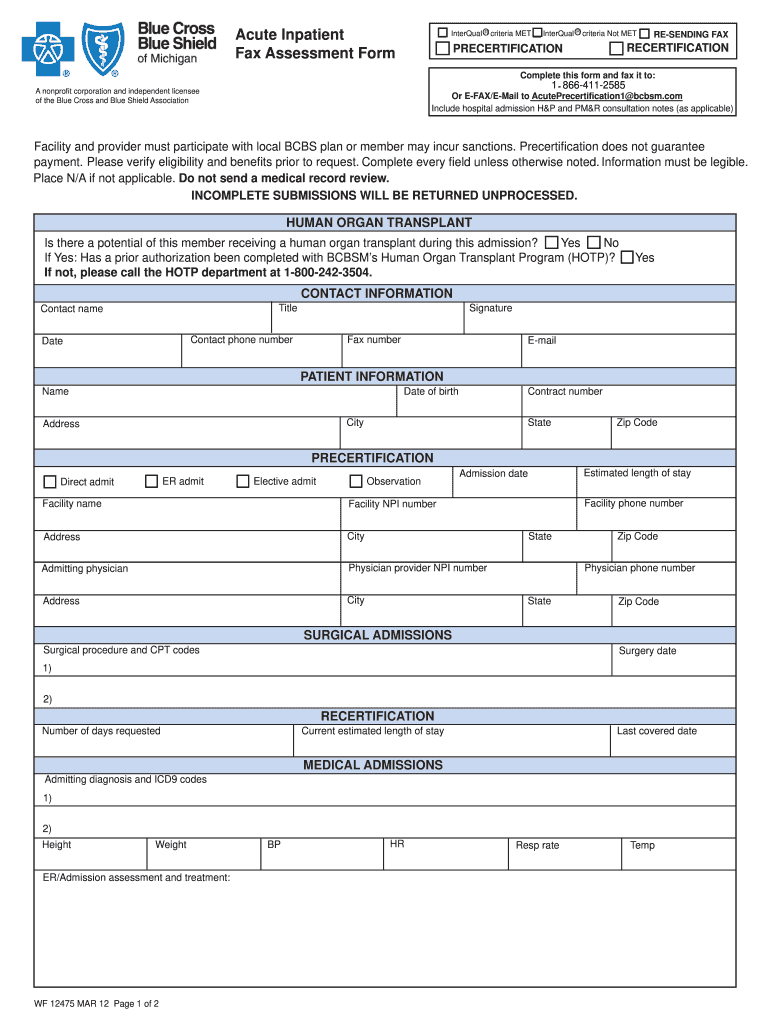
How to use or fill out acuteprecertification1 2012 form with our platform

- Click ‘Get Form’ to open the acuteprecertification1 2012 form in the editor.
- Begin by filling out the 'Patient Information' section. Enter the patient's name, date of birth, contract number, and address details. Ensure all information is legible.
- In the 'Precertification' section, indicate the type of admission (ER admit, direct admit, etc.) and provide the estimated length of stay and admission date.
- For surgical admissions, list any surgical procedures along with their CPT codes and surgery dates as applicable.
- Complete the 'Medical Admissions' section by providing admitting diagnosis and ICD9 codes. Include height, weight, vital signs, and current medications.
- Fill out the 'Skin Status' and 'Pain Status' sections with relevant details about wounds or pain management.
- Finally, review all entries for completeness before submitting via fax or e-mail as instructed at the top of the form.
Start using our platform today to streamline your form completion process for free!
It's free
See more acuteprecertification1 2012 form versions
Got questions?
How can I send my acuteprecertification1 2012 form from Google Drive for signing?
If you often deal with documents stored in your Google Drive, DocHub is a superb solution for you to easily and quickly fill out, modify, and approve them. This editor integrates well with Google services, so you can export your acuteprecertification1 2012 form from your Google Drive to the editor without downloading and re-uploading it. Right-click on your file, select Open With → DocHub PDF Sign and Edit. In our editor, add and assign Signature Fields for all people involved, then click on the Menu button above → Send → select how you want to share your paperwork.
How do you get acuteprecertification1 2012 form for my state?
If you are searching for a state-specific acuteprecertification1 2012 form sample, you can find it in our DocHub Forms & Templates catalog. Use the search field, key in your form’s name, and search through the results for your state. You may also filter out irrelevant results while searching our catalog by groups.
Security and compliance
At DocHub, your data security is our priority. We follow HIPAA, SOC2, GDPR, and other standards, so you can work on your documents with confidence.
Learn more




