




01. Edit your mcps medication form online
Type text, add images, blackout confidential details, add comments, highlights and more.

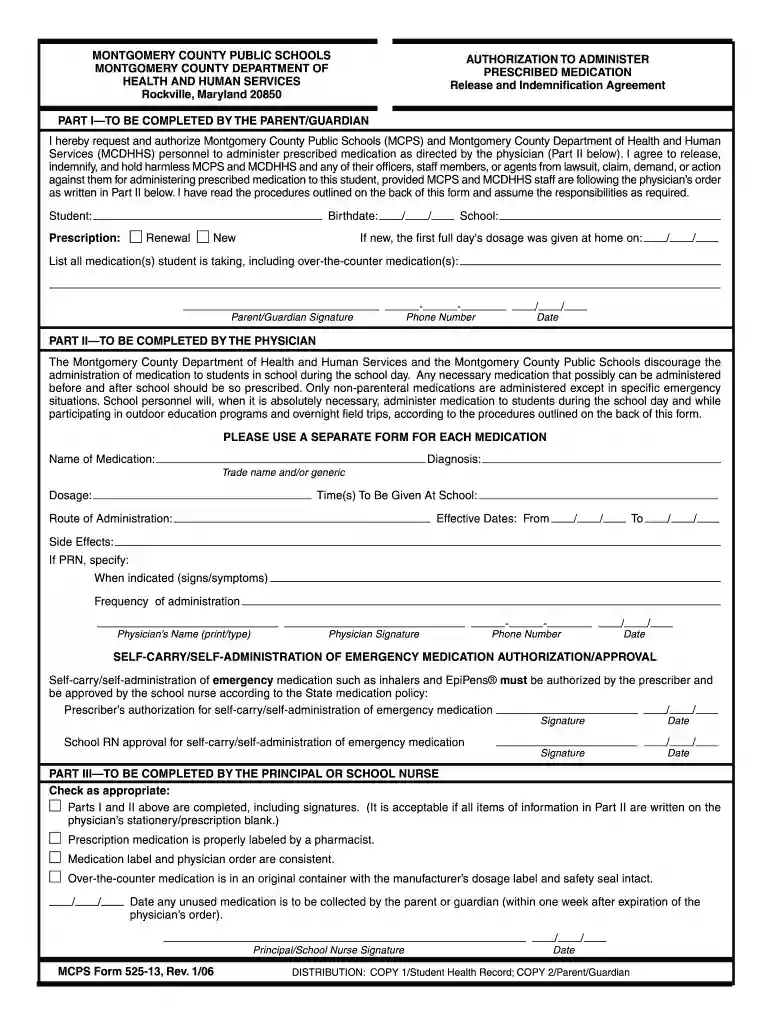
Type text, add images, blackout confidential details, add comments, highlights and more.

Draw your signature, type it, upload its image, or use your mobile device as a signature pad.

Send it via email, link, or fax. You can also download it, export it or print it out.

Start using our platform today to easily fill out and manage your authorization forms for free!
We've got more versions of the mcps medication form form. Select the right mcps medication form version from the list and start editing it straight away!
At DocHub, your data security is our priority. We follow HIPAA, SOC2, GDPR, and other standards, so you can work on your documents with confidence.
program by faxing a completed Medication Prior Authorization Request Form (only needed for certain NRTs) along with the prescription to (866) 508-6445. ForRead more
Jan 26, 2025 The pharmacist must contact the prescribing physician for authorization to reduce the quantity of any Medicaid prescription and note physicianRead more
by I Lee Cited by 305 In addition, MCPS will require a new regulatory procedure to approve their use for treating patients. On the one hand, the traditional process-based regulatoryRead more


