




Here's how it works

01. Edit your dd 2813 online
Type text, add images, blackout confidential details, add comments, highlights and more.

02. Sign it in a few clicks
Draw your signature, type it, upload its image, or use your mobile device as a signature pad.

03. Share your form with others
Send army dental form via email, link, or fax. You can also download it, export it or print it out.
How to use or fill out department of defense dental examination form with our platform

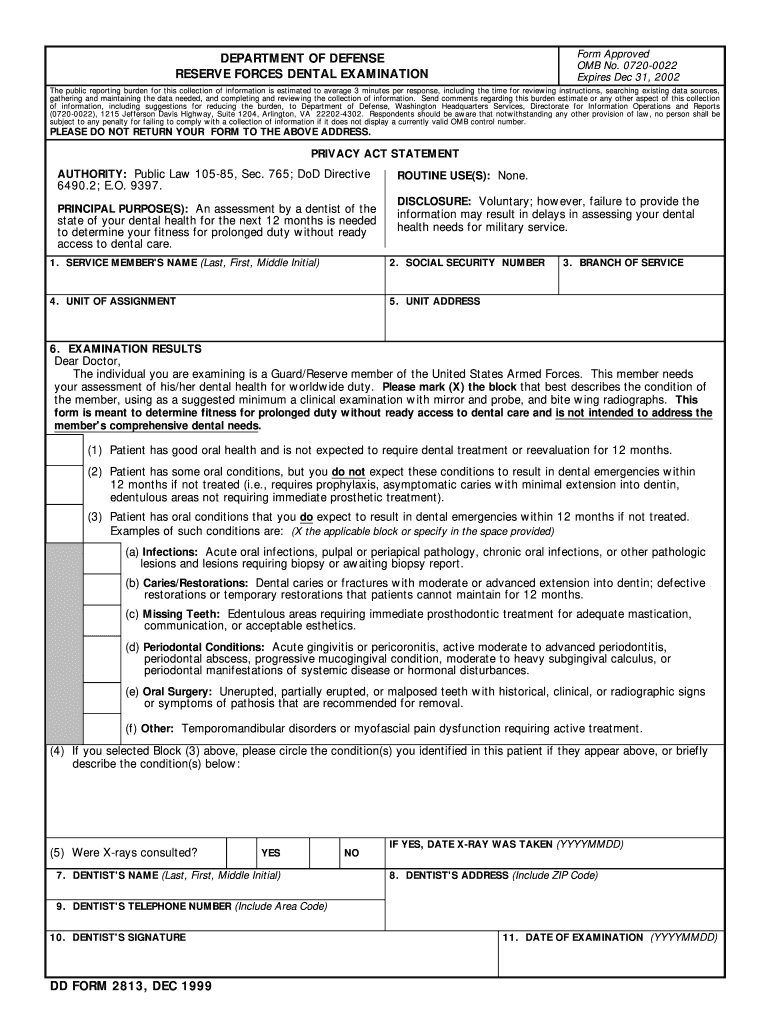
- Click ‘Get Form’ to open the Department of Defense Dental Examination form in the editor.
- Begin by entering the Service Member's Name in the designated field, ensuring accuracy for identification purposes.
- Input the Social Security Number in the next field, as this is crucial for record-keeping and verification.
- Fill in the Unit of Assignment and Unit Address to provide context about the service member's current military status.
- Select the Branch of Service from the dropdown menu to specify which military branch the member belongs to.
- In the Examination Results section, have a dentist assess and mark (X) the appropriate block that describes the member's dental condition based on their evaluation.
- If applicable, circle any specific conditions identified by the dentist and indicate whether X-rays were consulted by selecting YES or NO.
- Finally, ensure that all required fields are completed, including Dentist's Name, Address, Telephone Number, Signature, and Date of Examination before submitting.
Start using our platform today for free to streamline your document editing and completion process!
Fill out department of defense dental examination form online
It's free
It's free
See more department of defense dental examination form versions
We've got more versions of the department of defense dental examination form form. Select the right department of defense dental examination form version from the list and start editing it straight away!
Security and compliance
At DocHub, your data security is our priority. We follow HIPAA, SOC2, GDPR, and other standards, so you can work on your documents with confidence.
Learn more


