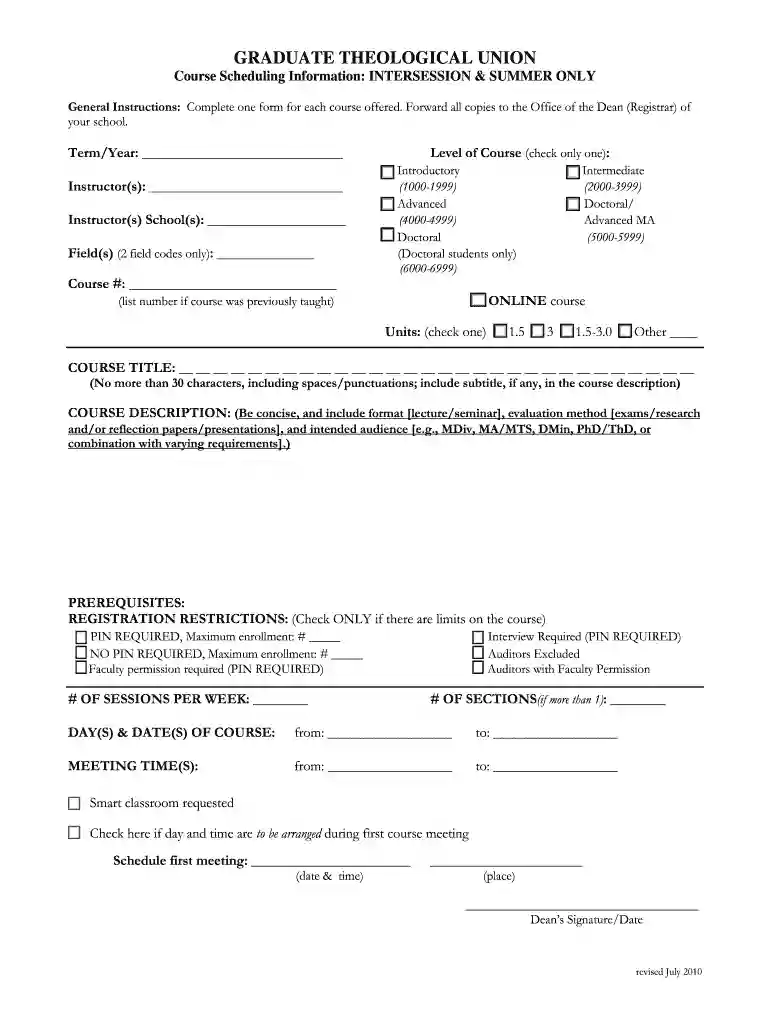
graduate theological intersession Preview on Page 1

Graduate theological intersession 2026

Here's how it works

  • 01. Edit your form online

    Type text, add images, blackout confidential details, add comments, highlights and more.

  • 02. Sign it in a few clicks

    Draw your signature, type it, upload its image, or use your mobile device as a signature pad.

  • 03. Share your form with others

    Send it via email, link, or fax. You can also download it, export it or print it out.

How to use or fill out graduate theological intersession with our platform

Form edit decoration
9.5
Ease of Setup
DocHub User Ratings on G2
9.0
Ease of Use
DocHub User Ratings on G2
  1. Click ‘Get Form’ to open it in the editor.
  2. Begin by entering the Term/Year at the top of the form. This helps identify when the course will take place.
  3. Fill in the Instructor(s) and their respective School(s). This information is crucial for administrative purposes.
  4. Select up to two Field(s) using the provided codes, ensuring they align with your course content.
  5. Choose the Level of Course by checking only one box that corresponds to your course's complexity.
  6. Enter the Course # and indicate if it is an ONLINE course if applicable.
  7. Specify Units by checking one option that reflects your course's credit value.
  8. Provide a concise COURSE TITLE and DESCRIPTION, adhering to character limits and including necessary details about format and evaluation methods.
  9. List any PREREQUISITES and check any REGISTRATION RESTRICTIONS that apply to your course.
  10. Complete sections on meeting times, days, and any special requests like smart classroom needs before finalizing your submission.

Start filling out your graduate theological intersession form today for free using our platform!

See more graduate theological intersession versions

We've got more versions of the graduate theological intersession form. Select the right graduate theological intersession version from the list and start editing it straight away!

VersionsForm popularityFillable & printable
20104.8 Satisfied (60 Votes)

be ready to get more

Complete this form in 5 minutes or less

Security and compliance

At DocHub, your data security is our priority. We follow HIPAA, SOC2, GDPR, and other standards, so you can work on your documents with confidence.

Related links

And Others Summer Sessions in Colleges and Universities of

THIS SURVEY of summer sessions of 1960 in institutions of higher education provides information of nationwide and regional scope on a subject of imme-.

Learn more
If you believe that this page should be taken down, please follow our DMCA take down process here