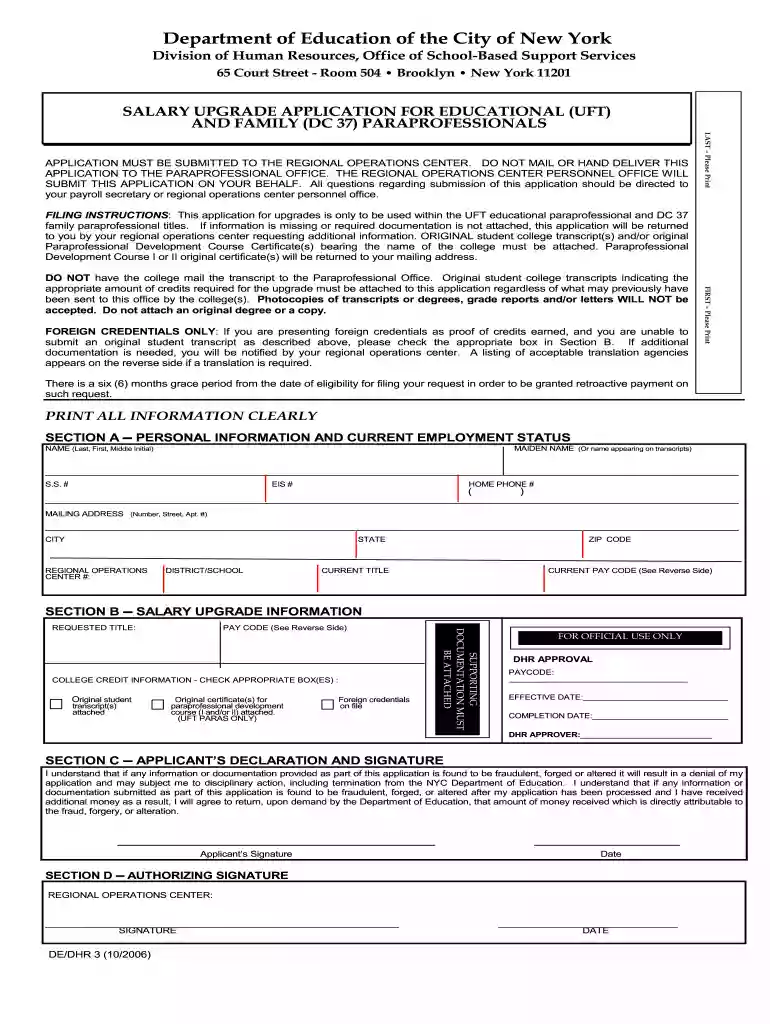
paraprofessional salary with 60 credits Preview on Page 1

Uft paraprofessional salary upgradeDocHubcom 2006 form-2026

Here's how it works

  • 01. Edit your paraprofessional salary with 60 credits online

    Type text, add images, blackout confidential details, add comments, highlights and more.

  • 02. Sign it in a few clicks

    Draw your signature, type it, upload its image, or use your mobile device as a signature pad.

  • 03. Share your form with others

    Send paraprofessional salary with 60 credits nyc via email, link, or fax. You can also download it, export it or print it out.

How to use or fill out uft paraprofessional salary upgradeDocHubcom 2006 form with DocHub

Form edit decoration
9.5
Ease of Setup
DocHub User Ratings on G2
9.0
Ease of Use
DocHub User Ratings on G2
  1. Click ‘Get Form’ to open the uft paraprofessional salary upgradeDocHubcom 2006 form in our editor.
  2. Begin by filling out Section A, which requires your personal information. Ensure you print your name clearly, including your maiden name if applicable, and provide your Social Security number and contact details.
  3. In Section B, indicate whether you are attaching original student transcripts or certificates for the paraprofessional development course. Check the appropriate boxes to confirm the documentation you are submitting.
  4. Complete Section C by signing and dating the application. This section confirms that all information provided is accurate and acknowledges potential consequences for fraudulent submissions.
  5. Finally, review all sections for completeness before submitting the application to the Regional Operations Center as instructed. Remember not to mail or hand-deliver it directly to the Paraprofessional Office.

Start using our platform today to streamline your document editing and submission process for free!

See more paraprofessional salary with 60 credits versions

We've got more versions of the paraprofessional salary with 60 credits form. Select the right paraprofessional salary with 60 credits version from the list and start editing it straight away!

VersionsForm popularityFillable & printable
20074.9 Satisfied (221 Votes)
20064.4 Satisfied (52 Votes)

be ready to get more

Complete this form in 5 minutes or less

Security and compliance

At DocHub, your data security is our priority. We follow HIPAA, SOC2, GDPR, and other standards, so you can work on your documents with confidence.

If you believe that this page should be taken down, please follow our DMCA take down process here