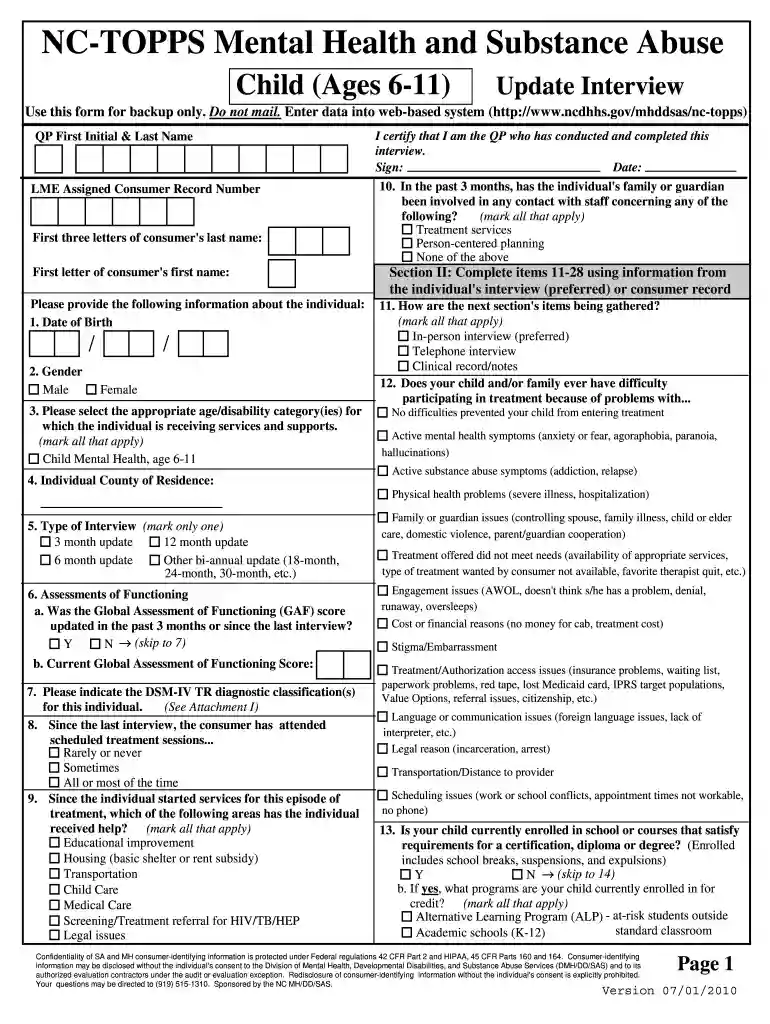
nctopps login Preview on Page 1

NC-TOPPS Mental Health and Substance Abuse Child (Ages 6-11 ... - ncdhhs 2026

Here's how it works

  • 01. Edit your nctopps login online

    Type text, add images, blackout confidential details, add comments, highlights and more.

  • 02. Sign it in a few clicks

    Draw your signature, type it, upload its image, or use your mobile device as a signature pad.

  • 03. Share your form with others

    Send nc topps forms via email, link, or fax. You can also download it, export it or print it out.

How to use or fill out NC-TOPPS Mental Health and Substance Abuse Child (Ages 6-11) with Our Platform

Form edit decoration
9.5
Ease of Setup
DocHub User Ratings on G2
9.0
Ease of Use
DocHub User Ratings on G2
  1. Click ‘Get Form’ to open it in the editor.
  2. Begin by entering the QP's first initial and last name, followed by the LME assigned consumer record number. Fill in the first three letters of the consumer's last name and the first letter of their first name.
  3. Provide essential information about the individual, including their date of birth and gender. Select the appropriate age/disability category for which services are being received.
  4. Complete Section II by gathering information from the individual's interview or consumer record. Indicate how data is collected (in-person, telephone, etc.) and address any difficulties faced during treatment.
  5. Continue filling out items related to assessments of functioning, treatment attendance, and support received. Ensure all relevant fields are marked accurately.
  6. In Section III, ask questions directly to the respondent regarding their child's well-being and experiences over the past three months. Record responses carefully.

Start using our platform today for free to streamline your document editing and form completion!

See more nctopps login versions

We've got more versions of the nctopps login form. Select the right nctopps login version from the list and start editing it straight away!

VersionsForm popularityFillable & printable
20114.7 Satisfied (60 Votes)
20104.8 Satisfied (60 Votes)

be ready to get more

Complete this form in 5 minutes or less

Got questions?

We have answers to the most popular questions from our customers. If you can't find an answer to your question, please contact us.

Yes, you can utilize DocHub for signing any business and personal documentation, including your NC-TOPPS Mental Health and Substance Abuse Child (Ages 6-11 ... - ncdhhs. All eSignatures you generate with our tool are legally binding and court-admissible, as DocHub complies with standards required by ESIGN and UETA. Save your accomplished document with a detailed Audit Trail if needed.

You need only an internet connection and a web browser to complete your NC-TOPPS Mental Health and Substance Abuse Child (Ages 6-11 ... - ncdhhs by using an iOS phone. Open the DocHub website and authenticate. Then, add your file or choose it from the list in your dashboard. Then use our editing instruments to complete your form and save all your changes. You may also send it to a dedicated recipient immediately.

Security and compliance

At DocHub, your data security is our priority. We follow HIPAA, SOC2, GDPR, and other standards, so you can work on your documents with confidence.

Related links

NC-TOPPS Mental Health and Substance Abuse

NC-TOPPS Mental Health and Substance Abuse. Child (Ages 6-11) Episode Completion Interview. Use this form for backup only. Do not mail. EnterRead more

Learn more
If you believe that this page should be taken down, please follow our DMCA take down process here