




Here's how it works



How to use or fill out jdf 879 with our platform

- Click ‘Get Form’ to open the jdf 879 in the editor.
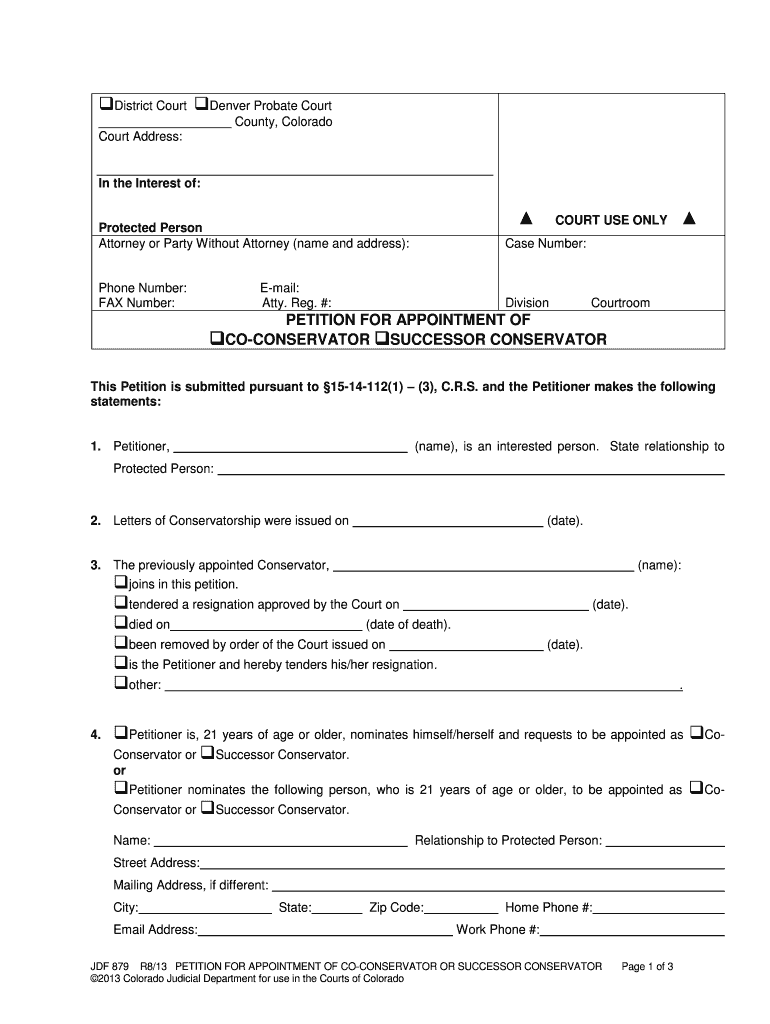
- Begin by filling in the court address and case number at the top of the form. Ensure that all information is accurate to avoid delays.
- In section 1, provide your name as the Petitioner and state your relationship to the Protected Person. This establishes your interest in the case.
- Complete section 3 by indicating whether the previously appointed Conservator joins this petition or has resigned, died, or been removed. Fill in relevant dates as necessary.
- In section 4, specify if you are nominating yourself or another individual as Co-Conservator or Successor Conservator. Include their name, relationship, and contact details.
- Section 5 requires you to explain why the nominated person has priority for appointment. Choose from the provided options and provide any necessary details.
- Fill out sections regarding compensation for services in sections 6 and 7, detailing rates and any fee structures applicable.
- Finally, complete the verification section by signing and dating it. Ensure all required signatures are obtained before submission.
Start using our platform today to fill out your jdf 879 form online for free!
It's free
Got questions?
How can I sign my jdf cause of death online?
Sign in to your DocHub account and import your jdf cause of death to our editor using one of its upload options - from your device, cloud storage, secure URL, or your DocHub folders if you have already managed your form before. Open our editor, click the Sign button in the upper toolbar, and choose your signing method. You can upload an image of your handwritten signature, draw it, type in your name, or utilize a QR code instead.
How do you edit jdf death on iOS?
You can easily edit and complete your jdf death on any iOS device. Open an internet browser of your choice, visit the DocHub site, authorize or create a new account, add your file for editing, and make your required adjustments. Our service is mobile-friendly, so utilizing its functions on your phone will be a no-brainer, even on the first try.
How do I file a motion of contempt in Colorado?
How do I enforce a court order in Colorado?
How long do you have to file a response to a motion Colorado?
Security and compliance
At DocHub, your data security is our priority. We follow HIPAA, SOC2, GDPR, and other standards, so you can work on your documents with confidence.
Learn more




