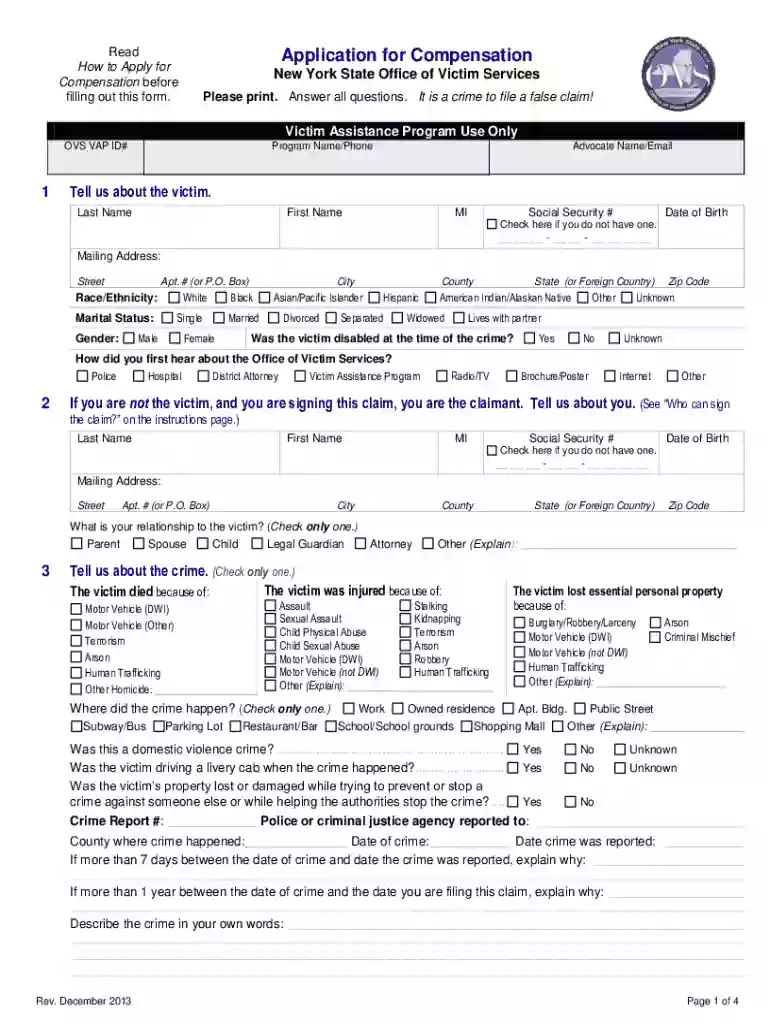
ovs application Preview on Page 1

Nys claim application 2026

Here's how it works

  • 01. Edit your ovs application online

    Type text, add images, blackout confidential details, add comments, highlights and more.

  • 02. Sign it in a few clicks

    Draw your signature, type it, upload its image, or use your mobile device as a signature pad.

  • 03. Share your form with others

    Send it via email, link, or fax. You can also download it, export it or print it out.

How to use or fill out nys claim application with DocHub

Form edit decoration
9.5
Ease of Setup
DocHub User Ratings on G2
9.0
Ease of Use
DocHub User Ratings on G2
  1. Click ‘Get Form’ to open the NYS Claim Application in our editor.
  2. Begin by filling out the victim's information, including their last name, first name, and date of birth. Ensure all fields are completed accurately.
  3. In section 2, if you are not the victim but a claimant, provide your details and relationship to the victim.
  4. Describe the crime in detail in section 3. Include where it happened and any relevant circumstances surrounding the incident.
  5. In section 5, check all applicable expenses related to the crime. Be thorough in listing any essential personal property that needs replacement.
  6. Complete sections regarding lost wages or burial expenses if applicable. Attach necessary documentation such as medical bills and police reports.
  7. Review your application for completeness before submitting it through our platform. Ensure all required documents are included.

Start using our platform today to fill out your NYS Claim Application easily and for free!

See more ovs application versions

We've got more versions of the ovs application form. Select the right ovs application version from the list and start editing it straight away!

VersionsForm popularityFillable & printable
20134.8 Satisfied (81 Votes)
20104.2 Satisfied (67 Votes)
20094.3 Satisfied (38 Votes)

be ready to get more

Complete this form in 5 minutes or less

Got questions?

We have answers to the most popular questions from our customers. If you can't find an answer to your question, please contact us.

In most cases, the Notice of Claim period is 90 days, and that is why you need a skilled and experienced law firm to file it in a timely manner.
The following is a list of some common reasons for denial: Voluntarily leaving work without good cause. Being discharged for misconduct connected with work. Not being able to work or available for work. Refusing an offer of suitable work. Knowingly making false statements to obtain benefit payments.
How do I file? Log into your NY.gov account. Select the File a claim button to begin your claim. On the next page, carefully read the instructions about filing your claim and then press Continue. You will be asked to add your social security number. Select a PIN (personal Identification number).
State law imposes such an obligation upon people who wish to sue New York State, local government or a government agency for money damages. A lawsuit against the State of New York may only be filed in the Court of Claims. First, however, you must file a Notice of Claim with the State (see Court of Claims Act 10).

Security and compliance

At DocHub, your data security is our priority. We follow HIPAA, SOC2, GDPR, and other standards, so you can work on your documents with confidence.

Related links

Your New York State Disability Benefit Claim

The New York State Disability Benefits application consists of the DB-450 form. This is the only form that is required as part of your application for New YorkRead more

Learn more
Unemployment Insurance Benefits - Filing a New Claim

What information will I need to file a claim? To complete the online application, you will need the following information: Valid New York State drivers licenseRead more

Learn more
10 OHIP/ADM-9 TO

Sep 11, 2025 The post-application period begins on the day after the recipient applied for Medicaid and ends when the recipient receives the Common Benefit.Read more

Learn more
If you believe that this page should be taken down, please follow our DMCA take down process here