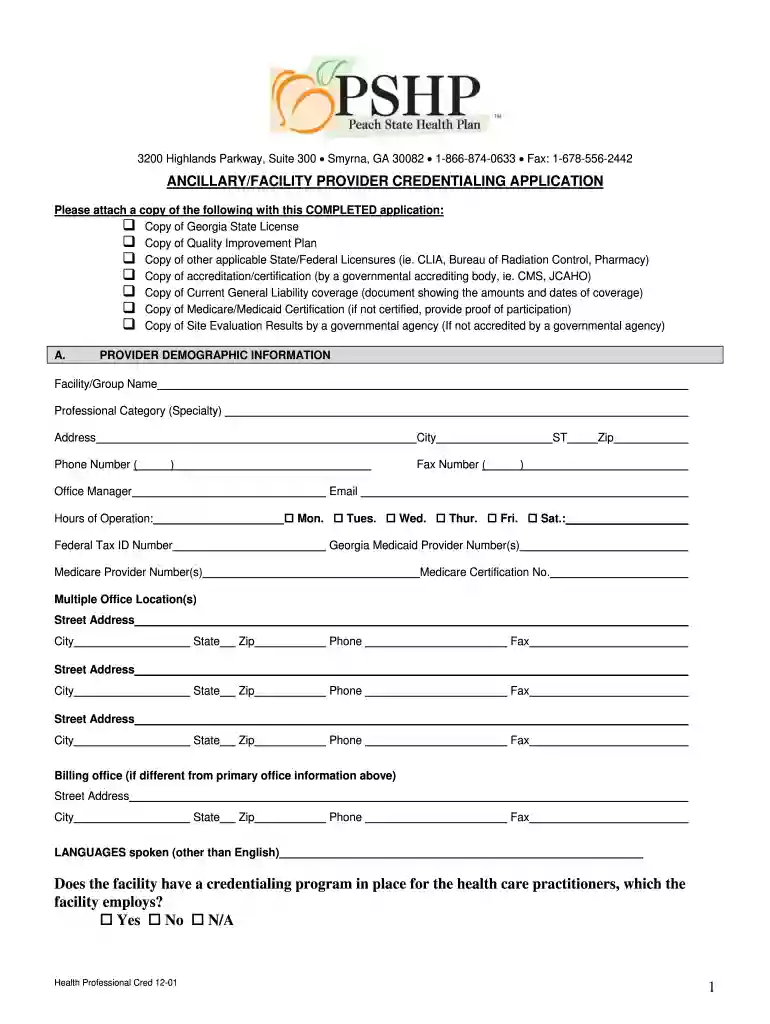
Ancillary and Facility Provider Credentialing Application Preview on Page 1

Ancillary and Facility Provider Credentialing Application 2026

Here's how it works

  • 01. Edit your form online

    Type text, add images, blackout confidential details, add comments, highlights and more.

  • 02. Sign it in a few clicks

    Draw your signature, type it, upload its image, or use your mobile device as a signature pad.

  • 03. Share your form with others

    Send it via email, link, or fax. You can also download it, export it or print it out.

How to use or fill out Ancillary and Facility Provider Credentialing Application with DocHub

Form edit decoration
9.5
Ease of Setup
DocHub User Ratings on G2
9.0
Ease of Use
DocHub User Ratings on G2
  1. Click ‘Get Form’ to open the Ancillary and Facility Provider Credentialing Application in our editor.
  2. Begin by filling out the Provider Demographic Information section. Enter your Facility/Group Name, Professional Category, Address, Phone Number, and Email. Ensure all fields are completed accurately.
  3. Attach the required documents listed at the beginning of the application. Use our platform's upload feature to easily attach copies of your Georgia State License, Quality Improvement Plan, and other necessary certifications.
  4. Proceed to the Licenses/Certifications/Specialties section. List all current and past licenses along with their respective details such as STATE, LICENSE NO., DATE ISSUED, and EXPIRATION DATE.
  5. Complete the Liability Coverage section by providing your insurance company name, policy number, amount of coverage, and relevant dates.
  6. Finally, review the Release of Information and Attestation section. Sign and date the application to confirm that all information is accurate before submitting it through our platform.

Start using our editor today for free to streamline your credentialing application process!

See more Ancillary and Facility Provider Credentialing Application versions

We've got more versions of the Ancillary and Facility Provider Credentialing Application form. Select the right Ancillary and Facility Provider Credentialing Application version from the list and start editing it straight away!

VersionsForm popularityFillable & printable
20174.8 Satisfied (139 Votes)
20014 Satisfied (55 Votes)

be ready to get more

Complete this form in 5 minutes or less

Security and compliance

At DocHub, your data security is our priority. We follow HIPAA, SOC2, GDPR, and other standards, so you can work on your documents with confidence.

Related links

IHCP MCE Hospital/Ancillary Provider Enrollment and

This form is used to enroll participating facilities such as hospitals, home health agencies, and other nonpractitioner providers with any of the.Read more

Learn more
135, 593 - Pentesting MSRPC

The Microsoft Remote Procedure Call (MSRPC) protocol, a client-server model enabling a program to request a service from a program located on another computerRead more

Learn more
N.M. Admin. Code 13.10.28.7 - DEFINITIONS | State Regulations

Credentialing application means the application form to be used for the credentialing of providers. H. Credentialing intermediary means a person to whom

Learn more
If you believe that this page should be taken down, please follow our DMCA take down process here