Type text, add images, blackout confidential details, add comments, highlights and more.
02. Sign it in a few clicks
Draw your signature, type it, upload its image, or use your mobile device as a signature pad.
03. Share your form with others
Send it via email, link, or fax. You can also download it, export it or print it out.
How to use or fill out dh 1963s form with our platform
Ease of Setup
DocHub User Ratings on G2
Ease of Use
DocHub User Ratings on G2
Click ‘Get Form’ to open the dh 1963s form in the editor.
Begin with Part 1, where you will enter the Putative Father's information. Fill in your first, middle, and last name, including any suffix. Provide your date of birth and address details clearly.
Move to Part 2 for Conception Information. Enter the date of conception and specify the place and location, ensuring accuracy for a thorough search.
In Part 3, input the Mother's information. Include her first name, middle name, legal surname, date of birth, and address. Make sure to provide her maiden name as well.
Proceed to Part 4 for Child’s Information. Fill in the child's full name, date of birth (or estimated), city and county of birth, and sex.
Complete the applicant's information section at the bottom. Ensure all fields are filled accurately before submitting.
Start using our platform today to fill out your dh 1963s form online for free!
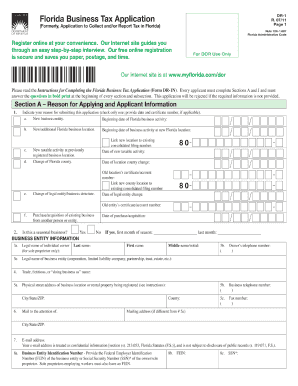
Dh 1963s form pdfDH-511 formDH 432 form FloridaDH 434Www floridahealth gov CertificatesBirth certificate amendment formFlorida department of health FormsWhere to get a birth certificate replacement
Security and compliance
At DocHub, your data security is our priority. We follow HIPAA, SOC2, GDPR, and other standards, so you can work on your documents with confidence.
Enclosed form J.F. Catchpool RE: Discussing chemistry assistants P. D. Dacre and D. H. Davies accepted to work with anesthesia summer of 1963 under ArthurRead more
Putative Father Registry - Florida Department of Health
Application for Search forms: DH 1963 (English) | DH 1963S (Spanish) | DH 1963H (Creole). In each termination of parental rights or adoption proceeding filedRead more
Jun 25, 2025 Die Form des Astralleibs die Aura. Der Astralleib gehrt nicht der rumlichen Welt an und ist als solcher eigentlich gestaltlos. derRead more
Cookie consent notice
This site uses cookies to enhance site navigation and personalize your experience.
By using this site you agree to our use of cookies as described in our Privacy Notice.
You can modify your selections by visiting our Cookie and Advertising Notice.