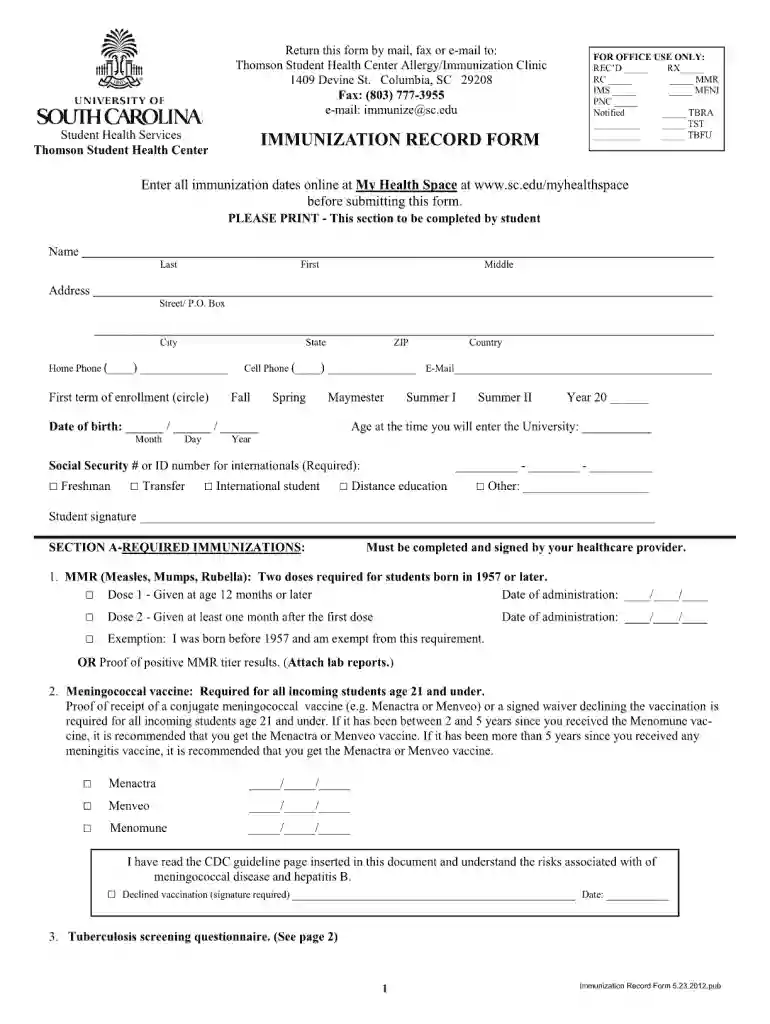
Military fillable immunization record form 2026

Get Form
dha form 116 Preview on Page 1

Here's how it works

01. Edit your dha form 116 online
Type text, add images, blackout confidential details, add comments, highlights and more.

02. Sign it in a few clicks
Draw your signature, type it, upload its image, or use your mobile device as a signature pad.

03. Share your form with others
Send military immunization record form via email, link, or fax. You can also download it, export it or print it out.

How to use or fill out Military fillable immunization record form with our platform

Form edit decoration
9.5
Ease of Setup
DocHub User Ratings on G2
9.0
Ease of Use
DocHub User Ratings on G2
  1. Click ‘Get Form’ to open the Military fillable immunization record form in the editor.
  2. Begin by entering your personal information in the designated fields, including your name, rank, and service number. Ensure accuracy as this information is crucial for your military records.
  3. Next, navigate to the immunization history section. Here, you will need to input details of each vaccine received, including the date administered and the administering provider's information.
  4. If applicable, include any exemptions or medical waivers in the appropriate section. This ensures that all relevant health considerations are documented.
  5. Finally, review all entered information for completeness and accuracy before saving or printing your completed form. Utilize our platform’s features to easily share or store your document securely.

Start using our platform today to effortlessly complete your Military fillable immunization record form for free!

See more Military fillable immunization record form versions

We've got more versions of the Military fillable immunization record form form. Select the right Military fillable immunization record form version from the list and start editing it straight away!
Versions Form popularity Fillable & printable
2015 4.4 Satisfied (38 Votes)
2012 4 Satisfied (60 Votes)
be ready to get more

Complete this form in 5 minutes or less

Get form

Got questions?

We have answers to the most popular questions from our customers. If you can't find an answer to your question, please contact us.
Contact us

As outlined by eSignature regulations, documents signed electronically have the same validity as those approved with pen and paper. You can electronically sign almost any business and private paperwork. Four types of documents still require wet signatures only - wills and testamentary trusts, court orders and other court papers, state statutes regulating divorce, adoption, or other family law, and notice of cancellation of utility services. If you follow the rules and utilize a reliable and compliant software solution, like DocHub, you can eSign your military immunization records without printing it.

It is a no-brainer on a computer or via a mobile phone to fill out a printable immunization record template with DocHub. All you need to do is open any installed internet browser on your smartphone and proceed to the DocHub site. Once authenticated, add your file and open it in editing mode. Use our toolbar to make your edits and save changes. Optionally, keep your file in your files or send it to a recipient on the spot.

By law, the following information must be documented on the patients paper or electronic medical record (or on a permanent office log): The vaccine manufacturer. The lot number of the vaccine. The date the vaccine is administered.
The DD Form 250 is the only form that can be used to show that the government has accepted a contractors products. The DD Form 1149 only documents transactions and does not authorize transactions.
What information does federal law require us to document when we immunize a patient? The vaccine manufacturer. The lot number of the vaccine. The date the vaccine is administered. The name, office address, and title of the healthcare provider administering the vaccine.

Security and compliance

At DocHub, your data security is our priority. We follow HIPAA, SOC2, GDPR, and other standards, so you can work on your documents with confidence.

Learn more
ccpa2
pci-dss
gdpr-compliance
hipaa
soc-compliance
be ready to get more

Complete this form in 5 minutes or less

Get form

People also ask

KJB Security Products DD3150 Overview This detector can detect RF signals up to 30 away and can locate a camera lens from 3 to 30 away. It features a backlit LCD screen that displays battery status, signal strength, and alert indicators. Flashing LED lights and a built-in viewfinder further help to detect devices.
What is Form DD-1150? The DD Form 1150, Request for Issue/Transfer/Turn-In, is essential for managing assets within the Department of Defense (DoD). It facilitates the tracking of equipment and supplies as they are issued, transferred, or returned.

Related links