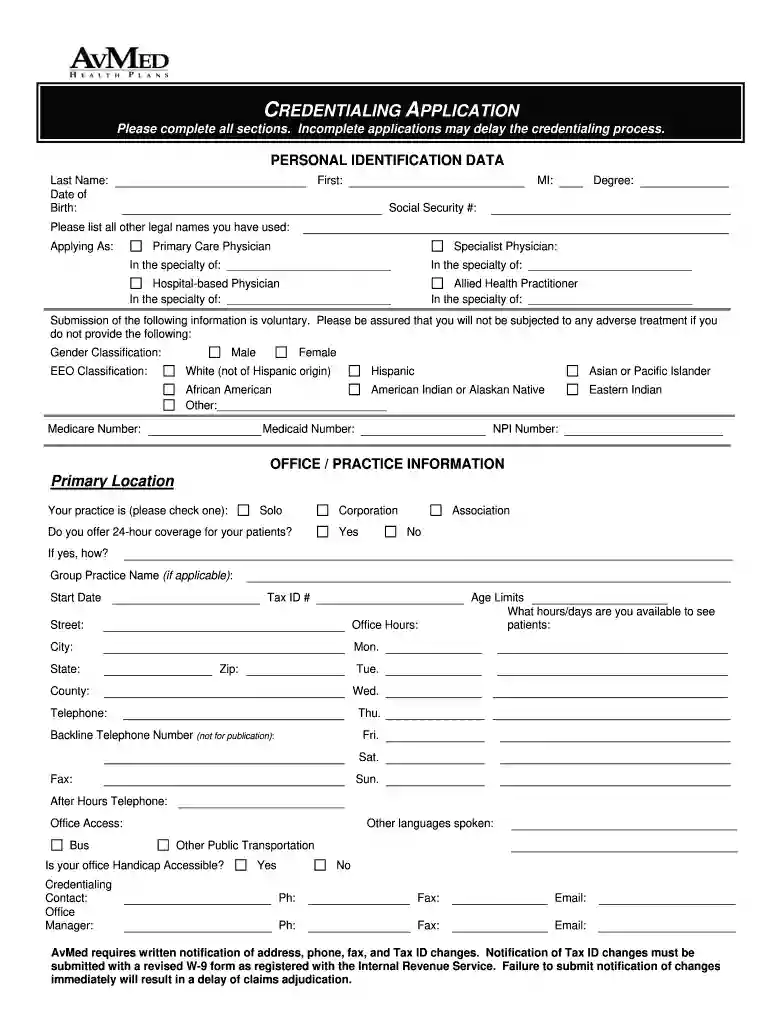
Avmed credentialing application 2011 form-2026

Get Form
avmed 1095 form Preview on Page 1

Here's how it works

01. Edit your avmed 1095 form online
Type text, add images, blackout confidential details, add comments, highlights and more.

02. Sign it in a few clicks
Draw your signature, type it, upload its image, or use your mobile device as a signature pad.

03. Share your form with others
Send it via email, link, or fax. You can also download it, export it or print it out.

How to use or fill out avmed credentialing application 2011 form with DocHub

Form edit decoration
9.5
Ease of Setup
DocHub User Ratings on G2
9.0
Ease of Use
DocHub User Ratings on G2
  1. Click ‘Get Form’ to open the avmed credentialing application 2011 form in our platform.
  2. Begin by filling out the 'Personal Identification Data' section. Enter your last name, first name, middle initial, degree, and social security number. Ensure all fields are completed to avoid delays.
  3. In the 'Applying As' section, select your role (e.g., Primary Care Physician, Specialist Physician) and specify your specialty if applicable.
  4. Proceed to the 'Office / Practice Information' section. Provide details about your primary location, including address, office hours, and whether you offer 24-hour coverage.
  5. Continue through each section methodically. For example, list any additional locations where you practice and provide relevant contact information for each.
  6. Complete the 'Professional License' and 'Education' sections by listing all current licenses and educational background accurately.
  7. Finally, review all entries for accuracy before submitting. Use our editor's features to make any necessary adjustments easily.

Start using our platform today to fill out your avmed credentialing application efficiently and for free!

See more avmed credentialing application 2011 form versions

We've got more versions of the avmed credentialing application 2011 form form. Select the right avmed credentialing application 2011 form version from the list and start editing it straight away!
Versions Form popularity Fillable & printable
2014 4.9 Satisfied (46 Votes)
2011 4 Satisfied (70 Votes)
be ready to get more

Complete this form in 5 minutes or less

Get form

Got questions?

We have answers to the most popular questions from our customers. If you can't find an answer to your question, please contact us.
Contact us
Payer ID: 59274|Professional (CMS1500)/Institutional (UB04)[Hospitals]
All providers can access full payment details through our partner, Change Healthcare.
Aetna uses Change Healthcare to send certain Electronic Data Interchange (EDI) transactions across our business areas. As a result, this incident impacted certain Aetna business operations, as well as others in in the health care industry. At this time, there are no signs that any Aetna systems were compromised.

Security and compliance

At DocHub, your data security is our priority. We follow HIPAA, SOC2, GDPR, and other standards, so you can work on your documents with confidence.

Learn more
ccpa2
pci-dss
gdpr-compliance
hipaa
soc-compliance