Ameritrade trading liability company download 2026

Get Form
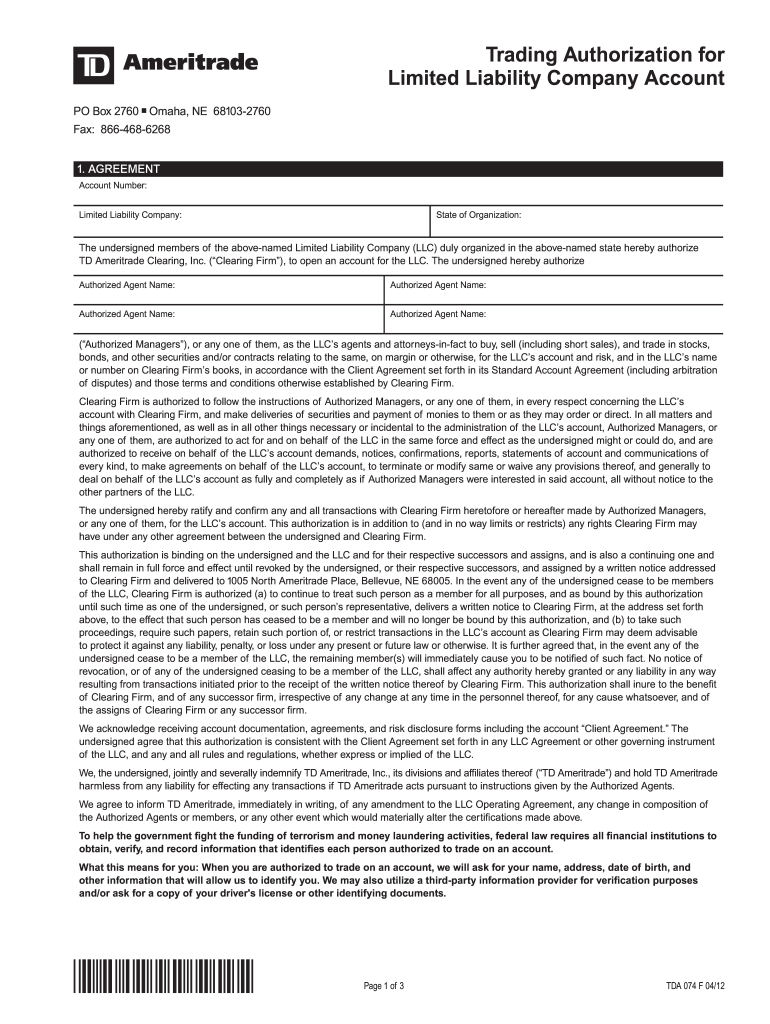
ameritrade download Preview on Page 1

Here's how it works

01. Edit your ameritrade download online
Type text, add images, blackout confidential details, add comments, highlights and more.
02. Sign it in a few clicks
Draw your signature, type it, upload its image, or use your mobile device as a signature pad.
03. Share your form with others
Send it via email, link, or fax. You can also download it, export it or print it out.

How to use or fill out ameritrade trading liability company download with our platform

Form edit decoration
9.5
Ease of Setup
DocHub User Ratings on G2
9.0
Ease of Use
DocHub User Ratings on G2
  1. Click ‘Get Form’ to open the ameritrade trading liability company download in the editor.
  2. Begin by entering the Account Number and Limited Liability Company name in the designated fields. Ensure that the State of Organization is accurately filled out.
  3. In the Authorized Agent Information section, provide the full legal names, dates of birth, and Social Security Numbers for each authorized agent. Make sure to include their home addresses without using PO boxes.
  4. Indicate if any authorized agents are unemployed or retired, and specify their source of income if applicable. Fill in employer details for those who are employed.
  5. Complete the Affiliations section by checking any relevant boxes regarding political figures or connections to publicly traded companies, providing necessary details as prompted.
  6. Finally, all members of the LLC must sign on the Limited Liability Member Signature Page. Ensure that each signature is accompanied by the full legal name.

Start filling out your ameritrade trading liability company download today for free using our platform!

See more ameritrade trading liability company download versions

We've got more versions of the ameritrade trading liability company download form. Select the right ameritrade trading liability company download version from the list and start editing it straight away!
Versions Form popularity Fillable & printable
2012 4.9 Satisfied (211 Votes)
be ready to get more

Complete this form in 5 minutes or less

Get form

Got questions?

We have answers to the most popular questions from our customers. If you can't find an answer to your question, please contact us.
Contact us

Managing your documents with DocHub this way is very simple once you have downloaded its extension for Google Chrome. Go to the Chrome Web Store and set up DocHub - Sign PDF from Gmail to obtain it. Give our tool access to your Google account, and then open an email with the ameritrade trading liability company download attached and point to the file with your cursor - the DocHub extension button will automatically appear there. Click on it to open your form in our editor. Make any required adjustments, complete the blanks, and click Sign to create your legally-binding electronic signature.

You can find the latest and most relevant version of the ameritrade trading liability company download in our DocHub forms collection. Search it by categories or use the search field to get the exact template that fits your situation. You may open this form for editing once you find it.

Available on your iPhone, iPad, or Apple Watch®. Don't miss a minute of the market. Download the TD Ameritrade Mobile app and take your portfolio with you, wherever you go.
General Procedure: Log on to your TD Ameritrade trading account web site and click on My Account, then under History & Statements click on Transactions. Make sure the Type is set to "All transaction types", Select a date range for the report and click the Download button. ... Please wait until a File Download box pops up.
Three of the Program Banks are Charles Schwab Bank, SSB; Charles Schwab Premier Bank, SSB; and Charles Schwab Trust Bank, each an affiliate of TD Ameritrade. You are responsible for knowing the extent of your FDIC coverage and for monitoring your entire amount on deposit at each Program Bank.

Security and compliance

At DocHub, your data security is our priority. We follow HIPAA, SOC2, GDPR, and other standards, so you can work on your documents with confidence.

Learn more
ccpa2
pci-dss
gdpr-compliance
hipaa
soc-compliance
be ready to get more

Complete this form in 5 minutes or less

Get form

People also ask

- Open your account using the online application. - Once your account is open, you can log in and go to My Account > Account Transfer or use the Mobile Website to transfer your account. - The name(s)/title on the account being transferred must match the name(s)/title on the receiving TD Ameritrade account.
TD Ameritrade Mobile Trader and thinkorswim Mobile are the same application. TD Ameritrade Mobile has two applications in the Android store. One is for phones and one is for tablets. Mobile Trader has just one application and automatically scales to a phone or a tablet.
Yes, you can have multiple accounts linked to one primary account. You can link TD accounts together or not if you choose after creating them. Linking them allows you to manage all accounts from either log in, making it a little easier.
Direct Register Shares from TD Ameritrade \uf0b7Call TD Ameritrade on: 800-652-4584\uf0b7. Request to talk to some one about an outbound DRS transfer. \uf0b7The agent will perform all the tasks necessary to DRS transfer.
TD Ameritrade offers accounts for legally established LLCs. Account Minimums and Fees: There is no minimum initial deposit required to open an account.

Related links