




Here's how it works

01. Edit your colorado divorce forms online
Type text, add images, blackout confidential details, add comments, highlights and more.

02. Sign it in a few clicks
Draw your signature, type it, upload its image, or use your mobile device as a signature pad.

03. Share your form with others
Send divorce papers colorado pdf via email, link, or fax. You can also download it, export it or print it out.
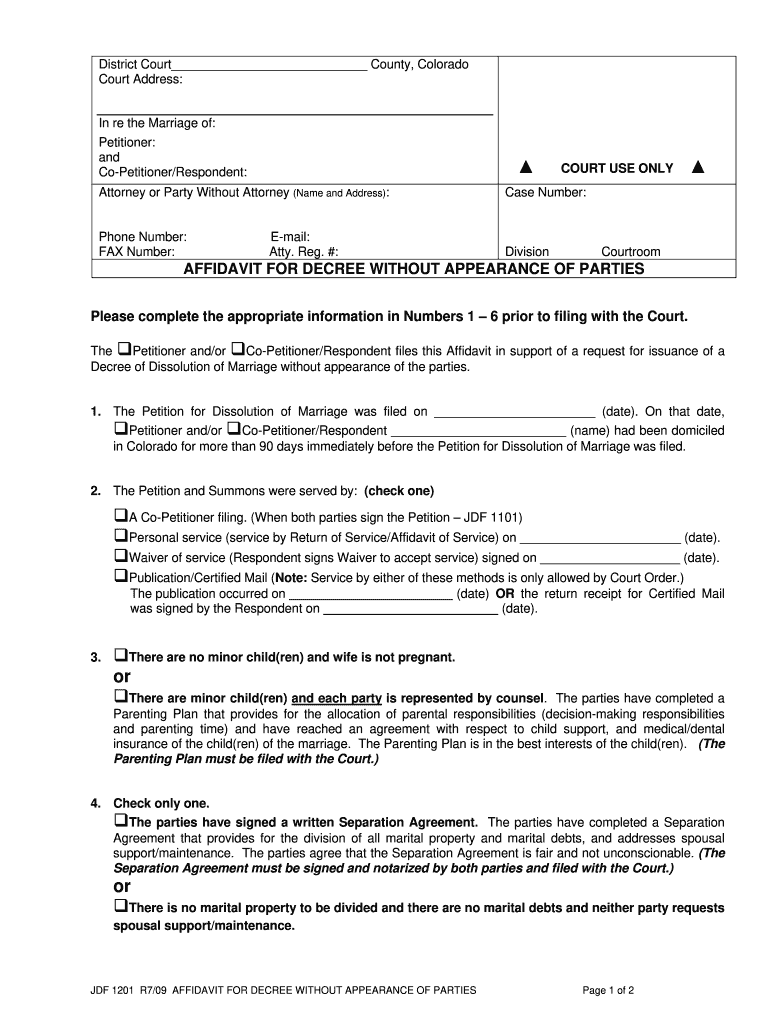
How to use or fill out County, Colorado District Court - Colorado Center for Divorce Affidavit with our platform

- Click ‘Get Form’ to open the Affidavit for Decree Without Appearance of Parties in the editor.
- Begin by entering the court address and case number at the top of the form. This information is crucial for proper identification of your case.
- In section 1, provide the date when the Petition for Dissolution of Marriage was filed and confirm that at least one party has been domiciled in Colorado for over 90 days.
- For section 2, indicate how the Petition and Summons were served by checking the appropriate box and filling in any required dates.
- In section 3, specify whether there are minor children involved. If so, ensure that a Parenting Plan is attached as it must be filed with the court.
- Section 4 requires you to check if a Separation Agreement exists or if there are no marital properties or debts. Ensure this document is signed and notarized if applicable.
- Complete sections 5 and 6 by confirming that there are no genuine issues of material fact regarding the marriage status and any name restoration requests.
- Finally, have both parties sign and date at the bottom of the form. If applicable, include attorney signatures as well.
Start using our platform today to streamline your document editing process for free!
Fill out County, Colorado District Court - Colorado Center for Divorce ... online
It's free
It's free
See more County, Colorado District Court - Colorado Center for Divorce ... versions
We've got more versions of the County, Colorado District Court - Colorado Center for Divorce ... form. Select the right County, Colorado District Court - Colorado Center for Divorce ... version from the list and start editing it straight away!
Security and compliance
At DocHub, your data security is our priority. We follow HIPAA, SOC2, GDPR, and other standards, so you can work on your documents with confidence.
Learn more


