Type text, add images, blackout confidential details, add comments, highlights and more.
02. Sign it in a few clicks
Draw your signature, type it, upload its image, or use your mobile device as a signature pad.
03. Share your form with others
Send spbp application via email, link, or fax. You can also download it, export it or print it out.
How to use or fill out spbp renewal application with our platform
Ease of Setup
DocHub User Ratings on G2
Ease of Use
DocHub User Ratings on G2
Click ‘Get Form’ to open the spbp renewal application in the editor.
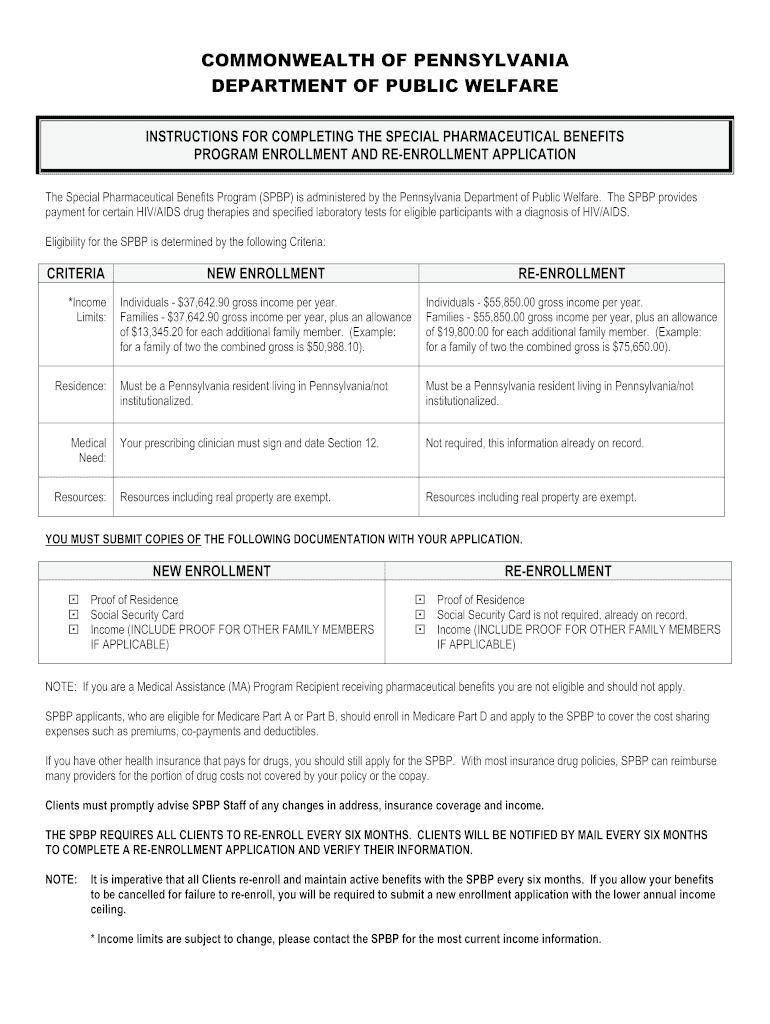
Begin by entering your full legal name, sex, date of birth, and language preference in Section 1. If you are re-enrolling, include your SPBP identification number.
In Section 2, provide your principal place of residence. Ensure that the address matches the proof of residency you will submit.
For Section 3, enter your Social Security Number. If you do not have one, check the appropriate box. Note that re-enrollment does not require a Social Security Card.
Complete Sections 4 through 12 by providing required information about ethnicity, case manager details, family composition, health insurance coverage, and income verification as outlined in the instructions.
Review all entered information for accuracy before signing and dating your application in Section 11. If applicable for new enrollment, ensure your prescribing clinician signs Section 12.
Start filling out your spbp renewal application today using our platform for free!
Fill out spbp renewal application online It's free
Additionally, the victim must be admissible to the United States based on a review of his or her criminal history, immigration violations, and other factors. IfRead more
During this 12 month cycle your eligibility for SPBP will be determined using this one page express application. At the next. 12 month recertification period, aRead more
Cookie consent notice
This site uses cookies to enhance site navigation and personalize your experience.
By using this site you agree to our use of cookies as described in our Privacy Notice.
You can modify your selections by visiting our Cookie and Advertising Notice.