




Here's how it works



How to use or fill out sp 642 2009 form with DocHub

- Click ‘Get Form’ to open the sp 642 2009 form in our editor.
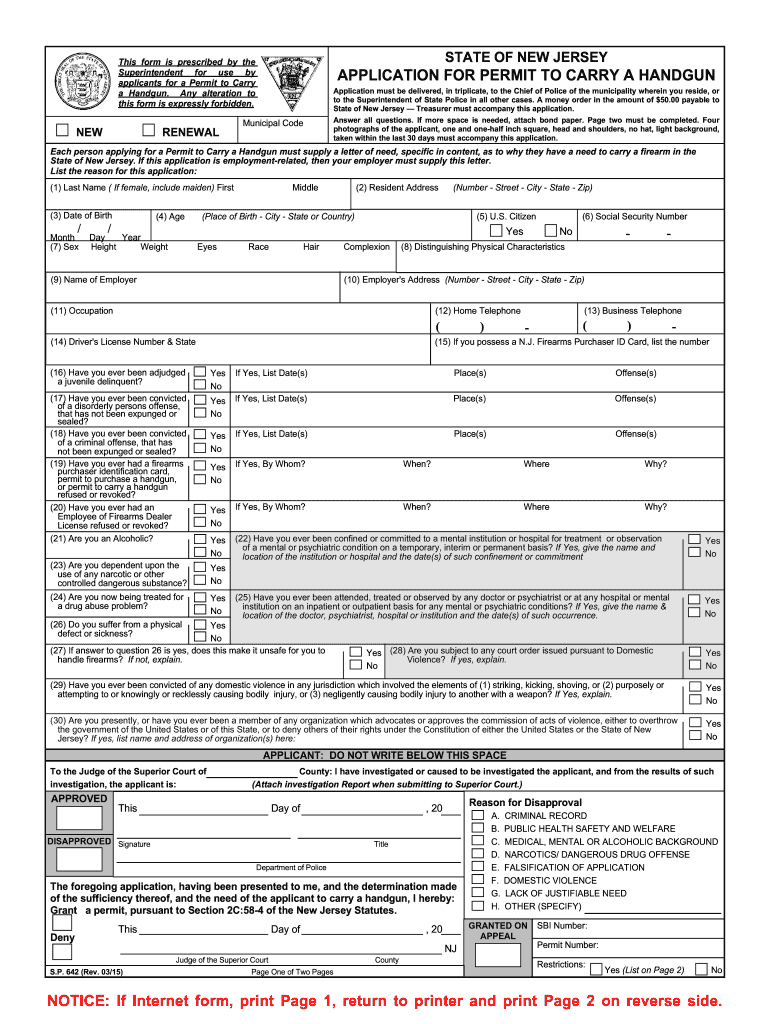
- Begin by filling out your personal information in the designated fields, including your last name, first name, date of birth, and address. Ensure accuracy as this information is crucial for processing your application.
- Complete the sections regarding your citizenship status and social security number. If applicable, provide details about your employer and their address.
- Answer all questions related to your criminal history and mental health background honestly. If you need more space for explanations, attach additional pages as necessary.
- Attach four recent photographs of yourself as specified in the instructions. Ensure they meet the size and background requirements.
- Review all entries for completeness and accuracy before submitting the form. Use our platform's editing tools to make any necessary adjustments easily.
Start using our platform today to fill out your sp 642 2009 form quickly and efficiently!
It's free
Got questions?
How can I eSign my sp 642 2009 form in Word?
Microsoft Word doesn’t have signing tools to generate valid electronic signatures and enforceable paperwork. Luckily, DocHub is an online eSignature-compliant editor that supports different document formats, including .doc files. Log in to your account and import the Word version of your sp 642 2009 form from your device and cloud, or URL - our editor will automatically transform it into an editable PDF. Make all necessary alterations in your document and click Sign to generate your own legally-binding electronic signature. There are four signing options from which to choose.
How do you edit sp 642 2009 form on Android?
Document editing with DocHub is equally convenient on desktop and mobile devices. You just need an internet browser to edit your sp 642 2009 form on Android. Open our site and sign in to access the instruments you need. Add your file and introduce your intended changes. Next, you can keep your form in your file storage or send it out immediately.
Security and compliance
At DocHub, your data security is our priority. We follow HIPAA, SOC2, GDPR, and other standards, so you can work on your documents with confidence.
Learn more




