




01. Edit your convocation certificate download online
Type text, add images, blackout confidential details, add comments, highlights and more.

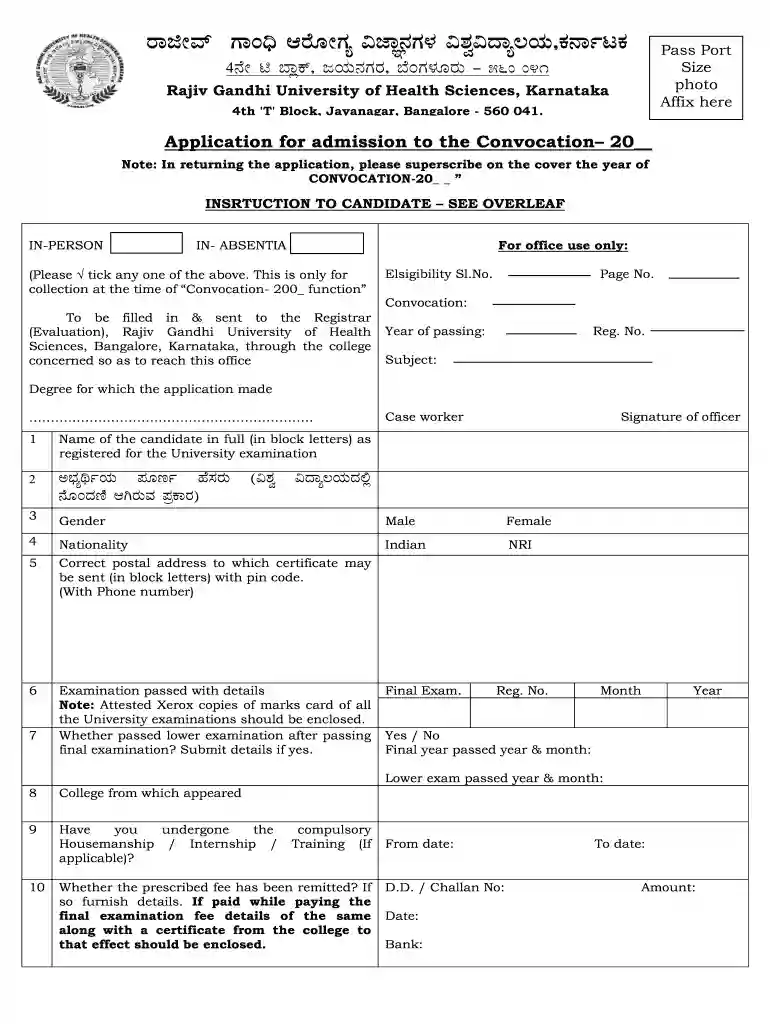
Type text, add images, blackout confidential details, add comments, highlights and more.

Draw your signature, type it, upload its image, or use your mobile device as a signature pad.

Send how to download convocation certificate online via email, link, or fax. You can also download it, export it or print it out.

Handling documents with our extensive and intuitive PDF editor is simple. Follow the instructions below to fill out Convocation certificate download online quickly and easily:
Take advantage of DocHub, one of the most easy-to-use editors to promptly handle your documentation online!
We've got more versions of the convocation certificate download form. Select the right convocation certificate download version from the list and start editing it straight away!
You should use only trustworthy software solutions with strong security compliance to sign your documents electronically. DocHub is just the type of editor you need! It stores data on Amazon Web Servers and complies with all required security criteria and eSignature laws, so it’s a reliable way to eSign your convocation certificate or other paperwork using this tool.
If you store your files in Google Drive, there is no need to download your download convocation certificate on the computer and upload it back to our editor. A much easier way is to set up a browser extension created by DocHub to streamline this flow. The extension allows editing PDFs in your browser. Alternatively, you can integrate your DocHub and Gmail accounts for more efficient editing.
At DocHub, your data security is our priority. We follow HIPAA, SOC2, GDPR, and other standards, so you can work on your documents with confidence.
Use this form if you wish to gather physical signatures. Alternatively, we also accept a pdf (click print to pdf) of an email chain with both the ProgramRead more
Title 2 - Grants and Agreements Part 200 - UNIFORM ADMINISTRATIVE REQUIREMENTS, COST PRINCIPLES, AND AUDIT REQUIREMENTS FOR FEDERAL AWARDS


