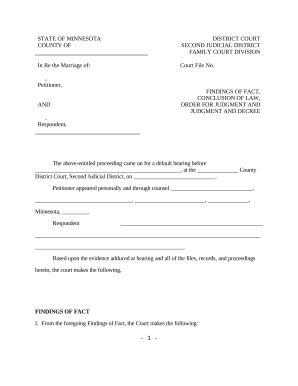
Zoning Data Summary sheet 9 6 16. Zoning Data Summary sheet 9 6 16 2026

Get Form
Zoning Data Summary sheet 9 6 16. Zoning Data Summary sheet 9 6 16 Preview on Page 1

Here's how it works

01. Edit your form online
Type text, add images, blackout confidential details, add comments, highlights and more.
02. Sign it in a few clicks
Draw your signature, type it, upload its image, or use your mobile device as a signature pad.
03. Share your form with others
Send it via email, link, or fax. You can also download it, export it or print it out.

How to use or fill out Zoning Data Summary sheet 9 6 16 with our platform

Form edit decoration
9.5
Ease of Setup
DocHub User Ratings on G2
9.0
Ease of Use
DocHub User Ratings on G2
  1. Click ‘Get Form’ to open the Zoning Data Summary sheet in the editor.
  2. Begin by filling out the 'Site Address' section. Ensure you provide a complete and legal District address, including the correct quadrant and parcel ID. Avoid abbreviations.
  3. In the 'Owner & Contact Information' section, enter the owner's details accurately. If applicable, include information for an agent representing the owner.
  4. Next, navigate to 'Zoning District & Special Development Restrictions.' Specify the zoning district and any overlay zoning districts. If your project requires BZA or ZC review, include the order number.
  5. Proceed to 'Zoning Data.' Fill in both existing and proposed columns carefully, ensuring that numbers match those on attached applications and plans.
  6. Finally, sign and print your name at the bottom of the form before submitting it with your Building Permit application.

Start using our platform today for free to streamline your document editing and form completion!

See more Zoning Data Summary sheet 9 6 16. Zoning Data Summary sheet 9 6 16 versions

We've got more versions of the Zoning Data Summary sheet 9 6 16. Zoning Data Summary sheet 9 6 16 form. Select the right Zoning Data Summary sheet 9 6 16. Zoning Data Summary sheet 9 6 16 version from the list and start editing it straight away!
Versions Form popularity Fillable & printable
2016 4.1 Satisfied (36 Votes)
be ready to get more

Complete this form in 5 minutes or less

Get form

Got questions?

We have answers to the most popular questions from our customers. If you can't find an answer to your question, please contact us.
Contact us
Ideally, data centers are located in industrial or heavy commercial zones with existing infrastructure and sufficient buffer from residential areas.
A data center is a physical location that stores computing machines and their related hardware equipment. It contains the computing infrastructure that IT systems require, such as servers, data storage drives, and network equipment. It is the physical facility that stores any companys digital data.
The definition of Data Center Zoning expands when we consider its practical meaning. Its the practice of spatially arranging infrastructure within a data center to optimize environmental controls, security protocols, and operational workflows.
Form-based zoning codes have five main elements: a regulating plan, public standards, building standards, and precise definitions of technical terms.
Data center tiers scored by uptime Tier 1 DCs have a 99.671% uptime percentage per year. Tier 2 DCs have a 99.741% uptime percentage per year. Tier 3 DCs have a 99.982% uptime percentage per year. Tier 4 DCs have a 99.995% uptime percentage per year.

Security and compliance

At DocHub, your data security is our priority. We follow HIPAA, SOC2, GDPR, and other standards, so you can work on your documents with confidence.

Learn more
ccpa2
pci-dss
gdpr-compliance
hipaa
soc-compliance

People also ask

Zones are user-defined logical groupings of physical servers. The following are examples of different types of zones: different blade servers, chassis of blade servers, floors of a building, buildings, or different geographical locations in a multiple data center environment.

Related links