Type text, add images, blackout confidential details, add comments, highlights and more.

02. Sign it in a few clicks
Draw your signature, type it, upload its image, or use your mobile device as a signature pad.

03. Share your form with others
Send it via email, link, or fax. You can also download it, export it or print it out.

How to use or fill out 77g depot with our platform
Ease of Setup
DocHub User Ratings on G2
Ease of Use
DocHub User Ratings on G2
Click ‘Get Form’ to open the 77g depot application in the editor.
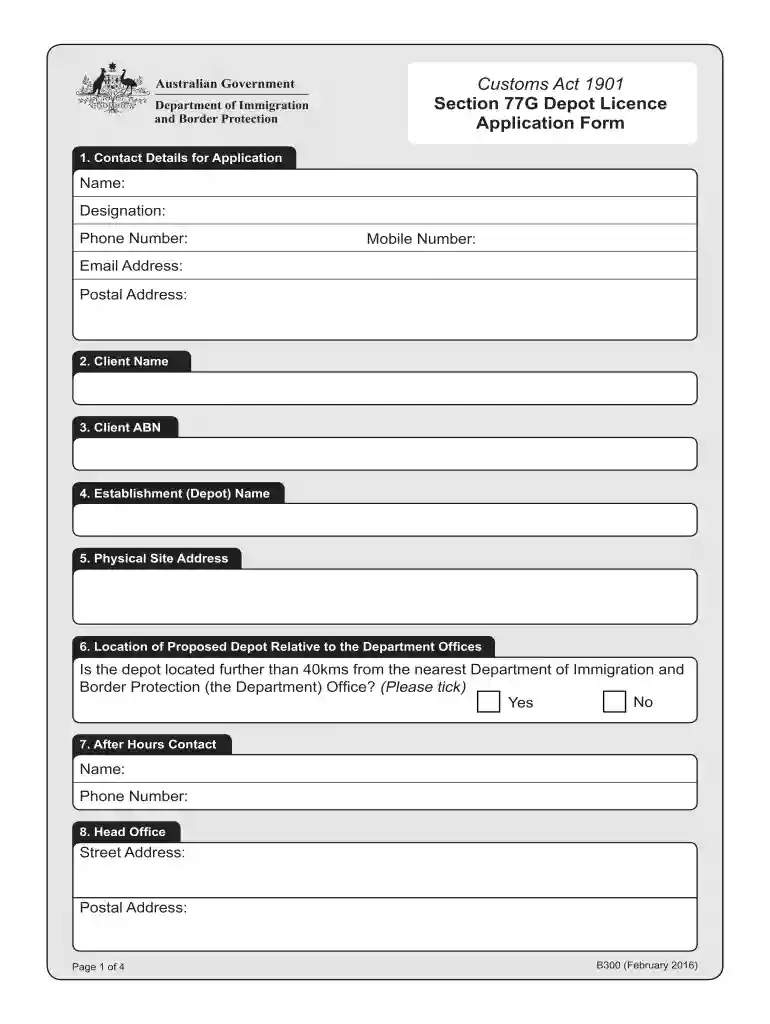
Begin by entering your contact details, including your name, designation, phone number, mobile number, email address, and postal address in the designated fields.
Fill in the client name and ABN. Ensure that these details are accurate as they are crucial for processing your application.
Provide the establishment (depot) name and physical site address. This information helps identify your location.
Indicate whether the depot is located more than 40kms from the nearest Department office by ticking 'Yes' or 'No'.
Complete sections regarding after-hours contact information and head office addresses as required.
Answer questions about ICS Client Registration and communication methods with the Department by selecting appropriate options.
List individuals involved in management or control of the depot along with their positions. If necessary, attach additional pages.
Indicate proposed depot activities and categories by ticking relevant boxes to ensure compliance with regulations.
Finally, review all provided information for accuracy before signing and dating the declaration at the end of the form.
Start filling out your 77g depot application today for free using our platform!
Cookie consent notice
This site uses cookies to enhance site navigation and personalize your experience.
By using this site you agree to our use of cookies as described in our Privacy Notice.
You can modify your selections by visiting our Cookie and Advertising Notice.