




Here's how it works

01. Edit your wisconsin senior care application online
Type text, add images, blackout confidential details, add comments, highlights and more.

02. Sign it in a few clicks
Draw your signature, type it, upload its image, or use your mobile device as a signature pad.

03. Share your form with others
Send seniorcare application via email, link, or fax. You can also download it, export it or print it out.
How to use or fill out Wisconsin Senior Care Application with DocHub

- Click ‘Get Form’ to open the Wisconsin Senior Care application in our platform's editor.
- Begin with Section I - Applicant Information. Fill in your name, birth date, and Social Security number. Indicate if you are requesting SeniorCare and provide your race/ethnicity if comfortable.
- Complete Section II if applicable. If living with a spouse, enter their information similarly, including their consent for SeniorCare.
- In Section III - Mailing Address, provide your current address and telephone number. Ensure accuracy for correspondence.
- Proceed to Section IV - Expected Annual Income. Enter total gross income for both you and your spouse across various categories, rounding to the nearest dollar.
- Finally, sign in Section V to certify the information provided is accurate. If necessary, include witness signatures as outlined.
- Submit the completed application along with the enrollment fee as specified in Section VI.
Start filling out your Wisconsin Senior Care application today using our platform for free!
Fill out wisconsin senior care application online
It's free
It's free
See more wisconsin senior care application versions
We've got more versions of the wisconsin senior care application form. Select the right wisconsin senior care application version from the list and start editing it straight away!
| Versions | Form popularity | Fillable & printable |
|---|---|---|
| 2008 | 4.9 Satisfied (60 Votes) |
Security and compliance
At DocHub, your data security is our priority. We follow HIPAA, SOC2, GDPR, and other standards, so you can work on your documents with confidence.
Learn more


Related forms
F1 3 APPLICATION TO RENEW A CPCS COMPETENT OPERATOR CARD
The document is an application form for renewing a CPCS Competent Operator Card, requiring the applicant to provide pers ...
Sales Reports; Payment of Royalties Sample Clauses
The document is the 'Report of Sales and Royalty Remittance Form ONRR-2014', used to report royalties and obligations fo ...
BOE-566-K (RP-979, RP-981) - Los Angeles County Assessor's Office - assessor lacounty
The document provides detailed instructions for completing the Oil and Gas Operating Expense Data Report required by the ...

Georgia State Income Tax 2022-2023: Rates, Who Pays
The document is the Georgia Form 500, an Individual Income Tax Return for the year 2023, issued by the Georgia Departmen ...
DOR Sales & Use Tax e-File Transmission
The Virginia Consumer’s Use Tax Return for Individuals, Form CU-7, is designed for individuals to report and pay consume ...
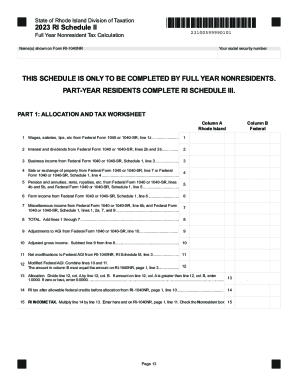
2023 Rhode Island Schedule II
The document is the 2023 RI Schedule II for the State of Rhode Island Division of Taxation, specifically designed for fu ...
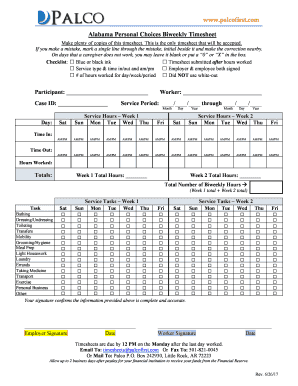
Alabama personal choices timesheet
The document is a biweekly timesheet for Alabama Personal Choices, detailing the required format and submission guidelin ...
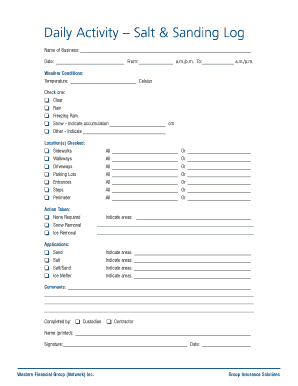
Daily Activity Salt Sanding Log
The document is a Daily Activity Log for salt and sanding operations, used by businesses to record weather conditions, l ...