




01. Edit your ds 230 online
Type text, add images, blackout confidential details, add comments, highlights and more.

Type text, add images, blackout confidential details, add comments, highlights and more.

Draw your signature, type it, upload its image, or use your mobile device as a signature pad.

Send ds 230 form pdf via email, link, or fax. You can also download it, export it or print it out.

Start filling out your DS-230 form today on our platform for free!
We've got more versions of the ds 230 form. Select the right ds 230 version from the list and start editing it straight away!
At DocHub, your data security is our priority. We follow HIPAA, SOC2, GDPR, and other standards, so you can work on your documents with confidence.
A consular officer may not refuse an immigrant visa until either Form DS-230, Application for Immigrant Visa and Alien Registration, or Form DS-260, ElectronicRead more
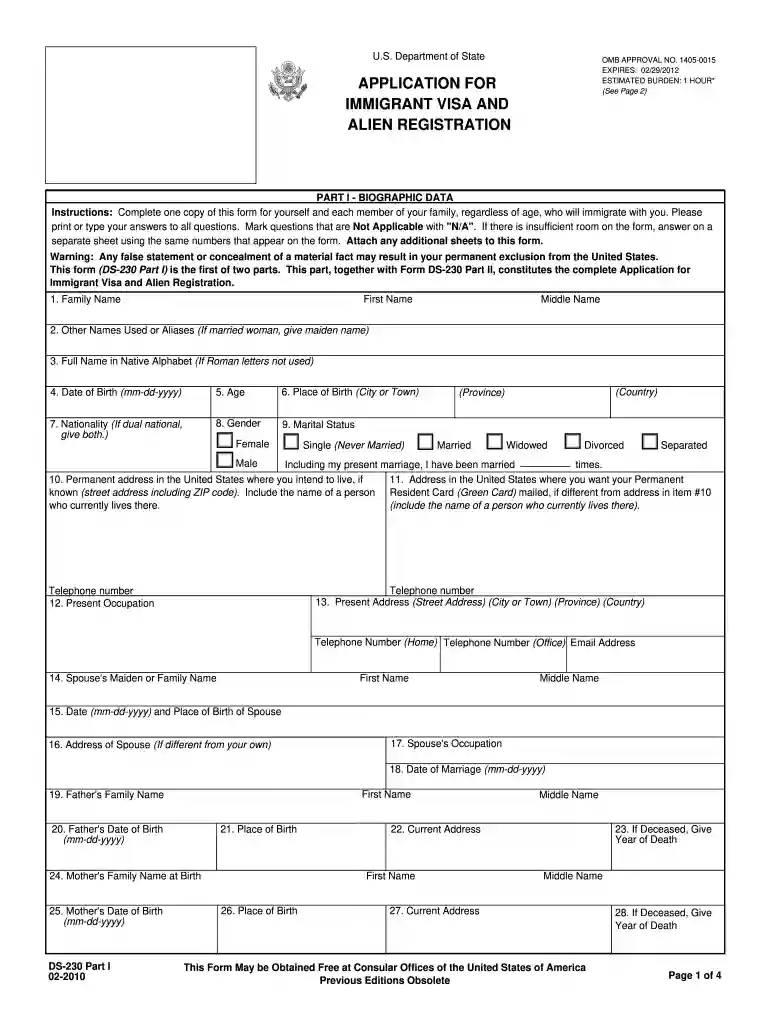
This part, together with Form DS-230 Part II, constitutes the complete Application for. Immigrant Visa and Alien Registration. 1. Family Name. First Name.Read more
by B Grade 2016 A statement, achieved by consensus of the Panel, that is based on members clinical training, experience, knowledge, and judgment for which there is no evidence.Read more


