




Here's how it works



How to use or fill out Hampton Inn & Suites Albany Downtown with our platform

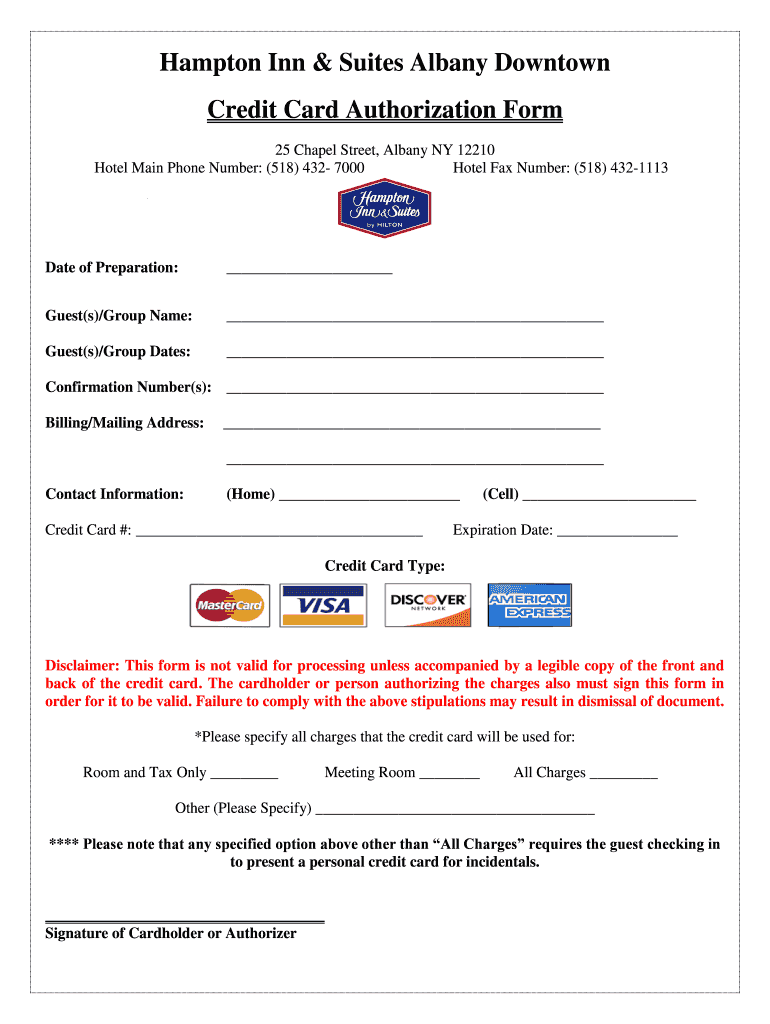
- Click ‘Get Form’ to open the Hampton Inn & Suites Albany Downtown Credit Card Authorization Form in the editor.
- Begin by entering the 'Date of Preparation' at the top of the form. This helps establish when the authorization is being processed.
- Fill in the 'Guest(s)/Group Name' field with the name associated with your reservation, ensuring accuracy for proper identification.
- Next, provide the 'Guest(s)/Group Dates' to indicate your stay duration. This information is crucial for hotel records.
- Enter your 'Confirmation Number(s)' to link this authorization with your booking, facilitating a smoother check-in process.
- Complete the 'Billing/Mailing Address' section accurately, as this will be used for any necessary correspondence regarding charges.
- Input your contact information, including home and cell phone numbers, to ensure you can be reached if needed.
- Provide your credit card number and expiration date. Ensure that you also select the type of credit card from the options available.
- Specify all charges that will be covered by this credit card in the designated section. Remember that specific options may require presenting a personal credit card upon check-in.
- Finally, ensure that either you or an authorized person signs at the bottom of the form to validate it. Without this signature and a copy of both sides of the credit card, processing may not occur.
Start filling out your form online for free today and streamline your hotel booking experience!
It's free
See more Hampton Inn & Suites Albany Downtown versions
| Versions | Form popularity | Fillable & printable |
|---|---|---|
| 2016 | 4.8 Satisfied (72 Votes) |
Got questions?
What is the optimum way to electronically sign my card confirmation?
A lot of software solutions are available out there for document editing and signing. DocHub is one of the most popular online solutions that comply with all data protection and compliance standards and ensures your eSigned paperwork is legally enforceable. All you need to try it out is to register an account, upload your card confirmation, fill out the required information, and click Sign. Create your eSignature by typing, drawing it, uploading its picture to your document, or scanning a unique QR code.
How do you fill out guest payment on Android?
It is a no-brainer on a computer or via a mobile phone to fill out a guest payment with DocHub. All you need to do is open any installed internet browser on your smartphone and go to the DocHub site. Once authenticated, add your file and open it in editing mode. Use our toolbar to make your edits and save changes. Optionally, keep your file in your files or send it to a recipient immediately.
Security and compliance
At DocHub, your data security is our priority. We follow HIPAA, SOC2, GDPR, and other standards, so you can work on your documents with confidence.
Learn more




