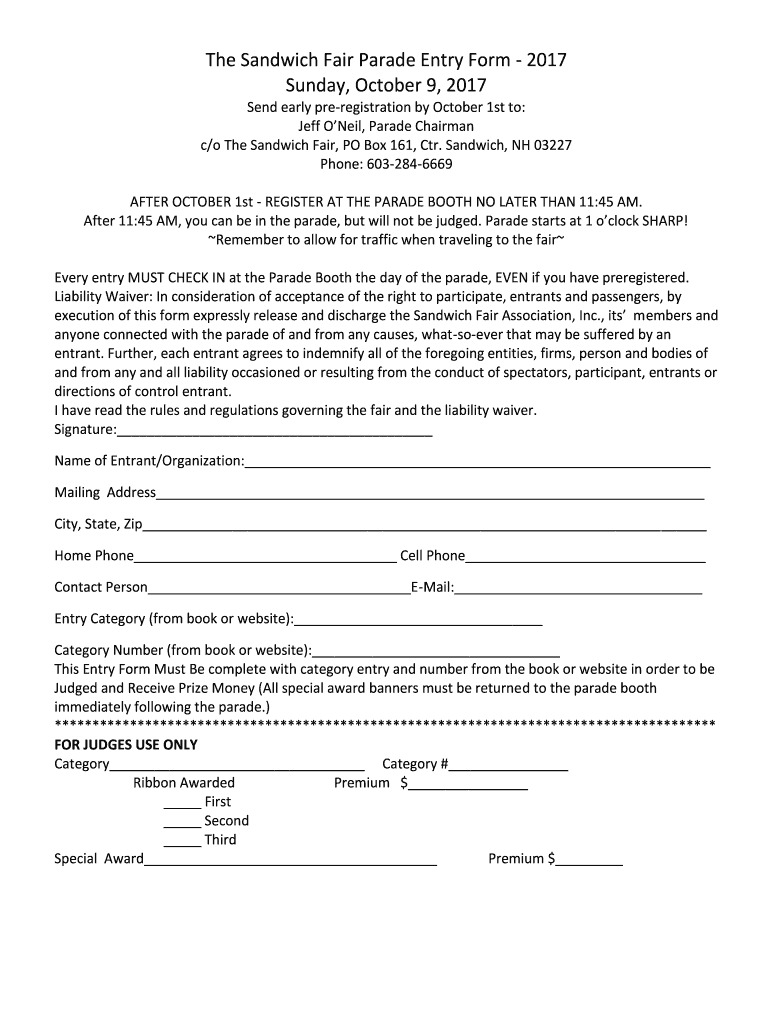
Nh sandwich entry form 2026

Get Form
nh sandwich entry form Preview on Page 1

Here's how it works

01. Edit your form online
Type text, add images, blackout confidential details, add comments, highlights and more.
02. Sign it in a few clicks
Draw your signature, type it, upload its image, or use your mobile device as a signature pad.
03. Share your form with others
Send it via email, link, or fax. You can also download it, export it or print it out.

How to use or fill out nh sandwich entry form with our platform

Form edit decoration
9.5
Ease of Setup
DocHub User Ratings on G2
9.0
Ease of Use
DocHub User Ratings on G2
  1. Click ‘Get Form’ to open the nh sandwich entry form in the editor.
  2. Begin by filling in your name or organization in the designated field. Ensure that this is accurate as it will be used for identification during the parade.
  3. Next, provide your mailing address, including city, state, and zip code. This information is crucial for any correspondence regarding the event.
  4. Enter your home and cell phone numbers along with an email address for contact purposes. This allows organizers to reach you if necessary.
  5. Select your entry category and category number from the provided book or website. This step is essential for judging eligibility.
  6. Read through the liability waiver carefully and sign at the bottom of the form to acknowledge your understanding of the rules and regulations.

Start filling out your nh sandwich entry form online for free today!

See more nh sandwich entry form versions

We've got more versions of the nh sandwich entry form form. Select the right nh sandwich entry form version from the list and start editing it straight away!
Versions Form popularity Fillable & printable
2017 4.8 Satisfied (110 Votes)
be ready to get more

Complete this form in 5 minutes or less

Get form

Got questions?

We have answers to the most popular questions from our customers. If you can't find an answer to your question, please contact us.
Contact us

Most eSignature solutions require users to have a paid subscription. With DocHub, there are two ways for you to add an electronic signature to your nh sandwich entry form without being charged:

  • You can do it during a 7-day trial period;
  • You can sign up for a free plan.

The second option, however, has limitations on the number of signatures, sign requests, emails, and documents for adjusting available per month. You can check for full information here.

You can get and modify your nh sandwich entry form online with the help of DocHub. Its straightforward but feature-rich design enables you to begin effective work immediately after you sign up your account. Create your account and add your document, then our user interface will guide you via our stress-free form completion experience.

No, alcohol is not served at the Sandwich Fair.
It was named in honor of John Montagu, 4th Earl of Sandwich, said to be the inventor of the sandwich. The earliest European settlers arrived in 1767. By 1830 Sandwich had grown to a population of 2,700, nearly double the current (2020) population.

Security and compliance

At DocHub, your data security is our priority. We follow HIPAA, SOC2, GDPR, and other standards, so you can work on your documents with confidence.

Learn more
ccpa2
pci-dss
gdpr-compliance
hipaa
soc-compliance
be ready to get more

Complete this form in 5 minutes or less

Get form