01. Edit your renew dominican republic passport online online
Type text, add images, blackout confidential details, add comments, highlights and more.
02. Sign it in a few clicks
Draw your signature, type it, upload its image, or use your mobile device as a signature pad.
03. Share your form with others
Send can i renew my dominican passport online via email, link, or fax. You can also download it, export it or print it out.
How to use or fill out commonwealth dominica form passport with our platform
Ease of Setup
DocHub User Ratings on G2
Ease of Use
DocHub User Ratings on G2
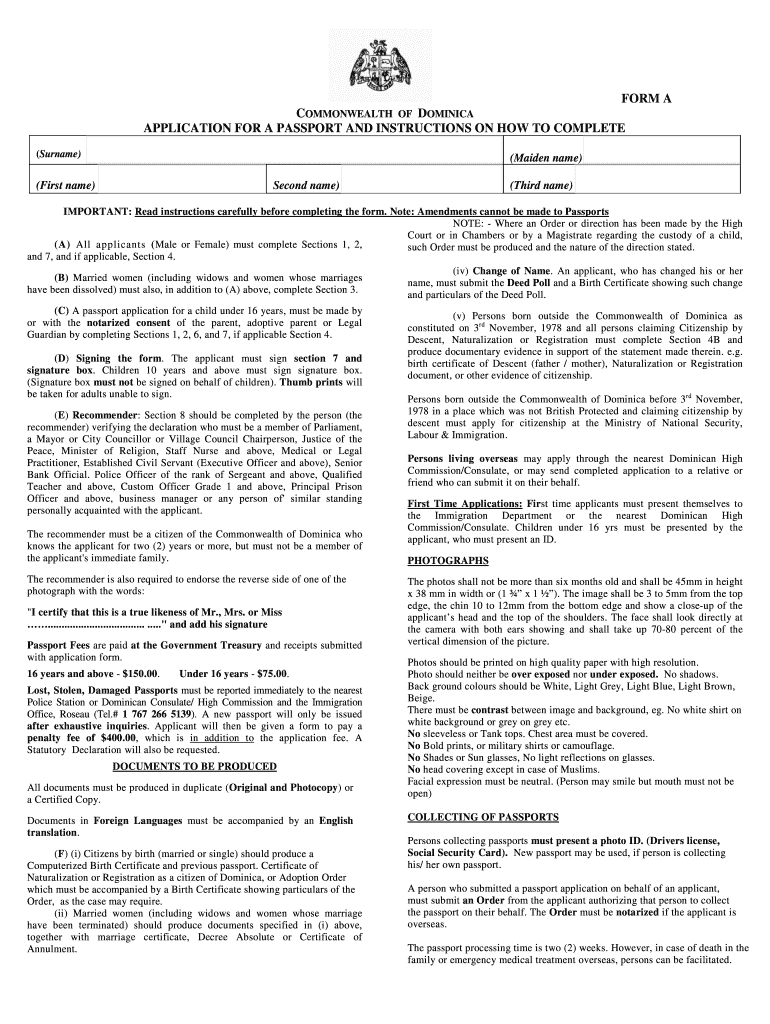
Click ‘Get Form’ to open the Commonwealth Dominica Passport application in the editor.
Begin by filling out your personal details in Section 1, including your surname, first name, and any maiden names. Ensure all names are entered as they appear on official documents.
In Section 2, provide your date of birth and place of birth. Use the date format specified in the form to avoid errors.
Complete Section 3 if you are a married woman; include your husband's surname and marriage details.
If applicable, fill out Section 4 for those born abroad, providing necessary details about your parents' citizenship status.
For children under 16, complete Sections 5 and 6 with their information and ensure a legal guardian's signature is included.
Sign Section 7 to declare that all information is accurate. If you have lost a previous passport, complete Section 9 with relevant details.
Finally, review all sections for completeness before submitting the form along with required documents and fees.
Start using our platform today to streamline your passport application process for free!
Fill out commonwealth dominica form passport online It's free
See more commonwealth dominica form passport versions
We've got more versions of the commonwealth dominica form passport form. Select the right commonwealth dominica form passport version from the list and start editing it straight away!
Dominicas Unique Foreign Policy Approach in the Face of
by T Charles 2025 ABSTRACT. This article explores the domestic and foreign policy issues surrounding the island of Dominica, a small island state in the Lesser AntillesRead more
PASSPORT VALIDITY: Must be valid at time of entry ; BLANK PASSPORT PAGES: 1 page required for entry stamp ; TOURIST VISA REQUIRED: Not required for stays under 6Read more
Cookie consent notice
This site uses cookies to enhance site navigation and personalize your experience.
By using this site you agree to our use of cookies as described in our Privacy Notice.
You can modify your selections by visiting our Cookie and Advertising Notice.