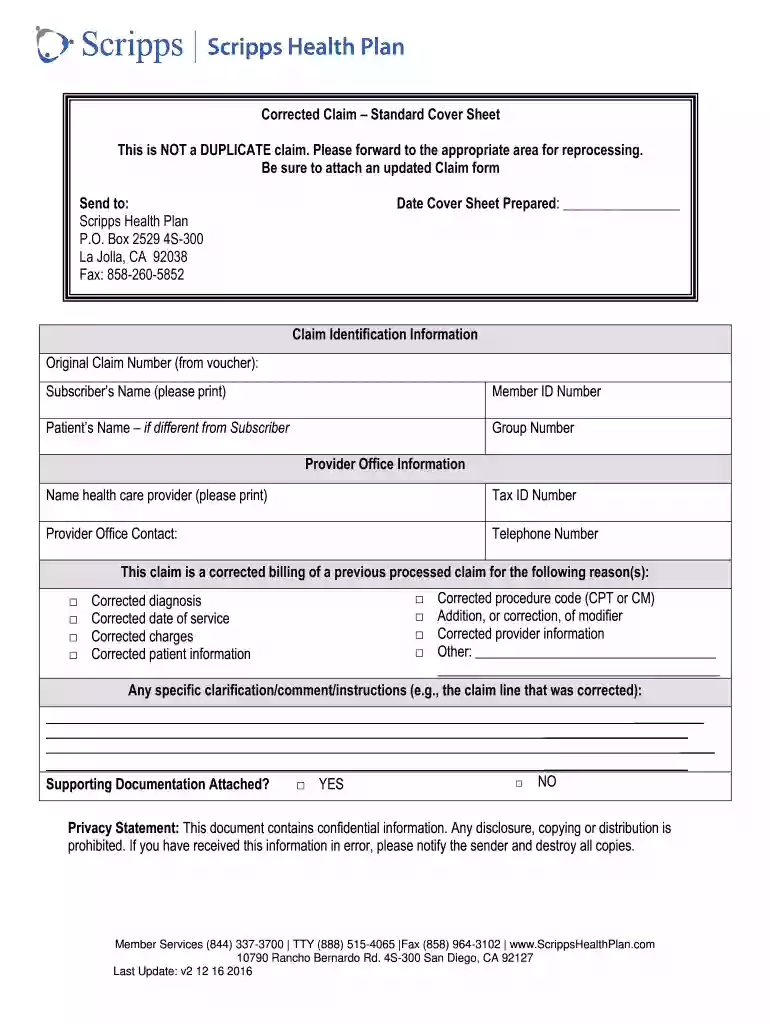
scripps doctors note Preview on Page 1

Scripps health corrected form 2026

Here's how it works

  • 01. Edit your scripps doctors note online

    Type text, add images, blackout confidential details, add comments, highlights and more.

  • 02. Sign it in a few clicks

    Draw your signature, type it, upload its image, or use your mobile device as a signature pad.

  • 03. Share your form with others

    Send 8777274777 via email, link, or fax. You can also download it, export it or print it out.

How to use or fill out scripps health corrected form with our platform

Form edit decoration
9.5
Ease of Setup
DocHub User Ratings on G2
9.0
Ease of Use
DocHub User Ratings on G2
  1. Click ‘Get Form’ to open the scripps health corrected form in the editor.
  2. Begin by entering the 'Date Cover Sheet Prepared' at the top of the form. This date is essential for tracking your submission.
  3. In the 'Claim Identification Information' section, fill in the 'Original Claim Number', 'Subscriber’s Name', 'Member ID Number', and 'Patient’s Name' if it differs from the subscriber.
  4. Next, provide the 'Group Number' and details about the healthcare provider, including their name and tax ID number.
  5. Indicate any corrections needed by checking appropriate boxes under 'This claim is a corrected billing of a previous processed claim for the following reason(s)'.
  6. Add any specific comments or clarifications regarding corrections in the designated area.
  7. Finally, confirm if supporting documentation is attached by checking either 'YES' or 'NO'.

Start using our platform today to streamline your document editing and submission process for free!

See more scripps doctors note versions

We've got more versions of the scripps doctors note form. Select the right scripps doctors note version from the list and start editing it straight away!

VersionsForm popularityFillable & printable
20164.8 Satisfied (99 Votes)

be ready to get more

Complete this form in 5 minutes or less

Security and compliance

At DocHub, your data security is our priority. We follow HIPAA, SOC2, GDPR, and other standards, so you can work on your documents with confidence.

Related links

Medical-History-Form-Student-Health-Service

Attached is your Entrance Personal Health History/Medical Examination Report Form. Scripps College. In order to provide a safe and healthy environment at TheRead more

Learn more
.. [Q]OECUS

The DECUS Program Library is a clearing house only; it does not sell, generate or test programs. All programs and information are provided AS IS.Read more

Learn more
Corrections | NCSES - NSF

The NCSES Corrections Policy (172 KB) states that NCSES must correct substantive errors in its content and notify users of these corrections.Read more

Learn more
If you believe that this page should be taken down, please follow our DMCA take down process here