FERPA Recommendation Form (External) - Oregon State University - oregonstate 2026

Get Form
18004562255 Preview on Page 1

Here's how it works

01. Edit your 18004562255 online
Type text, add images, blackout confidential details, add comments, highlights and more.

02. Sign it in a few clicks
Draw your signature, type it, upload its image, or use your mobile device as a signature pad.

03. Share your form with others
Send it via email, link, or fax. You can also download it, export it or print it out.

How to use or fill out FERPA Recommendation Form (External) - Oregon State University - oregonstate

Form edit decoration
9.5
Ease of Setup
DocHub User Ratings on G2
9.0
Ease of Use
DocHub User Ratings on G2
  1. Click ‘Get Form’ to open it in the editor.
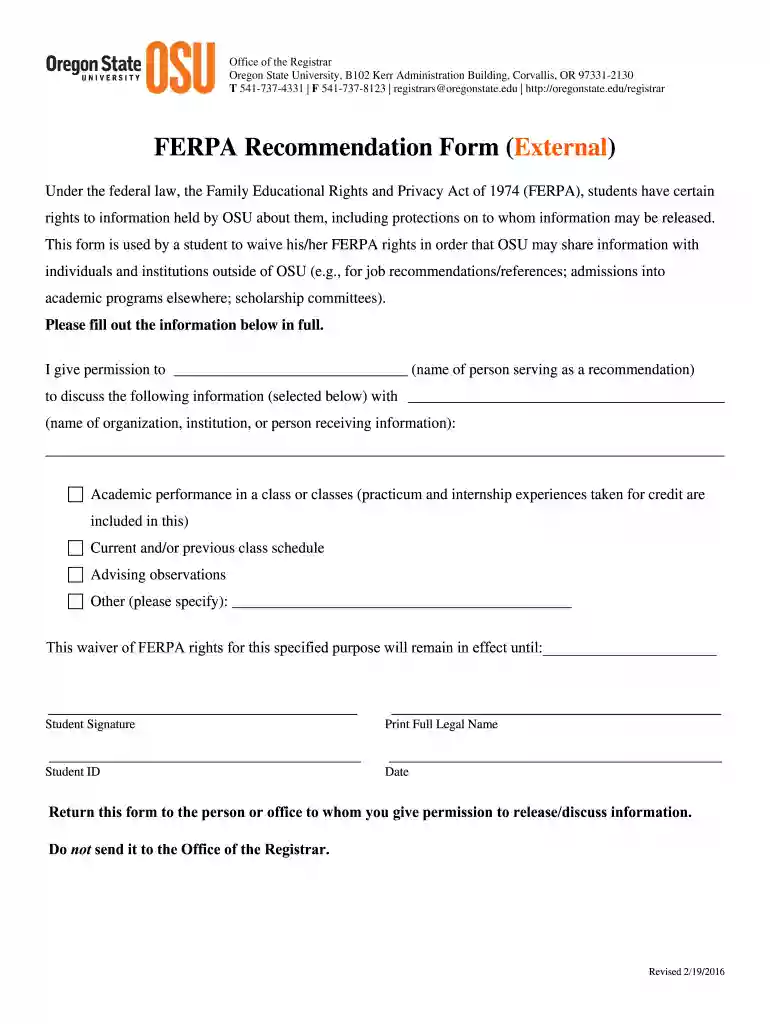
  2. Begin by entering the name of the person who will serve as your recommendation in the designated field. This is crucial for identifying who can discuss your information.
  3. Next, specify the organization, institution, or individual that will receive this information. Ensure accuracy to avoid any miscommunication.
  4. Select the types of information you permit to be shared by checking the appropriate boxes. Options include academic performance, class schedules, and advising observations.
  5. In the provided space, indicate any other specific information you wish to authorize for sharing if it’s not listed.
  6. Fill in the date until which this waiver remains effective. This ensures clarity on the duration of your consent.
  7. Finally, sign and print your full legal name along with your student ID before submitting it to the designated recipient.

Start using our platform today to complete your FERPA Recommendation Form effortlessly and for free!

See more FERPA Recommendation Form (External) - Oregon State University - oregonstate versions

We've got more versions of the FERPA Recommendation Form (External) - Oregon State University - oregonstate form. Select the right FERPA Recommendation Form (External) - Oregon State University - oregonstate version from the list and start editing it straight away!
Versions Form popularity Fillable & printable
2017 4.8 Satisfied (112 Votes)
2016 4.2 Satisfied (68 Votes)
be ready to get more

Complete this form in 5 minutes or less

Get form

Got questions?

We have answers to the most popular questions from our customers. If you can't find an answer to your question, please contact us.
Contact us
Student Consent to Release Information: This form is used by the Office of the Registrar, Office of Financial Aid, Office of Business Affairs, Office of Admissions, and Academic Advising for sharing information with designated third parties.
In fact, some of the schools dont require letters of recommendation for all programs. However, they may need them for others. At other times letters may not be needed for the app process, but could still help boost your chances of acceptance.
While not required, your counselor may send a maximum of two letters of recommendation electronically through the Common Application or through an electronic system such as Naviance. If an electronic option isnt available, your counselor may email your letter(s) to ugdocs@osu.edu.
Login to Beaver Hub Link is external, click the Student tab, then under My Student Stuff select Enrollment Verification. You will be routed to the NSCs website. Choose Current enrollment to obtain verification of the current term enrollment or choose All to obtain verification of your enrollment history at OSU.
No. OSU does not require letters of recommendation except when a student is appealing a denial. Letters of recommendation provided may be reviewed in our holistic review process. You are required by Common App to fill out your counselors information so the application can be submitted.

Security and compliance

At DocHub, your data security is our priority. We follow HIPAA, SOC2, GDPR, and other standards, so you can work on your documents with confidence.

Learn more
ccpa2
pci-dss
gdpr-compliance
hipaa
soc-compliance
be ready to get more

Complete this form in 5 minutes or less

Get form