How does amended senior certificate look like 2026

Get Form
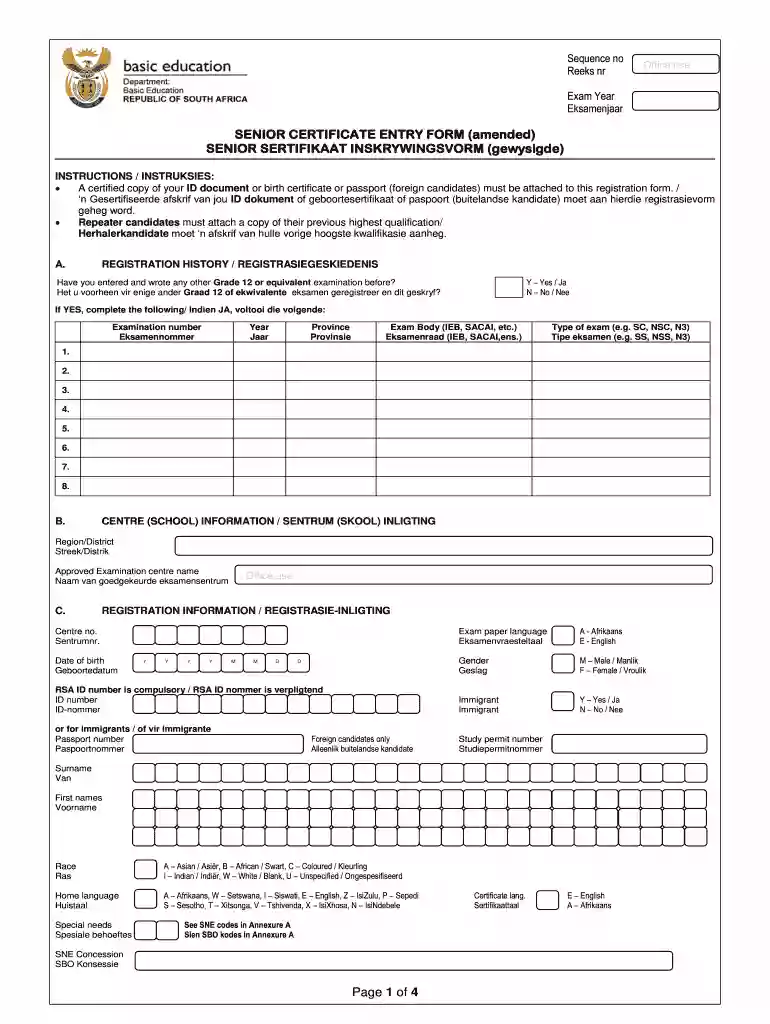
national senior certificate application form Preview on Page 1

Here's how it works

01. Edit your national senior certificate application form online
Type text, add images, blackout confidential details, add comments, highlights and more.

02. Sign it in a few clicks
Draw your signature, type it, upload its image, or use your mobile device as a signature pad.

03. Share your form with others
Send senior certificate entry form amended via email, link, or fax. You can also download it, export it or print it out.

How to use or fill out how does amended senior certificate look like with our platform

Form edit decoration
9.5
Ease of Setup
DocHub User Ratings on G2
9.0
Ease of Use
DocHub User Ratings on G2
  1. Click ‘Get Form’ to open the amended senior certificate entry form in the editor.
  2. Begin by filling in your personal details, including your full name, ID number, and date of birth. Ensure that all information is accurate as it will be used for verification.
  3. In the 'Registration History' section, indicate if you have previously registered for any Grade 12 examinations. If yes, provide the examination number and year.
  4. Complete the 'Centre Information' section by selecting your approved examination centre and providing its name.
  5. Fill out the 'Registration Information' section, including your gender and language preferences for exam papers. Make sure to attach any required documents such as a certified copy of your ID.
  6. Choose your subjects from the provided list in the 'Subject Choices' section. Refer to Annexure A for subject descriptions and codes.
  7. Finally, review all entered information for accuracy before signing and submitting the form electronically through our platform.

Start using our platform today to fill out your amended senior certificate form easily and for free!

See more how does amended senior certificate look like versions

We've got more versions of the how does amended senior certificate look like form. Select the right how does amended senior certificate look like version from the list and start editing it straight away!
Versions Form popularity Fillable & printable
2014 4.1 Satisfied (28 Votes)
be ready to get more

Complete this form in 5 minutes or less

Get form

Got questions?

We have answers to the most popular questions from our customers. If you can't find an answer to your question, please contact us.
Contact us
Amended Senior Certificate (SC(a)) candidates will only be considered for Diploma and BA Degree programmes.
The Amended Senior Certificate will enable you to apply for admission to a Higher Certificate qualification. You can also do an online search for institutions that offer contact and distance learning options to upgrade/ complete your NSC.
William Mashabane The Amended Senior Certificate (ASC), which is equivalent to the National Senior Certificate (NSC), qualifies you for admission to UCT, provided you meet the minimum requirements outlined in the UCT prospectus.
What is the difference between NSC and Senior Certificate? The National Senior Certificate (NSC) is awarded to high school students completing Grade 12. On the other hand, the Senior Certificate (SC) is for adults (21 years and older) who fail to finish high school or need to improve previous results.

Security and compliance

At DocHub, your data security is our priority. We follow HIPAA, SOC2, GDPR, and other standards, so you can work on your documents with confidence.

Learn more
ccpa2
pci-dss
gdpr-compliance
hipaa
soc-compliance
be ready to get more

Complete this form in 5 minutes or less

Get form