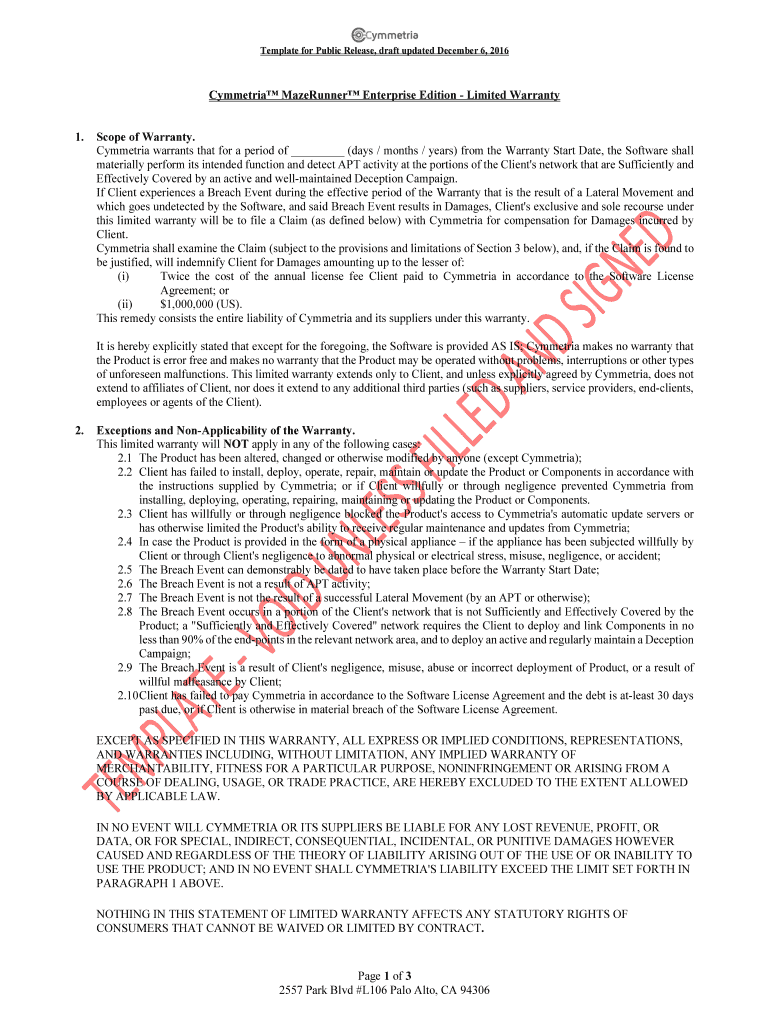
MazeRunner Warranty - For Public Release - December 6 2026

Get Form
MazeRunner Warranty - For Public Release - December 6 Preview on Page 1

Here's how it works

01. Edit your form online
Type text, add images, blackout confidential details, add comments, highlights and more.
02. Sign it in a few clicks
Draw your signature, type it, upload its image, or use your mobile device as a signature pad.
03. Share your form with others
Send it via email, link, or fax. You can also download it, export it or print it out.

How to use or fill out MazeRunner Warranty - For Public Release - December 6

Form edit decoration
9.5
Ease of Setup
DocHub User Ratings on G2
9.0
Ease of Use
DocHub User Ratings on G2
  1. Click ‘Get Form’ to open it in the editor.
  2. Begin by filling in the 'Warranty Start Date' section. This is crucial as it marks the beginning of your warranty period.
  3. In the 'Scope of Warranty' section, specify the duration of coverage (days/months/years) and ensure you understand the conditions under which claims can be made.
  4. Review the 'Exceptions and Non-Applicability of the Warranty' carefully. Make sure to acknowledge any situations that may void your warranty.
  5. If you need to file a claim, navigate to the 'Reviewing Claims under the Warranty' section and prepare to provide all necessary documentation as outlined.
  6. Finally, complete the signature fields for both Cymmetria and Client at the end of the document to finalize your warranty agreement.

Start using our platform today for free to streamline your document editing and signing process!

be ready to get more

Complete this form in 5 minutes or less

Get form

Got questions?

We have answers to the most popular questions from our customers. If you can't find an answer to your question, please contact us.
Contact us

Sure, electronically drawing your signature is acceptable, but only if you utilize a tool that complies with industry regulations and policies. Consider DocHub, which ensures eSignature validity under ESIGN and UETA requirements. All you need to approve your MazeRunner Warranty - For Public Release - December 6 electronically is an account with DocHub and an internet connection. Once you open your document in our editor, click Sign and choose the Draw tool.

If you are using Chrome, there are two easy methods to edit your MazeRunner Warranty - For Public Release - December 6 online. First, go to the DocHub site, add your file, and edit it utilizing our toolbar. You may also set up our Chrome extension and edit any document by dragging and dropping it in your web browser window.

Disney now owns all Fox assets in their film and TV division and therefore owns The Maze Runner film franchise.
Newt Day is a holiday celebrated by Maze Runner fans and the community on the 250th day of the year. This is because Newts death was on page 250 in some copies of The Death Cure book. This day usually falls on September 7th, except during leap years, in which Newt Day will be on September 6th
1:40 8:51 While Disney has delivered on those promises with various sequels. And new installments Mazerunner 4MoreWhile Disney has delivered on those promises with various sequels. And new installments Mazerunner 4 is the only one still pending. As of now there havent been any updates on the films status.

Security and compliance

At DocHub, your data security is our priority. We follow HIPAA, SOC2, GDPR, and other standards, so you can work on your documents with confidence.

Learn more
ccpa2
pci-dss
gdpr-compliance
hipaa
soc-compliance
be ready to get more

Complete this form in 5 minutes or less

Get form

People also ask

Newt wasnt immune, and neither was Winston. They were put in there to see how non immune differed from an immune. They were monitoring their brains during the process.

Related links