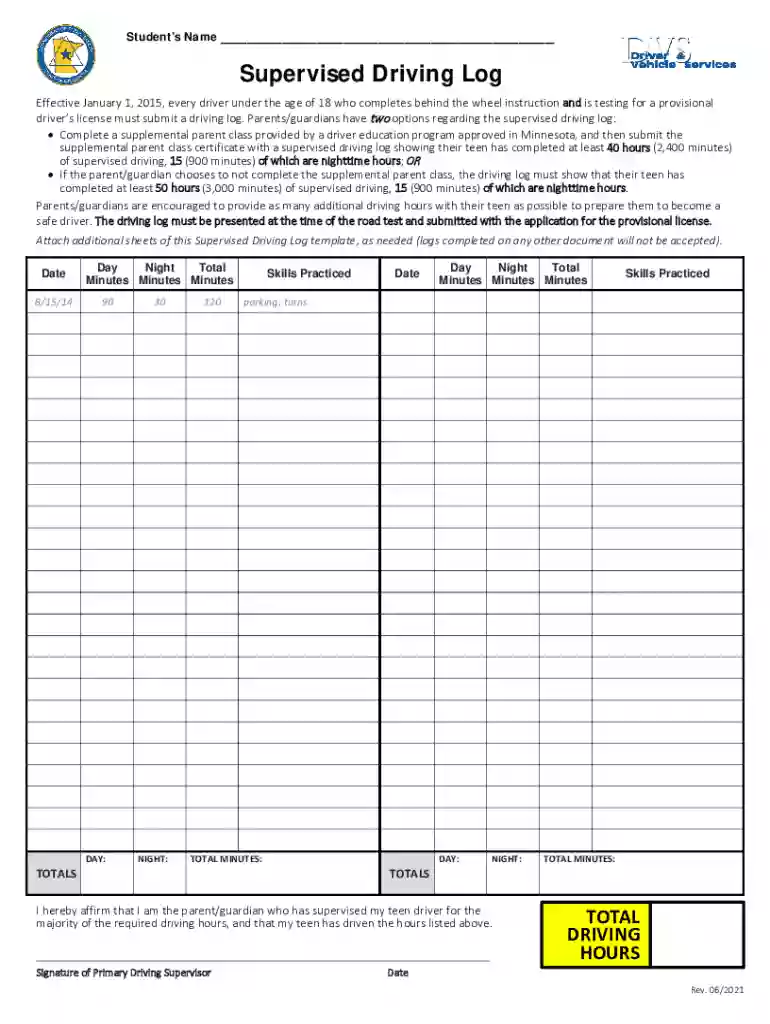
Driving log 2026

Get Form
example 60 hour driving log filled out Preview on Page 1

Here's how it works

01. Edit your example 60 hour driving log filled out online
Type text, add images, blackout confidential details, add comments, highlights and more.

02. Sign it in a few clicks
Draw your signature, type it, upload its image, or use your mobile device as a signature pad.

03. Share your form with others
Send supervised driving log via email, link, or fax. You can also download it, export it or print it out.

How to Use or Fill Out Driving Log with Our Platform

Form edit decoration
9.5
Ease of Setup
DocHub User Ratings on G2
9.0
Ease of Use
DocHub User Ratings on G2
  1. Click ‘Get Form’ to open the driving log in the editor.
  2. Begin by entering the Student’s Name at the top of the form. This identifies who is completing the supervised driving hours.
  3. In the 'Date' section, input the date of each driving session. This helps track when each driving hour was completed.
  4. Fill in the 'Minutes' fields for both Day and Night driving sessions. Ensure that you accurately record total minutes driven during each session.
  5. In the 'Skills Practiced' section, list specific skills practiced during each session, such as parking or turns, to provide a detailed account of your teen's learning experience.
  6. At the end of your entries, calculate and enter total minutes for both Day and Night sections to ensure compliance with state requirements.
  7. Finally, have the primary driving supervisor sign at the bottom to affirm that they have supervised their teen driver for the required hours.

Start using our platform today to easily fill out your driving log online for free!

See more driving log versions

We've got more versions of the driving log form. Select the right driving log version from the list and start editing it straight away!
Versions Form popularity Fillable & printable
2021 4.8 Satisfied (35 Votes)
2015 4.3 Satisfied (63 Votes)
2014 4.4 Satisfied (129 Votes)
be ready to get more

Complete this form in 5 minutes or less

Get form

Got questions?

We have answers to the most popular questions from our customers. If you can't find an answer to your question, please contact us.
Contact us
RoadReady is a component of The Parents Supervised Driving Program, recipient of the US Department of Transportation National Roadway Safety Award.
Most log driving in the US and Canada ended with changes in environmental legislation in the 1970s.
Just click on the three white lines in the upper corner of the app and select Export Driving Log. You can then send your log to the email address associated with the account so you can print it, sign it, and take it to the DMV when your driver goes in to take their test.
Download our free mobile app to track your driving experience together and to keep safety tips top of mind.
What a driving hours log should contain The date of practice. The amount of driving time. If the drive is completed during day or night hours. A signature of the parent, guardian or family member who has been supervising the teen driver during their practice hours.

Security and compliance

At DocHub, your data security is our priority. We follow HIPAA, SOC2, GDPR, and other standards, so you can work on your documents with confidence.

Learn more
ccpa2
pci-dss
gdpr-compliance
hipaa
soc-compliance
be ready to get more

Complete this form in 5 minutes or less

Get form

People also ask

Mark the date and time on your drivers log. If you practiced driving on November 3rd from 7-7:30 PM, for example, you would record the date as 11/3/20xx, the start time as 7:00 PM, and the end time as 7:30 PM. Some drivers logs also require you to record the weather conditions during your practice session.

60 hour driving log filled out